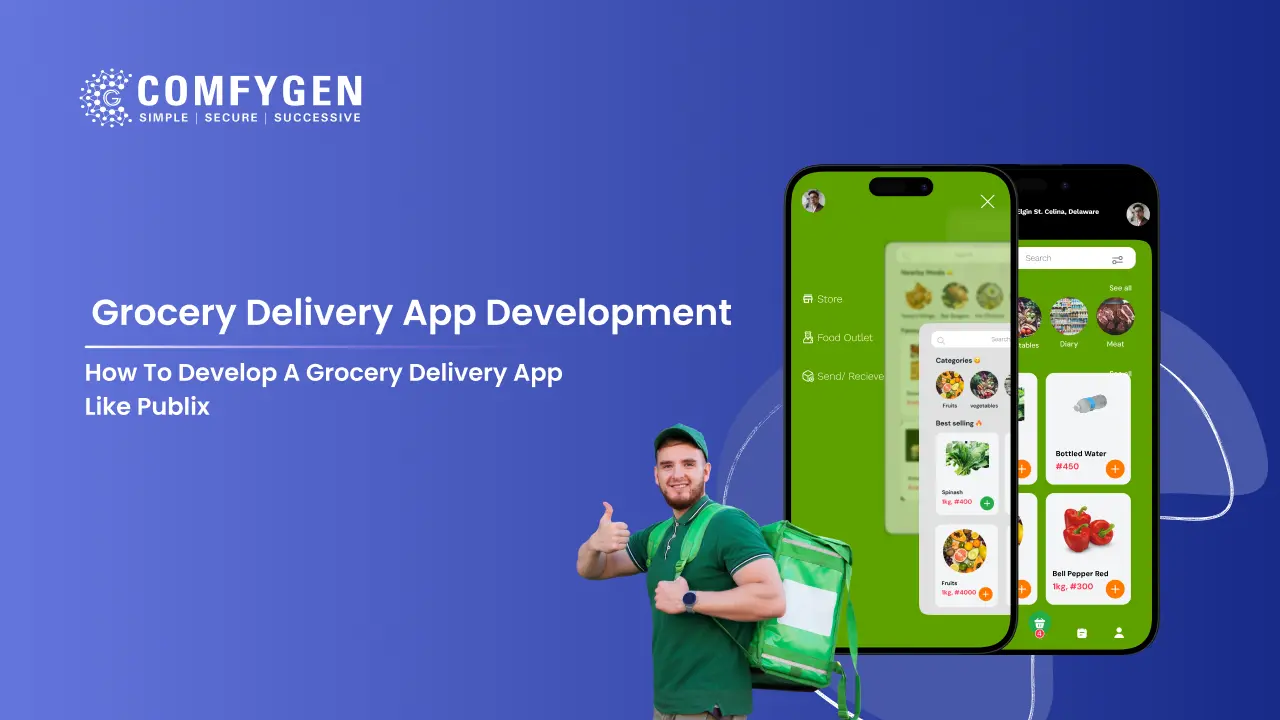





Building a grocery delivery app like Publix costs $15,000 to $120,000 and takes 8 to 32 weeks. The build splits into two halves most teams underestimate: home delivery and curbside pickup work differently and need separate flows. Publix itself does not run its own delivery fleet. It partners with Instacart and keeps pickup in-house, which is a model worth copying if you own stores but not vans.
Publix runs about 1,400 stores across Florida, Georgia, Alabama, Tennessee, South Carolina, North Carolina, Virginia, and Kentucky. In those states it is the grocery app people default to, the way Tesco is in the UK.
Startups, regional chains, and single-store grocers keep asking for a Publix grocery app alternative built around their own brand and postcodes. This guide covers how to build one, including the parts specific to the Publix model that generic grocery articles skip.
What Makes the Publix App Different
Most grocery apps do one thing: deliver. Publix does three, and each one changes the build.
Delivery runs through a partner: Publix does not employ drivers for home delivery. Instacart shoppers pick the order in-store and deliver it. Publix keeps the customer relationship and the store; Instacart handles the last mile.
Curbside pickup stays in-house: Store staff pick and bag the order, and the customer collects from a marked bay. No third party, no delivery cost.
The deli sits inside the cart: Publix subs and prepared items are made to order, so the app has to hold a product that does not exist until someone makes it, alongside products sitting on a shelf.
Those three facts explain the architecture. Copy the model and you inherit all three decisions.
Should You Partner for Delivery or Run Your Own Fleet?
This is the first decision, and it shapes everything after it. Publix chose the partner route.
| Key Factor | Partner model (Publix) | Own fleet |
| Upfront cost | Lower. No vehicles, no drivers | Higher. Vehicles, hiring, insurance |
| Margin per order | Lower. Partner takes a cut | Higher, once volume covers fixed cost |
| Control over delivery quality | Limited | Full |
| Customer data | Shared with the partner | Yours |
| Speed to launch | Weeks | Months |
| App build required | Customer app, vendor panel, admin | All of that plus a driver app |
In short, partner if you own stores but not logistics, and you want to launch this quarter. Build your own fleet if delivery quality is your differentiator or your margins cannot absorb a partner fee.
Skipping the driver app cuts roughly a quarter off the build. That is the practical reason the partner model launches faster.
How Curbside Pickup Changes the Build
Click and collect looks simpler than delivery. It is not. It is a different problem, and this is where most Publix-style builds go wrong.
Slot capacity is measured differently: A delivery slot is limited by how many drivers are free. A pickup slot is limited by how many bagged orders your staging fridge holds. Those are unrelated numbers, and using one capacity model for both will oversell your pickup slots.
The app needs an arrival signal: The customer taps “I’m here” and enters a bay number. Without it, staff either guess or walk out repeatedly. This one screen is the difference between a five-minute collection and a twenty-minute one.
Substitution timing is tighter: With home delivery, the customer might be at work when the picker hits an empty shelf, so a fifteen-minute approval window is fine. With pickup, they are often already driving over. The window has to be shorter and the fallback preference has to apply faster.
Cold storage becomes a scheduling constraint: A bagged order with frozen items cannot sit in staging for two hours. The system needs to know which orders hold chilled goods and either delay picking or flag them for priority handoff.
None of the five competitor articles ranking for this term mention any of this.
How to Handle Deli and Made-to-Order Items
Publix subs are ordered through the same app as milk and bread. That sounds small. It is not.
A shelf product has a stock count. A made-to-order sub has a queue position and a prep time. Putting both in one cart creates three problems:
Timing: The sub should be made near collection time, not when the order lands. The system needs to schedule prep backwards from the pickup slot.
Customisation: Bread choice, toppings, sauces, and exclusions all need to reach the deli counter as a readable ticket, not as a product SKU.
Capacity: A deli can make so many subs an hour. If four orders in the same slot each contain three subs, the counter is the bottleneck, not the picker.
If your stores have a deli, bakery, or butcher counter, plan this before development starts. Retrofitting it means changing the cart, the slot engine, and the picker workflow at once, which is one of the grocery delivery app development challenges that costs the most to fix after launch.
Which Features to Build
Customer App
- Registration with email, phone, or social sign-in
- Store selection by postcode, since availability and price differ by store
- Product search with category, brand, dietary, and offer filters
- Live stock display, so nothing unavailable reaches the cart
- Substitution preferences set per item or per order
- Delivery and pickup slot booking, with separate capacity rules
- Arrival check-in with bay number for pickup orders
- Multiple payment methods with authorise-now, capture-later for weighed items
- Live order tracking through picking, packing, and handoff
- Order history with one-tap reorder
- Digital coupons and loyalty applied at basket level
Store and Picker Panel
- Catalog and price management per store
- Stock levels with low-stock alerts
- Picker workflow with items listed in aisle order
- Substitution prompts with ranked replacements
- Deli and counter tickets routed separately
- Pickup staging board showing which orders are bagged and which bay is waiting
Admin Dashboard
- Store, staff, and zone management
- Slot capacity configured separately for delivery and pickup
- Order monitoring across every store
- Refunds, cancellations, and dispute handling
- Reporting by store, category, and slot
An admin dashboard for grocery delivery usually takes longer to build than the customer app, because it is where the operation actually runs. The grocery delivery app features customers notice are rarely the ones that consume the most build time.
What Changes When You Operate in Several States
Publix trades across eight states. If you plan the same, four things vary by state and need to be configurable rather than hardcoded.
| Variable | Why it matters |
| Sales tax on groceries | Some states exempt food, some tax it at a reduced rate, some tax it fully |
| Alcohol rules | Delivery hours, whether it is permitted at all, and ID check requirements differ |
| Delivery zones | Zone boundaries do not follow state lines, so both need to exist in the data model |
| Pricing | The same product often carries a different price by region |
Build these as store-level settings from the start. Adding a state later should be a configuration change, not a migration.
Take Your Grocery Business Online
Give customers an easier way to shop, order, and track groceries while building a stronger digital presence for your brand.
Get Started
How Loyalty and Digital Coupons Work in the App
Publix runs Club Publix with digital coupons clipped to an account and applied at checkout. Most grocery guides list loyalty as a nice-to-have. In grocery it does more work than in almost any other category, because the purchase repeats weekly.
Three things to get right:
Coupons apply at basket level, not at checkout. The customer should see the discount as they shop, otherwise they add items they would not have bought at full price and abandon at the total.
Substitution must respect the coupon. If a customer clipped an offer on one brand and the picker substitutes another, the discount either transfers or the customer gets told before approving.
Reorder should reapply what still qualifies. A one-tap reorder that silently drops last week’s savings feels like a price rise.
How Much Does It Cost to Build an App Like Publix?
A Publix-style grocery app costs $15,000 to $120,000 or more. A single-store MVP with delivery and pickup runs $15,000 to $30,000. A multi-store platform with a picker workflow, slot engine, and loyalty runs $35,000 to $70,000. A multi-state platform with deli ordering and POS integration starts at $70,000.
| Build type | Cost | Timeline |
| Single-store MVP | $15,000 to $30,000 | 8 to 12 weeks |
| Multi-store platform | $35,000 to $70,000 | 14 to 20 weeks |
| Multi-state enterprise | $70,000 to $120,000+ | 20 to 32 weeks |
| White-label launch | From $8,000 | 3 to 6 weeks |
What moves the price on this model specifically:
- Whether you need a driver app, which the partner model removes
- Curbside pickup, which adds the staging board and arrival check-in
- Deli or counter ordering, which adds a second fulfilment path
- Number of states, because tax and alcohol rules multiply the configuration work
- POS integration, priced per system rather than per project
A marketplace with several independent stores prices differently again. The Instacart clone app development cost runs higher for the same feature count, because a commission engine and vendor onboarding add work a single-chain app never needs.
Which Tech Stack to Use
| Layer | Choice | Why |
| Mobile | Flutter or React Native | One codebase for iOS and Android |
| Web | React or Next.js | Fast catalog pages and good search visibility |
| Backend | Node.js or Django | Handles concurrent orders well |
| Database | PostgreSQL | Orders, payments, and store-level pricing |
| Cache | Redis | Stock counts, read on every product view |
| Maps | Google Maps API | Store discovery, delivery zones, bay geofencing |
| Payments | Stripe or equivalent | Needs authorise-now, capture-later for weighed items |
| Notifications | Firebase Cloud Messaging | Substitution approvals and pickup readiness |
The cache layer earns its place here. Stock counts change constantly and get read far more often than they are written, so a direct database read on every product view will not hold at a Saturday morning peak.
How an Order Moves Through the App
1. The customer picks a store: Postcode or location sets which catalog, prices, and slots they see.
2. They shop and set substitution rules: Live stock keeps unavailable items out of the cart.
3. They choose delivery or pickup: Different slot pools, different capacity rules.
4. Payment authorises. For weighed items the final capture happens later.
5. The picker works the aisles: Items appear in aisle order. An empty shelf triggers a substitution prompt.
6. Counter items get made: Deli tickets go to the counter, timed to the slot rather than to the order.
7. Fulfilment splits: Delivery orders go to a driver or partner. Pickup orders go to staging.
8. Handoff: Either the driver delivers with proof, or the customer checks in at a bay and staff bring it out.
9. Final capture and receipt: Actual weights, actual substitutions, actual total.
Keeping stock accurate through steps two and five is the hardest part of the whole flow. Teams that manage inventory in grocery delivery apps well sync with the POS rather than maintaining a separate count.
How the App Makes Money
- Delivery fees: Flat or distance-based, often waived above a basket threshold
- Pickup as a margin play: No last-mile cost, and the customer often adds an impulse item at the counter
- Subscriptions: Monthly free delivery. The strongest retention lever in grocery, because the shop repeats
- Supplier-funded promotions: Brands pay for category placement and featured slots
- Basket growth: Reorder prompts and pairing suggestions lift average order value more than new signups do
Most platforms run three or four of these together. Pickup is the one operators underestimate, because it earns margin instead of spending it.
Which Build Option Fits You
| Option | Cost | Time to launch | Best for |
| White-label | From $8,000 | 3 to 6 weeks | Testing demand in one town |
| Publix clone app | $12,000 to $25,000 | 6 to 10 weeks | Copying a proven flow quickly |
| Custom build | $35,000+ | 14 weeks up | Chains with their own POS and rules |
A clone gets you a working flow fast. Custom is the right call once you have store-specific rules, a POS to sync with, or a deli counter in the mix, because those are exactly the things a clone script does not anticipate.
Building With Comfygen
Comfygen has delivered 550+ projects for 400+ clients across 30+ countries since 2019. Our team builds supermarket and grocery platforms with both delivery and pickup flows, working as a grocery delivery app development company for chains, single-store grocers, and startups entering the market.
Every project ships with the source code in your name, a signed NDA from the first call, and payments handled through PCI DSS certified gateways. Comfygen Technologies holds ISO 9001:2015, ISO/IEC 20000-1:2018, and ISO 27001 certification.
Frequently Asked Questions
How much does it cost to build a grocery delivery app like Publix?
Can I build a Publix-style app without Instacart?
How long does it take to build?
What is the difference between delivery and curbside pickup in the build?
Can the app handle deli or made-to-order items?
Does the app work across multiple states?
Do I own the source code?

Mr. Saddam Husen, (CTO)
Mr. Saddam Husen, CTO at Comfygen, is a renowned Blockchain expert and IT consultant with extensive experience in blockchain development, crypto wallets, DeFi, ICOs, and smart contracts. Passionate about digital transformation, he helps businesses harness blockchain technology’s potential, driving innovation and enhancing IT infrastructure for global success.