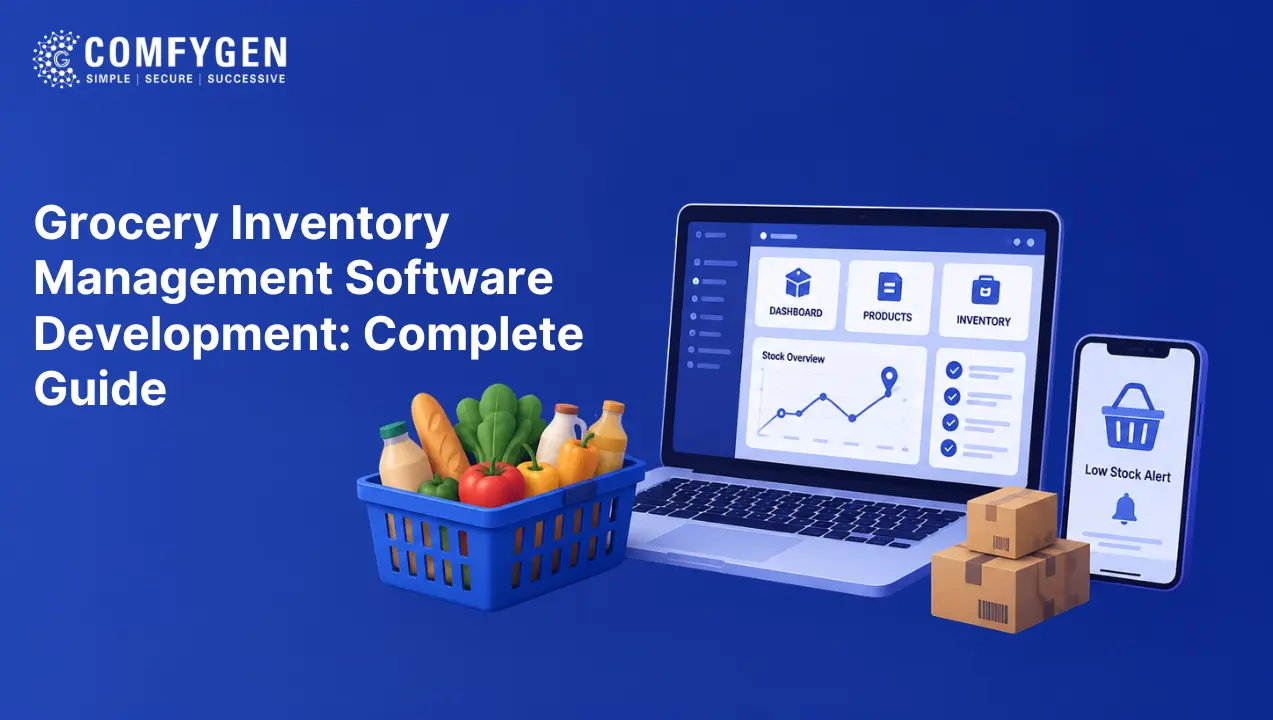





Grocery inventory management software keeps the stock count in your app matched to what is physically on the shelf. It does this by syncing with the point-of-sale system, caching fast-moving items with a short expiry, and flagging low stock before a customer can add it to a cart. Off-the-shelf software costs $50 to $500 per store per month, whereas a custom build runs $10,000 to $40,000 once.
Stock accuracy is the single biggest operational problem in grocery delivery. The app says six loaves are available. However, a shopper in aisle four bought the last two an hour ago. As a result, a picker walks to an empty shelf, the customer gets a cancellation, and you have lost both the order and the trust.
The global online grocery delivery market is projected to grow from USD 391.59 billion in 2025 to USD 1.51 trillion by 2031, a CAGR of 25.26%, according to TechSci Research. Because order volume is growing at that rate, manual stock updates stop working long before you reach scale.
Why Do Grocery Stock Counts Drift?
Three things pull the app count away from the shelf count. Only one of them involves your app.
In-Store Customers
Most grocery sales still happen in the shop, and every one of those changes the shelf without touching your app. Therefore a count refreshed overnight is already wrong by mid-morning on bread, milk, and bananas.
Picking Errors
A picker handling 40 items at speed scans the wrong barcode, grabs two instead of one, or marks an item collected that went back on the shelf. Nobody plans for this error source, because it does not exist in a normal retail operation.
Shrinkage
Stock disappears through theft, spoilage, damage, and mis-scanning. Since it never appears in a sales record, the system believes it is still there.
Catalogs run past 10,000 items. Consequently, any of the three left unchecked puts hundreds of products out of sync within a day.
How Does Grocery Inventory Management Software Work?
Four mechanisms, in order of how much they matter.
How POS Synchronisation Keeps Counts Accurate
The till knows what left the building. Your app does not.
Treat the point-of-sale system as the single source of truth and sync from it, rather than maintaining a second count in the app. Two-way sync works better still, because an app order then decrements the shop count as well.
Sync frequency matters more than most teams assume:
| Category | Suggested refresh |
| Fresh bread, dairy, produce | Every 5 to 15 minutes |
| Chilled and frozen | Every 30 minutes |
| Tinned, dry, household | Hourly |
| Slow-moving lines | Daily |
Refreshing everything every minute wastes capacity. On the other hand, refreshing everything hourly loses fresh items. Split by category instead.
Why Caching Matters at Peak Hours
Stock counts get read on every product view and written far less often. Therefore a direct database read per view will not hold at a Saturday morning peak.
Cache fast-moving items in Redis with a short expiry. The expiry is what keeps it honest, because a cached count that never expires is simply a stale count with extra steps.
How Low-Stock Flagging Prevents Cancellations
Show the customer before they commit. An item with two units left should carry a warning in the app, not a silent cancellation later.
This is the cheapest accuracy improvement available, since it shifts the problem from a refund to an informed choice.
How Reserved Stock Stops Double Selling
When a customer adds the last unit to a cart, hold it briefly rather than leaving it available to the next shopper. Then release the hold if the checkout is abandoned.
Without this, two customers buy the last item within seconds of each other, and one of them ends up disappointed.
How Grocery Shrink Tracking Software Works
Shrinkage is stock you paid for that never gets sold. In grocery it runs higher than in most retail, because so much of the inventory perishes.
Four sources, and delivery changes the mix:
| Source | How delivery affects it |
| Spoilage | Worse. Fresh items picked for a delayed order sit longer |
| Mis-scanning | Much worse. Pickers work at speed, whereas customers do not |
| Damage | Worse. Items handled twice, once by picker and once by driver |
| Theft | Roughly unchanged in-store, although transit adds new risk |
What shrink tracking software needs to do:
- Record a reason code every time stock is written off, so the pattern becomes visible
- Compare expected stock against counted stock per category rather than per store, because a store-level number hides where the loss sits
- Flag products whose write-off rate jumps, since that usually means a handling problem rather than theft
- Track substitution rate by product, because a high rate often means the count was wrong rather than the item genuinely gone
The signal is worth watching: if one store’s substitution rate climbs while its sales stay flat, its stock counts have drifted. In other words, a sync problem is showing up as a customer complaint.
Stocktaking Apps for Convenience Stores and Small Chains
A single shop or a three-store chain does not need enterprise software. Instead, it needs a stocktake that takes an hour rather than a Sunday.
What a workable stocktaking app does:
- Scans by barcode on a phone, so no dedicated hardware is needed
- Counts by aisle or section, which lets two staff work in parallel
- Shows the expected count beside the entered count, flagging the gap immediately
- Works offline, because stockrooms have poor signal
- Posts adjustments straight to the system with a reason code
Cycle counting beats full stocktakes: Counting a different tenth of the shop each week catches drift within days instead of discovering it quarterly. For fast-moving categories, count weekly. Meanwhile, monthly is enough for slow lines.
Build Smarter Grocery Delivery Operations
Improve inventory accuracy, streamline stock management, and give customers reliable product availability with a scalable grocery delivery solution.
Build Your Solution
How Grocery Order Tracking Software Connects to Stock
Grocery order tracking software and inventory software usually get sold separately. In a delivery operation, however, they are the same problem, because order status depends on whether the stock was actually there.
The statuses that matter:
| Status | What the stock system must do |
| Order placed | Reserve the stock |
| Picking started | Lock the reservation |
| Item not found | Release the line, trigger substitution |
| Substituted | Decrement the replacement, restore the original |
| Packed | Confirm final quantities and weights |
| Delivered | Close the reservation |
| Cancelled | Return everything to available |
Teams miss the last step most often. A cancelled order that never returns stock to available leaves phantom shortages, and those build up over weeks.
Substitution is where stock accuracy becomes visible to the customer, and it is the feature grocery needs that food delivery does not. The grocery delivery app features list covers the three-point approval flow behind it.
Supermarket Inventory Software for Multi-Store Chains
Once you run more than one store, stock becomes a routing question as well as a counting one.
What changes:
- Order routing by availability. Send the order to the nearest store that actually has the items, not simply the nearest store
- Split orders. When no single store holds everything, either split across two or substitute. Since splitting doubles your delivery cost, this needs a rule rather than a case-by-case decision
- Price by store. The same product often carries a different price by location, therefore the catalog needs store-level pricing
- Transfer visibility. Stock moving between stores sits in neither one for a period, and the system needs to know that
Build store-level stock as the default from the first version. Otherwise, retrofitting multi-store into a single-store data model means a migration, which is one of the grocery delivery app development challenges that costs the most to fix later.
Should You Build or Buy Grocery Inventory Management Software?
Software searchers usually weigh both. Here is the honest comparison.
| Decision Factor | Off-the-shelf software | Custom build |
| Cost | $50 to $500 per store per month | $10,000 to $40,000 once |
| Time to running | Days to weeks | 6 to 16 weeks |
| POS integration | Only the systems they support | Any system with an API |
| Fits your workflow | You fit theirs | It fits yours |
| Delivery-app integration | Often limited or absent | Built for it |
| Ongoing cost | Forever, and it scales with stores | Maintenance only |
| Best for | Single stores, small chains, testing | Platforms, chains, unusual POS |
In short, buy if you run a handful of stores on a mainstream POS and want something working this month. Build, on the other hand, if inventory accuracy is central to your product, your POS is unusual, or you run a delivery platform where the stock system has to talk to the app in real time.
The middle path most platforms end up on: buy the stocktaking and reporting layer, then build the sync and reservation logic that connects it to the app. That second part is where off-the-shelf tools fall short, because they were built for shops rather than for delivery.
How Much Does Grocery Tracking Software Development Cost?
| Build type | Cost | Timeline |
| Basic stock tracking with POS sync | $10,000 to $18,000 | 6 to 10 weeks |
| Full inventory module with reservations and substitution | $18,000 to $30,000 | 10 to 14 weeks |
| Multi-store with shrink tracking and forecasting | $30,000 to $40,000+ | 14 to 20 weeks |
These figures cover the inventory layer on its own. A full grocery platform with customer, vendor, driver, and admin panels runs $15,000 to $120,000 or more, with inventory included in that total. The grocery delivery app development tiers break the whole platform down by build type.
What moves the price:
- Number of POS systems to integrate, priced per system
- Whether you need two-way sync or read-only
- Reservation and substitution logic, because it touches the cart and the payment layer
- Shrink tracking with reason codes and reporting
- Number of stores, and whether pricing varies between them
- Demand forecasting, which needs order history before it works at all
Which Tech Stack Suits Grocery Inventory Software?
| Layer | Choice | Why |
| Backend | Node.js or Django | Handles frequent sync jobs and concurrent reads |
| Database | PostgreSQL | Stock ledgers need relational integrity and an audit trail |
| Cache | Redis | Fast-moving stock counts, read constantly |
| Queue | RabbitMQ or SQS | POS sync jobs should not block anything |
| Live updates | WebSockets | Stock changes should reach the picker screen without a refresh |
| Mobile scanning | Flutter or React Native with a barcode library | Stocktaking on staff phones |
| Reporting | Metabase or a custom panel | Shrink and variance reporting |
Design the stock table as a ledger, not a number. Store every movement with a reason and a timestamp instead of overwriting a quantity. Otherwise you cannot investigate shrinkage or explain a variance, and both questions will come up.
How to Turn Stock Data Into Better Decisions
Accurate counts are the floor rather than the goal. Once the numbers become trustworthy, they answer harder questions.
- Which products run out most often, and in which slot
- Which categories spoil before selling
- Which stores have drifting counts versus genuine shortages
- How much demand rises before a holiday or a weather event
Useful data analytics in grocery app turns that history into a draft purchase order rather than a chart nobody reads. Forecasting needs months of clean data first, which is another reason to fix accuracy before buying anything clever.
Why Build Your Grocery Inventory Software With Comfygen
Comfygen has delivered 550+ projects for 400+ clients across 30+ countries since 2019. Our team builds inventory and stock-sync layers for grocery platforms, including POS integration, reservation logic, and shrink reporting, working as a grocery app development company for chains, convenience stores, and marketplaces.
Every project ships with the source code in your name and a signed NDA from the first call. In addition, Comfygen Technologies holds ISO 9001:2015, ISO/IEC 20000-1:2018, and ISO 27001 certification.
Frequently Asked Questions
What is grocery inventory management software?
How much does grocery inventory management software cost?
Why do grocery app stock counts go wrong?
What is grocery shrink tracking software?
Should I build or buy grocery inventory software?
How often should stock counts refresh?
What is cycle counting in a stocktaking app?

Mr. Saddam Husen, (CTO)
Mr. Saddam Husen, CTO at Comfygen, is a renowned Blockchain expert and IT consultant with extensive experience in blockchain development, crypto wallets, DeFi, ICOs, and smart contracts. Passionate about digital transformation, he helps businesses harness blockchain technology’s potential, driving innovation and enhancing IT infrastructure for global success.
Based on Interest

Blockchain Development Process: How to Develop a Blockchain Application
The blockchain development process runs through eight phases: use case validation, requirements definition, platform selection, architecture design, smart contract development, testing and…