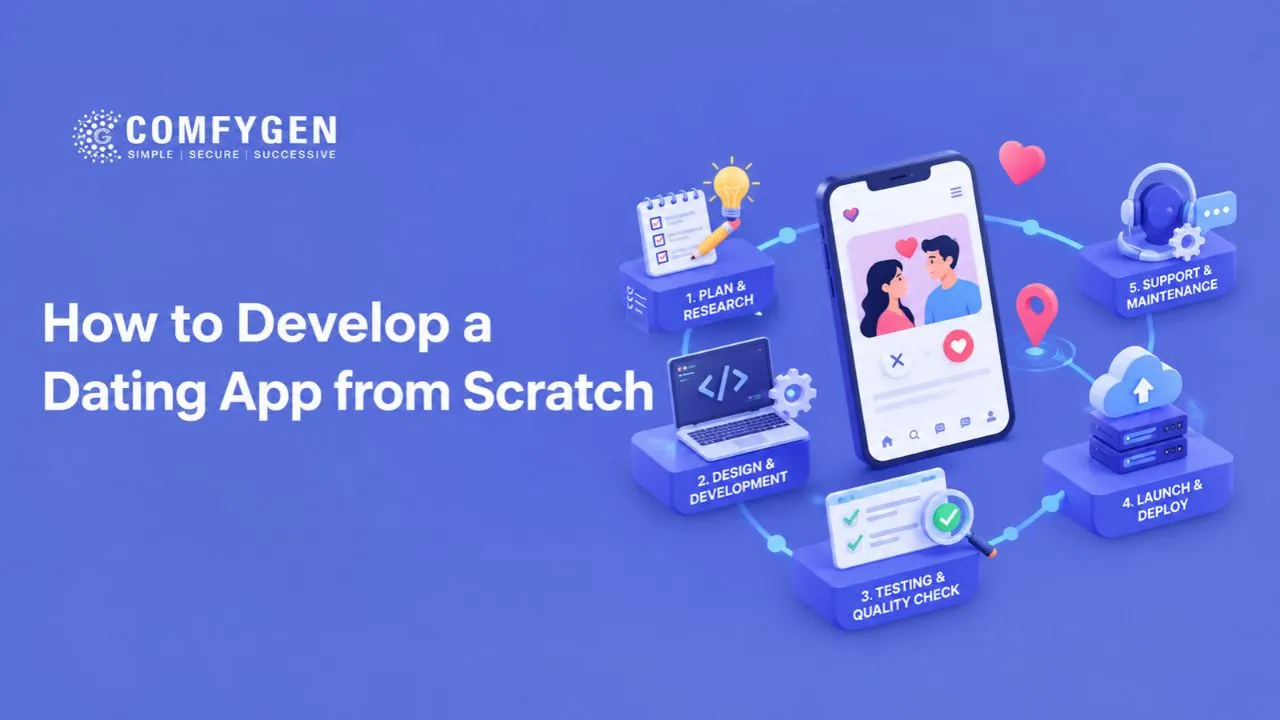





Developing a dating app from scratch involves more than creating user profiles and adding a swipe feature. You need to validate your dating app idea, identify your target audience, design a matching experience, build secure messaging, and create a reliable system for managing users.
The best approach is to start with a minimum viable product (MVP), a version that includes only the essential features needed to test your idea with real users. You can then improve the app using user feedback, engagement data, and business results.
This guide explains how to develop a dating app from scratch, including planning, essential features, technology choices, matching algorithms, development costs, security requirements, and launch strategies.
How to Develop a Dating App from Scratch: 10 Essential Steps
Step 1: Research the Market and Validate Your Idea
Before writing code, determine who your dating app will serve and why users would choose it over existing alternatives.
Competing with established platforms through identical features is difficult. A more practical approach is to solve a specific problem for a clearly defined audience.
Start by researching:
- Target audience: Define your intended users by age eligibility, location, interests, and relationship goals.
- User problems: Investigate concerns such as fake profiles, poor recommendations, unwanted messages, or limited niche communities.
- Competitors: Study onboarding, profile creation, discovery, matching, safety tools, pricing, and user feedback.
- Market demand: Interview potential users, run surveys, and test a landing page before committing to development.
- Revenue opportunities: Explore subscriptions, premium discovery options, or other suitable paid features.
For example, your concept could focus on hobby-based matching, serious relationships, or a community serving a particular profession.
Practical tip: Interview 10–20 potential users as an initial research exercise. Ask what frustrates them about existing dating apps and what would make them try a new one. This is a starting point for qualitative research, not a statistically representative market study.
Step 2: Define Your Dating App’s Business Model
Your business model determines how the app will generate revenue and which features you should prioritize.
Common monetization options include:
- Freemium model: Users access core dating features for free, with optional paid upgrades.
- Subscription plans: Users pay monthly or annually for additional discovery, preferences, or other premium features.
- In-app purchases: Users purchase optional boosts or profile visibility enhancements.
- Paid add-on features: Users pay for specific services beyond the standard experience, where appropriate.
Consider a dating app that offers free profile creation, basic discovery, and mutual matching. A premium subscription might provide additional filters or more discovery controls.
Keep essential safety features, including reporting and blocking, available without requiring a paid subscription.
Choose a revenue model that supports the user experience instead of encouraging spam, misleading profiles, or unwanted interactions.
Step 3: Identify the Essential Dating App Features
Before starting development, identify the key dating app features needed to support your users’ journey. These typically include user registration, profile creation, profile discovery, matching, messaging, notifications, and safety controls.
For your first version, focus on features that help users create profiles, discover compatible people, match with mutual interest, and communicate safely. As you learn more about user needs, you can introduce advanced features to improve engagement and the overall experience.
The right features depend on your target audience, business model, and budget. Explore our guide to Top Dating App Features You Need to Know to understand which features to prioritize and how they can improve the user experience.
Step 4: Design a Simple and User-Friendly Interface
Dating apps depend heavily on usability and trust. Users should understand how to create a profile, discover potential matches, communicate, and control their privacy without confusion.
Start with wireframes, which are simple layouts showing how screens connect. Then create interactive prototypes before developing the full application.
Prioritize these screens:
- Welcome, registration, and age screening.
- Profile setup and photo upload.
- Discovery feed and preference filters.
- Profile details and matching interactions.
- Match list and messaging.
- Safety settings, reporting, and blocking.
- Subscription management, if applicable.
Use clear navigation, readable text, accessible controls, and consistent visual elements. Avoid requesting unnecessary personal information during onboarding.
Test your prototype with representative users. Observe whether they can complete key tasks without assistance, and improve confusing screens before development begins.
Step 5: Choose the Right Technology Stack
A technology stack is the combination of programming languages, frameworks, databases, and services used to build and operate an application.
The right stack depends on your budget, team experience, expected traffic, integrations, and long-term maintenance needs.
| Technology layer | Possible options | Purpose |
| Mobile application | Flutter, React Native, Swift, Kotlin | Builds the user experience on mobile devices. |
| Web application | React, Next.js | Supports browser-based access or administration. |
| Backend development | Node.js, Python, Java | Handles business logic, authentication, matching, and messaging. |
| Database | PostgreSQL, MySQL, Redis | Stores application data and supports suitable caching or fast lookups. |
| Real-time messaging | WebSockets or managed messaging services | Delivers conversations and online updates. |
| Cloud infrastructure | AWS, Google Cloud, Microsoft Azure | Hosts application services, storage, and deployment infrastructure. |
| Notifications | Firebase Cloud Messaging and Apple Push Notification service | Delivers supported push notifications. |
| Analytics and monitoring | Product analytics and application monitoring tools | Tracks performance, errors, and user behavior. |
These are possible choices, not a mandatory combination.
For example, Flutter can be a practical option when a team wants to maintain a shared mobile codebase for Android and iOS. Native development may be preferable when platform-specific functionality or performance requirements justify separate implementations.
Your backend should enforce permissions, validate requests, and protect sensitive information. Never rely solely on the mobile interface to enforce security rules.
Step 6: Develop the Matching Algorithm
The matching algorithm determines how your app selects and ranks potential profiles for users.
You do not need a complex AI model to launch a dating app. Start with clear rules that reflect user preferences and relationship goals.
A basic matching process can work as follows:
- Read the user’s discovery preferences.
- Exclude blocked users, ineligible accounts, and profiles that should not be shown.
- Apply relevant filters, such as age range, distance, and relationship goals.
- Rank the remaining profiles using suitable compatibility signals.
- Display recommendations and learn from appropriate user feedback.
Step 7: Build the Backend, Database, and Messaging System
The backend powers the features users see in the app. It processes requests, applies business rules, stores information, and connects the different application components.
Typical backend responsibilities include:
- Authentication and account management.
- Profile creation and discovery.
- Matching and preference handling.
- Message delivery and conversation access.
- Notifications and subscription entitlements.
- Reporting, moderation, and account deletion.
- Analytics, audit events, and operational monitoring.
The database should store only the information required for the product. Access permissions must ensure that users cannot retrieve private data belonging to other accounts.
For messaging, consider delivery status, abuse prevention, rate limits, spam detection, and controls over who can initiate conversations. The architecture should also handle unreliable connections and duplicate requests gracefully.
Start with an architecture your team can operate and maintain. A modular backend may be sufficient for an MVP; microservices are not automatically necessary.
Step 8: Prioritize Privacy, Security, and User Safety
Dating apps can process sensitive personal information, including photographs, location data, preferences, and private conversations. Security and user safety must therefore be part of the initial design.
Implement safeguards such as:
- Secure authentication and server-side authorization.
- Encryption in transit and appropriate protection for stored data.
- Restricted access to personal information and uploaded photos.
- Location controls that avoid exposing precise coordinates unnecessarily.
- Rate limits and defenses against automated account creation.
- In-app reporting and blocking.
- Human review and moderation procedures for serious reports.
- Secure account deletion and a clear data-retention policy.
- Monitoring, incident response, and regular security testing.
Use the OWASP Mobile Application Security Verification Standard as a reference when planning mobile security testing.
If your app hosts user-generated content, review the Apple App Review Guidelines and Google Play’s user-generated content policy. These policies address content moderation, reporting, and blocking.
Dating apps should also implement appropriate age controls. Google Play’s age-restricted content and functionality policy specifically addresses apps whose core functionality is matchmaking or dating.
Do not treat a checkbox asking users to confirm their age as a complete safety strategy. Assess the applicable platform requirements and local legal obligations for your target markets.
Step 9: Test the App Before Launch
Testing helps identify functional problems, security weaknesses, and usability issues before they affect a larger audience.
Use a structured testing process:
- Functional testing: Check registration, profiles, matching, messaging, notifications, and account settings.
- Usability testing: Verify that users can complete important tasks without unnecessary friction.
- Compatibility testing: Test supported devices, operating systems, and screen sizes.
- Performance testing: Assess response times, message delivery, and behavior under expected traffic.
- Security testing: Check authorization, access controls, data handling, and common vulnerabilities.
- Moderation testing: Confirm that reporting, blocking, review workflows, and account enforcement work as intended.
- Payment testing: Verify subscriptions, renewals, cancellations, refunds, and entitlement handling when payments are included.
Test edge cases, too. For example, confirm that a blocked user cannot continue contacting the person who blocked them through another messaging route.
Before submission, prepare store listings, privacy disclosures, support contact information, and the materials required for review. App-store approval is not guaranteed.
Step 10: Launch, Measure Results, and Improve
Launching the app is the beginning of product development, not the end.
Start with a controlled launch in your target community or region. Monitor feedback, investigate issues, and improve the product before expanding to additional markets.
Track metrics that explain whether the app creates a useful and safe experience:
- Activation rate: The proportion of new users who complete important onboarding steps.
- Profile completion rate: The proportion of users who finish creating their profiles.
- Match-to-conversation rate: The proportion of matches that lead to a conversation.
- Retention: The percentage of users who return after a defined period.
- Report rate: The frequency of user reports, interpreted alongside severity and reporting access.
- Paid conversion rate: The proportion of eligible users who purchase a paid plan.
- Crash rate and response time: Indicators of technical reliability.
Define each metric precisely and compare results across relevant user groups and time periods. A high number of swipes alone does not prove that users are finding compatible partners.
Use interviews, feedback, and analytics together to prioritize improvements. For example, if users complete profiles but rarely start conversations, investigate profile quality, recommendation relevance, and messaging friction before adding more features.
Final Thoughts
Developing a dating app from scratch requires a clear product concept, thoughtful user experience, reliable technology, and a strong commitment to privacy and safety.
Start by validating a specific audience and building an MVP with profiles, discovery, mutual matching, messaging, and essential moderation tools. Choose a technology stack your team can maintain, test the complete user journey, and measure meaningful outcomes after launch.
Expand the product only when user feedback and performance data justify the investment. This approach helps reduce unnecessary development work and gives your dating app a more practical foundation for growth.
If you are evaluating a custom solution, explore Comfygen’s dating app development services to understand the available development approach and discuss your project requirements.

Mr. Saddam Husen, (CTO)
Mr. Saddam Husen, CTO at Comfygen, is a renowned Blockchain expert and IT consultant with extensive experience in blockchain development, crypto wallets, DeFi, ICOs, and smart contracts. Passionate about digital transformation, he helps businesses harness blockchain technology’s potential, driving innovation and enhancing IT infrastructure for global success.