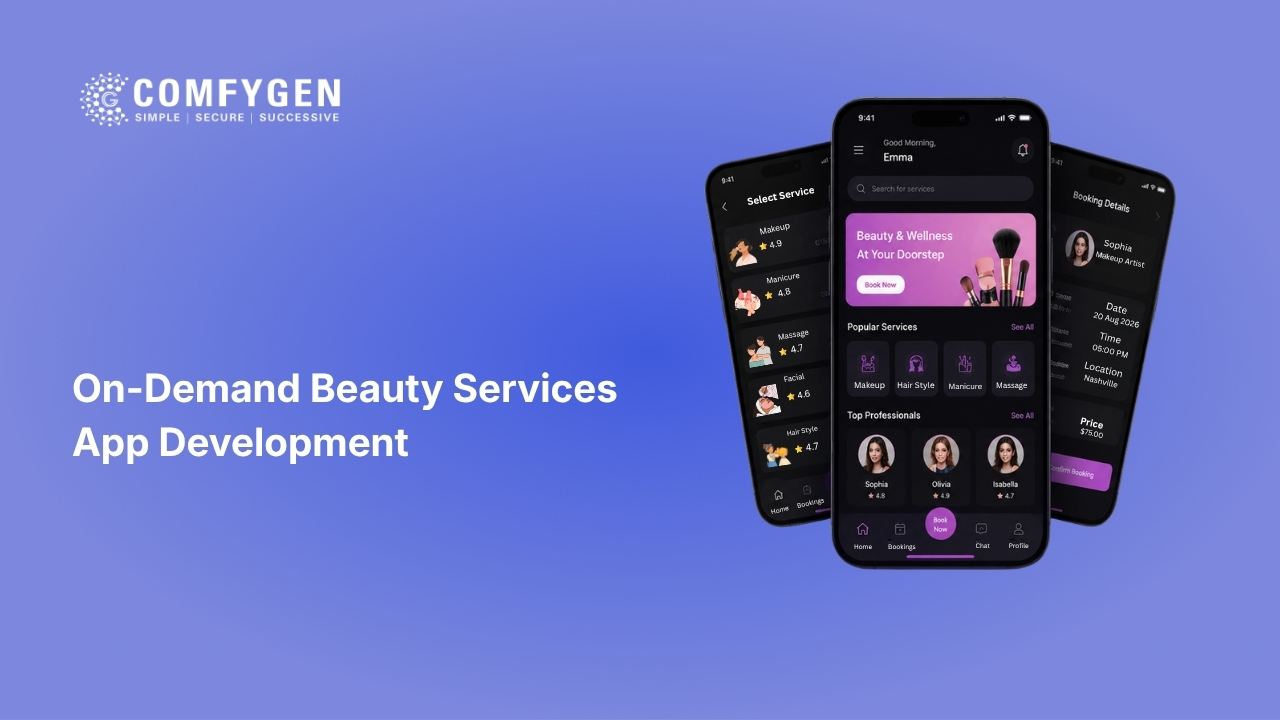





On-demand beauty services app development means building a platform where a customer books a facial, waxing, haircut, or makeup session and a verified beautician travels to their home at the chosen time. It needs three connected apps (customer, beautician, and admin), live matching by location, kit and consumable tracking per booking, and split payouts to professionals. A working two-sided MVP costs $9,000 to $15,000 and takes 10 to 14 weeks. A multi-city platform with dynamic pricing, kit logistics, and tiered payouts costs $20,000 to $30,000+ over 16 to 20 weeks.
At-home beauty stopped being a niche a while ago. The global mobile beauty on-demand platform market sits at about $1.86 billion in 2026 and is forecast to reach $4 billion by 2035. In India, the at-home salon category is valued near $1.2 billion and is expected to roughly double by 2033.
Every at-home salon app runs the same nine or ten backend problems. Get those right, and the app works quietly. Get the matching or the kit logic wrong, and your operations team spends the day fixing bookings by phone.
This guide covers what goes into on-demand beauty platform development: the modules, the cost, and the timeline.
On-Demand Beauty vs Salon Booking: Not the Same Product
Founders often ask for “a salon app” and then describe two different products. The difference changes the database, the payment flow, and the cancellation policy.
| Point of difference | Salon booking app | On-demand beauty app |
| What gets booked | A chair or a room at a fixed address | A person who travels to the customer |
| Who owns supply | The salon owner | Freelance beauticians on your platform |
| Scheduling unit | Stylist time slot | Stylist time + travel time + setup time |
| Products used | Salon stock, counted monthly | A kit carried per booking, counted per job |
| Payment split | Salon keeps everything | Platform commission, then payout to the professional |
| Biggest failure risk | Empty chairs | A no-show at someone’s front door |
| Safety load | Low, public premises | High, private home, both sides need protection |
The last row is the one people underestimate. When a salon booking fails, a customer waits. When a home booking fails, a stranger is at someone’s door and nobody knows who booked whom. That drives half the feature list below.
If you’re comparing booking software rather than building a marketplace, our breakdown of the best salon booking apps covers Fresha, Booksy, Vagaro, and GlossGenius in detail.
Four Business Models, and Why the Choice Comes First
Pick the model before design starts. Each one changes who holds supply, how payment splits, and how much admin panel you need on day one.
Freelancer marketplace. Independent beauticians register, set their own availability, and the platform takes a commission per booking. Fastest way to fill supply, hardest way to keep quality even. Needs the heaviest verification and rating logic of the four.
Managed supply. The platform recruits, trains, and equips professionals, then controls pricing and standards directly. Quality stays consistent and repeat rates run higher, but you carry training cost and kit cost per professional. Most of the large at-home players work this way.
Salon-extension app. An existing salon or chain adds a home-service layer to its own brand. Supply comes from staff already on payroll, so there’s no commission engine to build, only rostering, travel windows, and a payout adjustment for home visits. Cheapest build of the four.
Hybrid aggregator. Customers book either a salon chair or a home visit in one app. Two booking types, two pricing rules, one catalogue. It captures more demand, but the booking engine has to treat the two as separate objects from the first line of code.
One fact is worth knowing before you choose. In India alone, an estimated 7 to 8 million beauty service providers work outside organised salons. Raw supply is never the constraint here. Verified, trained, available supply is. That’s why the onboarding module matters more than the booking screen.
The Three Apps You’re Actually Building
People budget for one app and then discover they bought three. Scope it correctly at the start.
Customer app
- Service catalogue with duration and price per item
- Address book with flat and landmark details
- Slot picker showing real availability
- Professional profile with rating and jobs completed
- Cart for bundling services, payment with wallet and coupons
- Live tracking with ETA, and an OTP to start the job
- Rating and one-tap re-book after the service
Beautician app
- Job feed with distance and payout shown before accepting
- Accept and decline with a visible acceptance-rate score
- Arrival, start, and complete buttons with a kit checklist per job
- Earnings dashboard by day and week, plus payout history
- Leave and availability calendar
- Training modules and certification status
Admin panel
- Live map of ongoing jobs
- Professional verification queue
- Service and pricing manager by city
- Commission and tier rules
- Kit and inventory ledger
- Refunds, disputes, and cancellation reports
- Promo engine and micro-market reporting
Your operations team lives in the admin panel all day, so it deserves real design work rather than a default table layout.
Beautician Onboarding and Verification
This is where trust is built or lost, and it’s the module most first-time builders under-scope.
A workable flow runs in six stages:
- Application with phone verification
- Document upload for ID and any beauty certification
- Background check, through a verification API or a manual admin step
- Skill test on two or three core services
- Hygiene and service training, delivered as in-app modules
- Probation period of trial bookings with mandatory feedback before full activation
Build the professional record so it can hold a status history, not just a current status. Approved, suspended, retraining, and reactivated all need timestamps, because a complaint six months later will need that trail.
Two things worth adding early: a face-match check at login, so the verified person is the one who shows up, and an expiry date on certifications so renewals get nudged automatically.
Location-Based Matching and Travel Time
Matching is the technical core of any on-demand beauty app development project.
The naive version sorts available professionals by straight-line distance and assigns the closest. It breaks immediately in real cities. A beautician 800 metres away across a river or a rail line can be 25 minutes out.
A matching engine that holds up uses several layers together:
- Geospatial indexing (PostGIS or Redis geo) to shortlist professionals inside the service polygon
- A routing API for actual travel time, not distance
- A buffer of 15 to 20 minutes on either side for setup and packing
- A skill filter, because bridal makeup and basic threading aren’t the same supply pool
- A fairness score, so the same three high-rated professionals don’t take every job
- A fallback chain, where a job unaccepted in 60 seconds widens to the next radius ring
Slot blocking is the detail that saves you later. On confirmation, block service duration plus travel time to the next likely job. Skip it and you get professionals double-booked across town.
Service Kits and Inventory Per Booking
A salon counts stock once a month. An on-demand platform has stock moving around the city in 60 backpacks, and this is where margin quietly disappears.
Model it as a bill of materials. Every service maps to a consumable list: a Rica waxing job consumes wax, strips, pre and post lotion, gloves, and disposable bed sheets in known quantities. When a job is marked complete, the system deducts those items from that professional’s assigned kit automatically.
Around that, you need:
- Kit assignment per professional with a running balance
- Low-stock alerts that trigger a restock request from the nearest hub
- A hub or warehouse module with dispatch records
- Batch and expiry tracking for products that touch skin
- Single-use item confirmation in the app, because hygiene is a selling point and needs proof
The payoff is real cost per booking. Once product cost is deducted per job instead of per month, you can see which services make money and which only look busy. Cheap headline services often turn out to be running at a loss once consumables and travel are counted.
Dynamic Pricing by Slot and Area
Demand for at-home beauty is lumpy. Weekday mornings are dead, weekend evenings are impossible, and wedding season breaks everything.
Pricing levers that work in practice:
- Base price per service, set by city
- Slot multiplier for peak windows
- Light area multiplier for zones with thin supply or long travel
- Off-peak discount, to move demand instead of only taxing peaks
- Travel surcharge beyond a set radius
- Minimum cart value, so a visit is worth the trip
- Membership plans that lock in a discount for repeat customers
Two rules keep customers from feeling cheated. Cap the surge, so a facial never appears at triple price. And show the reason inline, one line such as “peak slot, +₹120” rather than a silent higher total. Surge without explanation is the fastest way to a one-star review that mentions pricing instead of the service.
Store every price change with a reason code, so support can reconstruct a disputed total two weeks later. Demand forecasting sits on top of this layer, and our guide to AI salon app development covers how prediction models fill empty slots and plan staffing.
Safety Features on Both Sides
Most articles cover customer safety and stop there. Your beauticians visit strangers’ homes alone, often at night, and platforms lose supply fast when professionals feel unprotected.
For the customer: verified professional profile with photo and ID status visible before arrival, live tracking with ETA, an OTP the customer gives to start the service, in-app masked calling so neither side sees a real number, sealed and single-use product confirmation, an in-app SOS with location share, and a post-service rating that flags low scores to admin automatically.
For the professional: an SOS button connected to a monitoring desk, automatic trip sharing with a chosen contact, address quality flags on repeat problem locations, the right to decline a job without a rating penalty, a blocklist for customers they won’t return to, cashless payment so nobody carries money, a job-completion checkpoint that alerts admin if a job runs far past its expected end time, and insurance cover for on-job incidents.
Log all of it. Every safety event needs a timestamp, a location, and a resolution note. If you take institutional money later, that log is the first thing due diligence asks for.
Commission, Payouts, and Money Flow
The money model has to be decided before architecture starts, because retrofitting split payments into a live platform is expensive and slow.
Common structures across the category:
| Model | How it works | Typical range |
| Tiered commission | Rate falls as the professional’s rating and volume rise | 25% down to 0% for top tiers |
| Per-minute payout | Professional paid by service minutes, tiered by grade | ₹6 to ₹8 per minute in India |
| Subscription supply | Professional pays monthly, keeps the full fee | Fixed monthly |
| Customer membership | Customer pays monthly for discounted rates and priority slots | Fixed monthly |
| Convenience fee | Small fixed fee per booking, charged to the customer | Fixed per booking |
| Product margin | Platform sells kit products to professionals | Margin on supply |
Most mature platforms run three or four of these at once rather than depending on a single line. Commission alone rarely covers customer acquisition cost in year one, and pushing the rate above 25% starts pushing good professionals off the platform.
Technically, the payments module needs split payments through Stripe Connect or Razorpay Route so each professional’s share settles automatically, a payout schedule (daily, weekly, or on-demand withdrawal), a wallet with a held balance for disputed jobs, penalty and incentive rules, tax handling for GST and TDS or the local equivalent, and downloadable earning statements. Professionals open the earnings screen more than any other screen, so slow or unclear numbers there cause churn faster than low pay does.
How the Build Runs, Stage by Stage
A typical on-demand beauty project moves through seven stages. The order matters because matching and payments both depend on decisions made in the first two.
- Discovery and model lock. Catalogue, city list, commission structure, and business model fixed in writing. Two to five days.
- Wireframes and UI design. All three apps plus the admin panel. Two to three weeks.
- Backend and database. Pricing schema, geospatial tables, professional records, booking state machine. Three to four weeks.
- Customer and beautician apps. Built in parallel against the same API. Four to six weeks.
- Integrations. Split payouts, maps and routing, SMS and push, verification APIs, invoicing.
- Testing. Functional, load, payment failure cases, plus a field test with real professionals. Two weeks minimum.
- Launch and stabilise. One city, a few postcodes, then widen. Four to eight weeks of post-launch support.
Technology stack
| Layer | Usual choice |
| Mobile apps | Flutter or React Native for both apps, Swift and Kotlin where native performance is needed |
| Backend | Node.js with Express, or Django with Python |
| Database | PostgreSQL with PostGIS for geospatial queries, MongoDB for catalogue data |
| Live state | Redis for availability, job feeds, and slot locks |
| Maps and routing | Google Maps Platform or Mapbox |
| Payments | Stripe Connect, Razorpay Route, PayU, UPI, Apple Pay |
| Cloud | AWS or GCP with Docker |
| AI features | TensorFlow, PyTorch, or OpenAI APIs for matching and demand forecasting |
On-Demand Beauty Services App Development Cost and Timeline
Cost summary: A medium build at $9,000 to $15,000 over 10 to 14 weeks covers the three apps, verified onboarding, location matching, payments with commission split, and basic kit tracking for a single city. An advanced build at $20,000 to $30,000+ over 16 to 20 weeks adds dynamic pricing, multi-city micro-market controls, full kit and hub inventory, tiered payouts, safety monitoring, and AI-based matching and demand forecasting.
| Package | Cost | Timeline | Best suited for |
| Basic | $5,000 to $8,000 | 6 to 8 weeks | Single-city pilot, manual matching, limited services |
| Medium | $9,000 to $15,000 | 10 to 14 weeks | Full marketplace MVP with automated matching and payouts |
| Advanced | $20,000 to $30,000+ | 16 to 20 weeks | Multi-city platform, dynamic pricing, kit logistics, AI features |
Location changes the number as much as the feature list does. The same scope quoted at $95 an hour in the US lands near $25 an hour in India, which is why most of these platforms are built in Asia and run from wherever the market is.
| Region | Typical hourly rate |
| United States and Canada | $80 to $150 |
| Western Europe | $60 to $120 |
| Australia | $70 to $110 |
| Eastern Europe | $40 to $80 |
| India and South Asia | $20 to $40 |
Beyond location, what moves the number most: the number of cities at launch, whether kit and inventory tracking is included, the complexity of the commission and payout rules, native versus cross-platform builds, third-party costs for routing, verification, and messaging, and the depth of the admin panel. Recurring costs are easy to forget at quote stage, so budget separately for map API calls, SMS and OTP volume, payment gateway fees of roughly 2% to 3% per transaction, cloud hosting, and store fees. For a full factor-by-factor breakdown, see our salon app development cost guide.
Where to Start
Start with one city and one narrow service list. Waxing, facials, and threading cover most of the early demand and use kits that are simple to track. Get 30 to 50 verified professionals working a small set of postcodes before you widen the map, because travel time only drops once density rises. Everything else, dynamic pricing, tiers, AI matching, is a phase-two decision that reads better with three months of real booking data behind it.
Comfygen has handled on-demand beauty services app development and marketplace builds since 2019, with 550+ projects delivered for 400+ clients across 30+ countries and a 97% client retention rate. For a fixed scope and a written estimate against your city and service list, talk to our team.
FAQs
What is on-demand beauty services app development?
How much does it cost to build an on-demand beauty app like Urban Company?
How long does an at-home salon app take to build?
How do on-demand beauty apps make money?
How do you verify beauticians on the platform?
Can one app handle both salon bookings and at-home services?
Which technology stack suits an on-demand beauty app?

Mr. Saddam Husen, (CTO)
Mr. Saddam Husen, CTO at Comfygen, is a renowned Blockchain expert and IT consultant with extensive experience in blockchain development, crypto wallets, DeFi, ICOs, and smart contracts. Passionate about digital transformation, he helps businesses harness blockchain technology’s potential, driving innovation and enhancing IT infrastructure for global success.