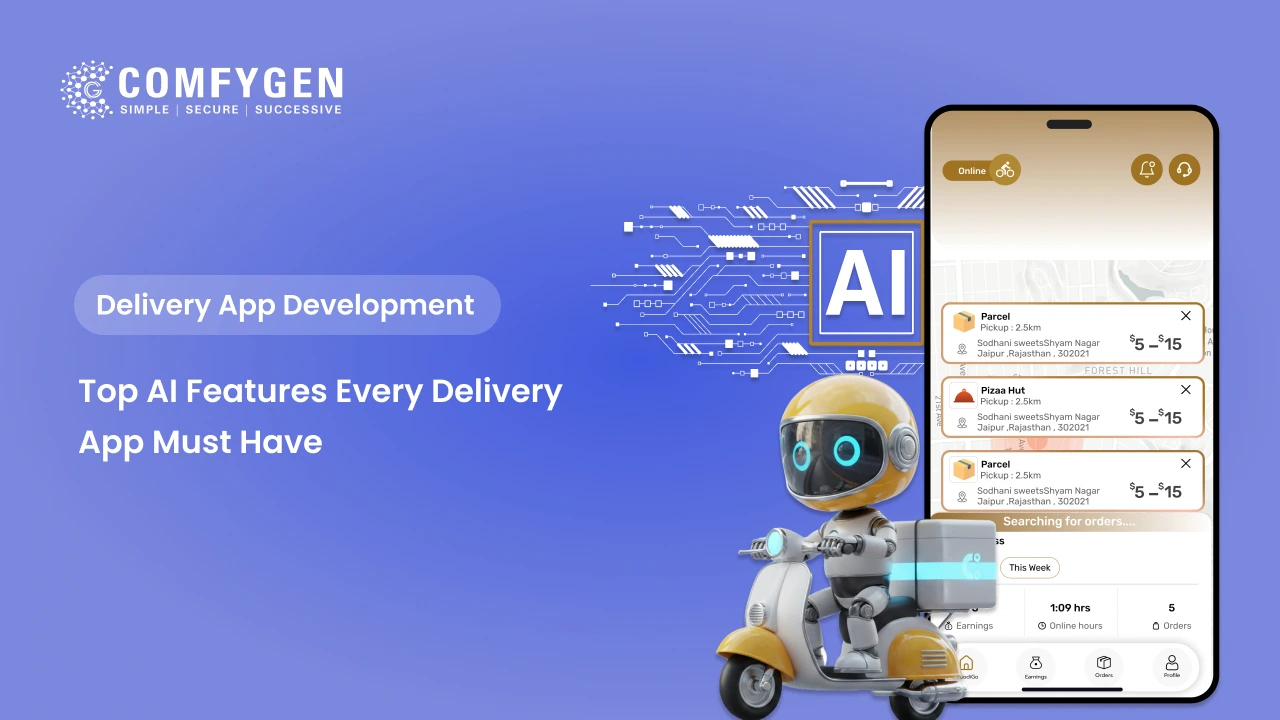





The AI features that matter most in a delivery app are route optimization, ETA prediction, smart dispatch, order batching, demand forecasting, personal recommendations, fraud detection and AI customer support. Most apps should launch with maps-based routing and simple rules, then add machine learning once they have a few thousand completed orders. Each AI feature typically adds $3,000 to $25,000 to the build, depending on whether you use ready APIs or train your own models.
This guide explains what each feature does, which panel it lives in, what data it needs and roughly what it costs. It also covers pickup and delivery apps, where AI has to plan two stops per order instead of one.
What Does AI Mean in a Delivery App?
In delivery apps, AI usually means machine learning: software that learns patterns from past orders and uses them to predict what happens next. For example, if a restaurant always takes 6 minutes longer on Friday nights, a machine learning model notices and adjusts future ETAs by itself.
Not every smart feature needs machine learning. Plenty of good delivery apps run on rules (such as “assign the nearest free rider”) plus a maps API like Google Maps for distance and traffic. Rules are cheaper, easier to test and work from day one. Machine learning beats rules once you have enough order history to learn from.
Quick Overview of All 12 AI Delivery App Features
| No. | Feature | Panel | Need Order History? | Rough Cost |
| 1 | Route optimization | Driver app, admin | No (API) / Yes (custom) | $5,000 to $15,000 via API; $20,000 to $60,000 custom |
| 2 | ETA prediction | Customer app | Yes | $6,000 to $20,000 |
| 3 | Smart dispatch | Admin, driver app | Helpful | $8,000 to $25,000 |
| 4 | Order batching | Admin, driver app | Helpful | $6,000 to $18,000 |
| 5 | Demand forecasting | Admin, vendor panel | Yes (several months) | $8,000 to $25,000 |
| 6 | Personal recommendations | Customer app | Yes | $5,000 to $15,000 |
| 7 | AI customer support chatbot | Customer app | No | $3,000 to $10,000 |
| 8 | Fraud detection | Admin | Yes | $8,000 to $25,000 |
| 9 | Dynamic delivery pricing | Admin, customer app | Yes | $8,000 to $20,000 |
| 10 | Smart search and catalogue cleanup | Customer app, vendor panel | No | $4,000 to $12,000 |
| 11 | Photo proof and ID checks | Driver app | No | $4,000 to $10,000 |
| 12 | Voice and local-language ordering | Customer app | No | $5,000 to $15,000 |
Costs are typical ranges for an India-based team adding the feature to an existing delivery platform. They sit on top of the base build, and the full cost of a delivery app depends mostly on how many panels and platforms you need.
1. AI Route Optimization
What it does: Finds the fastest order of stops for each rider, using live traffic, road rules and delivery windows.
Why it matters: Shorter routes mean less fuel, more deliveries per hour and food that arrives hot. The best-known public example is UPS, which has said its ORION routing system saves around 100 million miles of driving a year.
How to build it: Most apps don’t need a custom model at launch. Google’s Route Optimization API, Mapbox and NextBillion.ai all offer routing as a paid service, and Google’s open-source OR-Tools library handles the maths for free if your team can run it. Custom models make sense only when your routes have unusual rules, such as temperature limits for medicine or strict time slots for groceries.
2. Accurate ETA Prediction
What it does: Tells the customer when their order will really arrive, and updates the time as things change.
How good ETAs work: A single “25 minutes” guess is often wrong because it hides three separate waits: how long the store takes to prepare the order, how long the rider waits at pickup, and how long the ride takes. Good ETA models predict each stage on its own and add them up. If a kitchen falls behind, only the prep estimate changes, and the customer sees a fair update.
Data needed: Order timestamps for every stage (placed, accepted, ready, picked up, delivered) from at least a few thousand orders. Record these from day one, even before you build the model.
3. Smart Rider Dispatch
What it does: Decides which rider gets which order, and when to send them.
Why it’s more than “nearest rider”: Sending the nearest rider too early means they wait at the restaurant, wasting time they could spend on another order. Smart dispatch looks at prep time, rider location, current load and rider ratings, then sends the rider so they arrive just as the order is ready. Large platforms like DoorDash have written publicly about treating dispatch as their core technology problem.
Start simple: Launch with rules (nearest free rider, with a prep-time delay), then add machine learning once you have enough data on how long each store takes.
4. Smart Order Batching
What it does: Groups two or more orders going the same way so one rider carries them together.
Where it helps most: Grocery and quick commerce apps, where orders come from the same dark store and go to nearby homes. Batching lowers cost per delivery but can slow the first order in the batch, so set a maximum extra wait time (for example, 5 minutes) and let the system work inside it.
5. Demand Forecasting
What it does: Predicts how many orders you’ll get by hour, day and area, using past orders, weather, holidays and local events.
Who uses it: Admins use forecasts to plan rider shifts. Stores and dark stores use them to plan stock and staff. A good forecast means fewer riders sitting idle at 3 pm and fewer missed orders at 8 pm.
Data needed: At least three to six months of order history, so the model can see weekly and seasonal patterns. Before that, simple averages by day and hour work well enough.
6. Personalized Recommendations
What it does: Shows each customer the dishes, products or stores they’re most likely to order, based on their history and what similar customers buy.
Where to use it: Home screen, cart (“people also added”), and reorder prompts. For grocery, “buy again” lists are often the most-used screen in the app.
Start simple: “Most popular near you” and “order again” need no machine learning and cover most of the value in the first months.
7. AI Chatbot for Customer Support
What it does: Answers “where’s my order?”, handles simple refund requests and passes harder problems to a human agent.
How it’s built today: Most teams use a large language model (the technology behind ChatGPT-style assistants) connected to your order system, so the bot can check live order status. Set clear limits: the bot can share status and offer small refunds under a set amount, but anything bigger goes to a person.
8. Fraud Detection
What it does: Flags suspicious patterns such as fake accounts farming sign-up coupons, repeated “item missing” refund claims, cash-on-delivery orders that are never accepted, and riders marking orders delivered from the wrong location.
Why it pays off fast: Coupon abuse and false refund claims grow quickly once an app gets popular. Even simple rules (one first-order coupon per phone number and device) block most abuse, and machine learning catches the rest as patterns change.
9. Dynamic Delivery Pricing
What it does: Adjusts delivery fees based on demand, distance, weather and rider supply, so busy periods stay covered.
Use with care: Customers dislike surprise fees. Show the fee clearly before checkout and explain it in plain words, such as “high demand in your area.”
10. Smart Search and Catalogue Cleanup
What it does: Understands spelling mistakes, local names and mixed-language searches, like “aloo” for potato or “doodh” for milk. Generative AI can also clean up messy vendor catalogues by fixing product names, filling in missing descriptions and tagging items into the right categories.
Why it matters: If customers can’t find an item, they can’t buy it. For marketplaces with hundreds of small vendors, catalogue cleanup saves weeks of manual work.
11. Photo Proof and ID Verification
What it does: Checks that a delivery photo actually shows a package at a door, reads ID for age-restricted items like alcohol, and verifies rider selfies against their registered photo at shift start.
Where it’s needed: Alcohol, medicine and high-value parcel delivery, where proof matters for legal and insurance reasons.
12. Voice Ordering in Local Languages
What it does: Lets customers search or reorder by voice, in Hindi or other regional languages.
Who it helps: Older users and customers in smaller cities who aren’t comfortable typing in English. It’s a strong feature for milk, water and grocery subscription apps where orders repeat often.
Build a Smarter Delivery App With AI
Add the right AI features to your delivery app and create faster, more efficient experiences for customers and drivers.
Build With AI
How AI Works in Pickup and Delivery Apps
Pickup and delivery apps (courier, laundry, parcel and returns) are harder to optimise than food apps, because every order has two stops: a pickup and a drop. AI has to plan both.
- Two-leg routing: A pickup must always come before its drop, and a rider carrying several parcels must plan the whole chain in the right order. Good routing tools handle this “pickup before drop” rule automatically.
- Pickup time windows: Customers pick a slot for collection. AI groups nearby pickups in the same slot so riders don’t cross the city twice.
- Vehicle capacity: Parcel size and weight limit how many pickups a bike or van can take. Routing must respect capacity as well as distance.
- Reverse logistics: Returns, exchanges and failed deliveries create backward trips. AI can merge return pickups into existing routes instead of sending a new rider.
- Failed attempt prediction: Models can flag addresses with a history of failed deliveries, so the app asks for a confirmed time or landmark before dispatch.
These rules shape how courier and parcel delivery apps are built, and they’re the main reason logistics platforms spend more on routing than food apps do. Teams building multi-service pickup and delivery app development usually handle food, grocery and parcels in one system, with separate routing rules for each.
When Is AI Worth Adding to Your On-demand Delivery App?
| Stage | Order History | What to Use |
| Launch | 0 orders | Maps API routing, rule-based dispatch, “popular near you” lists, basic fraud rules |
| Early growth | 1,000 to 5,000 completed orders | ML-based ETAs, smarter dispatch, recommendations |
| Scale | Several months of steady orders across zones | Demand forecasting, dynamic pricing, fraud models |
These thresholds are a rule of thumb. A single-city grocery app may learn useful ETAs faster than a 10-city food app, because its conditions are more alike.
How to Add AI in Three Phases
Phase 1: At Launch
Use a maps API for routing and ETAs, simple dispatch rules, an LLM-based support bot and basic fraud rules. Log every order timestamp for later.
Phase 2: After a Few Thousand Orders
Add machine-learning ETAs, smarter dispatch, order batching and personal recommendations.
Phase 3: At Scale
Add demand forecasting, dynamic pricing, fraud models and catalogue automation for large vendor networks.
This order keeps early costs low and puts each model to work only when it has enough data to be accurate. A team experienced in AI development for mobile apps can design the data logging in Phase 1 so later phases don’t need a rebuild.
What AI Can’t Fix in a Delivery Business
AI improves a delivery business that already works. If stores regularly mark orders ready when they aren’t, or riders skip the app to take cash orders directly, no model will help. Fix the operating rules first, then use AI to improve them.
How to Protect User Privacy and Location Data
Delivery apps collect addresses, phone numbers and live location, and AI features use that data heavily. In India, the Digital Personal Data Protection Act 2023 requires clear consent and a way for users to delete their data. In Europe, GDPR applies. Keep rider location tracking limited to active shifts, and store only the data your models actually use.
Frequently Asked Questions
What AI features should a delivery app have?
How much does it cost to add AI to a delivery app?
Do I need AI to launch a delivery app?
How does AI route optimization work?
How is AI used in pickup and delivery apps?
How accurate are AI delivery ETAs?

Mr. Saddam Husen, (CTO)
Mr. Saddam Husen, CTO at Comfygen, is a renowned Blockchain expert and IT consultant with extensive experience in blockchain development, crypto wallets, DeFi, ICOs, and smart contracts. Passionate about digital transformation, he helps businesses harness blockchain technology’s potential, driving innovation and enhancing IT infrastructure for global success.