

Key takeaways
- Pharmacy apps come in five shapes: white label, single-store, marketplace, delivery aggregator, and B2B distribution. Pick before you budget.
- Four apps get built, not one: customer, pharmacist, delivery, admin. Quotes that price only the customer app are the single most common cost surprise.
- An MVP runs $15,000 to $30,000 and takes 2 to 4 months. A marketplace runs $50,000 to $120,000 and takes 6 to 9 months.
- Compliance is architecture, not a final-week checklist. Retrofitting encryption and audit logs after launch costs more than building them in.
- Most first projects stumble on pharmacist verification and inventory accuracy, not on the customer screens everyone plans for.
So you’re thinking about building a pharmacy app. Maybe you run a single store and you’re watching regulars drift to a competitor who has one. Maybe you’ve spotted a gap in your local market. Either way, you’ve probably read a few pages that throw “HIPAA” and “tech stack” at you without explaining what either costs you in practice.
This guide is for the stage before you hire anyone. Before the budget is set, while you’re still working out whether this is even the right move.
What does a pharmacy app actually do?
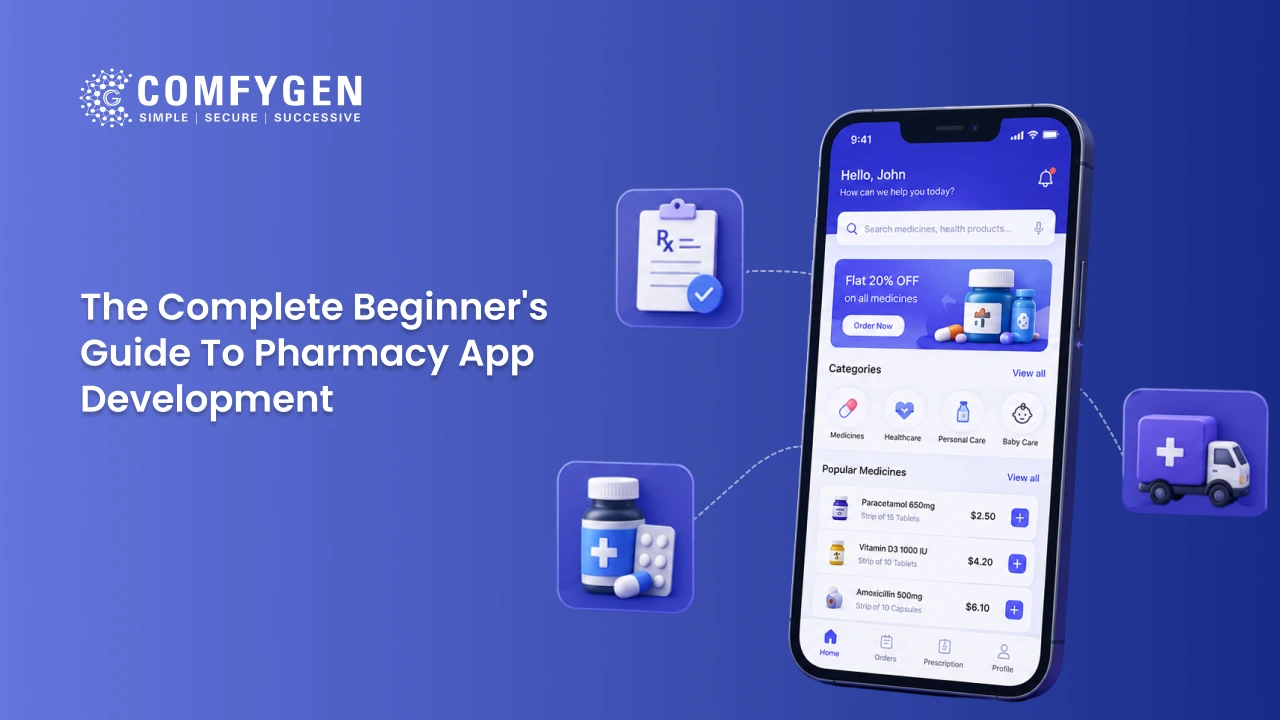
A pharmacy app lets someone order medicine from their phone instead of walking into a store. That’s the one-line version, and it’s close to useless for planning.
In practice, a pharmacy app has to handle four separate jobs at the same time:
- The customer orders: Search for medicine, upload a prescription, pay, track delivery.
- The pharmacist verifies: Check the prescription is genuine, check for drug interactions, approve or flag it.
- The delivery person fulfils:. Pick up, navigate, deliver, confirm.
- The owner manages: Track stock, see sales, handle complaints, run offers.
Most people planning a pharmacy app are only picturing job one. The other three are where the cost lives, and where first-time founders get caught out on budget.
Is a pharmacy app right for your business?
Three questions worth answering honestly before spending anything.
Do your customers already order from you repeatedly?
Pharmacy apps work on repeat behaviour. Refills, chronic medication, monthly orders. If most of your revenue is one-time walk-ins for over-the-counter items, an app won’t shift much on its own.
Can your operations keep up?
An app isn’t just a screen. Someone has to verify prescriptions, keep stock accurate in real time, and get orders out fast. If your back office still runs on paper registers, an app will expose those gaps faster than it fixes them.
Do you have 12 to 18 months of runway?
Apps don’t pay for themselves in month one. Between development, launch, and the months it takes to build a user base, this is a real commitment.
If all three are a yes, keep reading. If not, partnering with an existing marketplace first and building your own app once demand is proven is usually the cheaper path.
What types of pharmacy apps can you build?
Five options, from simplest to hardest.
| Type | What it is | Best for |
| White label | A pre-built platform rebranded with your name | Testing demand before a custom build |
| Single-pharmacy ordering app | Custom app tied to your store or small chain | Independent pharmacy owners |
| Multi-vendor marketplace | Several pharmacies on one platform, you earn commission | Founders with capital and a 9-month horizon |
| Delivery aggregator | Logistics only, you connect existing pharmacies to customers | Teams with delivery experience, no stock |
| B2B distribution app | Wholesalers serving pharmacies and clinics | Distributors, not retail |
Most beginners should start with white label or a single-pharmacy app. Building a marketplace on day one means solving your own operations and multi-vendor logistics at the same time, and those are two hard problems, not one.
If smart medicine recommendations or automated prescription reading are on your list, the scope and timeline change enough that it’s worth reading the breakdown of AI in pharmacy app development before you finalise anything.
What features does a pharmacy app need?
Four panels, four feature sets. Start with the minimum in each and grow from there.
Customer app
| Feature | Why it matters |
| Sign-up by OTP or social login | Older patients abandon apps with long registration forms |
| Medicine search with generic alternatives | Cheaper substitutes build trust and repeat orders |
| Prescription upload by photo or PDF | Core to anything beyond over-the-counter products |
| Order tracking | Cuts “where is my order” support calls sharply |
| Refill reminders | The biggest single driver of repeat purchase |
| Multiple payment options | Cash on delivery still matters in many markets |
| Pharmacist chat | Builds trust with first-time and anxious users |
Pharmacist panel
| Feature | Why it matters |
| Prescription verification queue | Legally non-negotiable for prescription drugs |
| Real-time inventory with expiry alerts | Stops expired stock going out of the door |
| Substitute medicine suggestions | Keeps an order moving when exact stock is out |
| Order assignment and routing | Critical past one branch or one delivery partner |
Delivery app
| Feature | Why it matters |
| Live GPS tracking | Customers treat this as standard now |
| Proof of delivery by photo, OTP or signature | Protects you in disputes, especially on controlled drugs |
| Route optimisation | Becomes necessary past roughly 50 orders a day |
Admin panel
| Feature | Why it matters |
| Sales and order dashboard | You can’t manage what you can’t see |
| Customer support tools | Complaints happen, plan for them from day one |
| Promotions and loyalty | Drives the repeat behaviour the model depends on |
A practical tip for a first build: don’t build all of this at launch. Sign-up, search, prescription upload, basic tracking, and a pharmacist verification queue is enough to go live and learn from real customers. The rest can follow once you know what your users actually ask for.
Which compliance rules apply to a pharmacy app?
You don’t need to become a compliance expert. You do need to know what each rule demands of your build.
| Rule | Applies to | What it means for your app |
| HIPAA | US-facing apps | Health data encrypted, access-controlled and logged. You need an audit trail of who saw what, and when. |
| GDPR | EU-facing apps | Users can see, export and delete their own data. Consent must be explicit, not buried in terms. |
| CDSCO and Drugs and Cosmetics Rules | India | Governs who may dispense, which schedules can be sold online, and what records are retained. |
| ABDM | India, optional | Health ID and record-linking standards if you want to integrate with national health infrastructure. |
| DSCSA | US distribution | Drug traceability across the supply chain. Matters most for B2B and distribution apps. |
| HL7 FHIR | Any EHR integration | The standard your app talks to hospital and clinic records through. |
| PCI-DSS | Any app taking payments | Card data never stored in plain text. Use a certified processor, don’t build card storage. |
| Local pharmacy board rules | Varies by state and country | Usually dictates who can verify a prescription and how long records are kept. |
The practical point: build compliance into the architecture on day one. Adding encryption and audit logging after launch costs several times what it costs to design in, and a gap in a health app is a different category of problem from a bug in a shopping app.
How do you build a pharmacy app, step by step?
Seven stages, with realistic timings for a first-time founder.
1. Requirements and market research (1 to 2 weeks)
Define who you’re building for, which region, and which regulatory framework applies. Most delays later trace back to rushing this.
2. Wireframing and design (3 to 5 weeks)
Rough layouts first, polished design after. Pressure-test the flow here. Put it in front of a few real customers before any code is written.
3. Architecture and compliance planning (2 to 3 weeks)
Tech stack, cloud provider, and how data gets encrypted and stored, with your compliance requirements built in from the start.
4. Development (8 to 20 weeks)
Customer app, pharmacist panel, delivery app, and admin dashboard, usually built in parallel by different team members.
5. Testing and QA (3 to 6 weeks)
Functional testing, security testing, and compliance testing. Don’t compress this to hit a launch date.
6. Launch (1 to 2 weeks)
App store submission, soft launch to a limited audience, then wider rollout once early bugs are caught.
7. Support and maintenance (ongoing)
Bug fixes, OS updates, security patches, and features based on real feedback. Budget this as permanent, not one-time.
What tech stack works for a pharmacy app?
| Layer | Common choices | Note |
| Mobile frontend | React Native, Flutter | One codebase for iOS and Android cuts cost 30 to 40% against two native builds |
| Web frontend | React.js, Next.js | For the admin panel and any customer web ordering |
| Backend | Node.js, Django, Laravel | Node pairs well with React Native teams |
| Database | PostgreSQL, MongoDB | Postgres is the safer default where prescriptions and audit logs matter |
| Cloud | AWS, Google Cloud, Azure | AWS and Google both offer HIPAA-eligible healthcare services |
| Health data exchange | HL7 FHIR R4 | Required to talk to certified EHR systems |
| Payments | Stripe, Razorpay, PayPal, UPI | Use a certified processor, never store cards yourself |
| Notifications | Firebase, Twilio, MSG91 | Refill reminders run through this layer |
Cross-platform is the default for a first build. Native becomes worth it when you need deep device features or you’re already at scale.
How much does it cost to build a pharmacy app?
Cost follows the type you picked earlier.
| App type | Cost range (USD) | Timeline |
| White label rebrand | $5,000 to $12,000 | 2 to 4 weeks |
| Single-pharmacy MVP | $15,000 to $30,000 | 2 to 4 months |
| Custom full-featured app | $30,000 to $70,000 | 4 to 6 months |
| Multi-vendor marketplace | $50,000 to $120,000+ | 6 to 9 months |
Three cost factors catch first-time founders out.
Compliance work isn’t optional and isn’t free. Encryption, audit logging, and access controls add real hours, particularly for US and EU markets.
Three extra panels exist beyond the customer app. Pharmacist, delivery, and admin each take development time. A quote that only prices “the app” is often pricing one quarter of the project.
Post-launch costs are ongoing. Plan for roughly 15 to 20% of the build cost annually for maintenance, patches, and updates.
If a quote comes in well under these ranges, ask specifically what’s excluded. Cheaper quotes usually drop the pharmacist panel, the compliance work, or post-launch support. The line-by-line version of these numbers, including developer rates by region, sits in our breakdown of what it costs to build a pharmacy app.
How do pharmacy apps make money?
Most run two or three of these at once.
- Commission per order: A percentage of each sale. The default for marketplaces and delivery platforms, and it scales with volume.
- Subscription: A paid tier with free delivery and member pricing. Works once order frequency is high enough to justify it.
- Premium features: Family profiles, extended consultation access, charged on top of a free catalogue.
- Advertising: Sponsored placements from pharma brands. Heavily regulated, and what you can sell differs by country.
- White label licensing: Licensing your platform to chains that don’t want to build. Revenue per client, and it pays before order volume is proven.
Which mix works depends entirely on volume, which is why a chain and a startup rarely pick the same one.
What actually goes wrong in pharmacy app projects?
Most guides list features and stop. Here’s where these projects really stumble.
Compliance isn’t a checkbox, it’s ongoing work
It’s tempting to treat HIPAA or your local pharmacy board rules as something a developer handles once. In reality every new feature, every new region, and every law change means revisiting it. Budget compliance as a recurring cost.
Prescription verification is slower than it looks
Reading a doctor’s handwriting, confirming interactions, and getting a licensed pharmacist to sign off takes real time. Apps that promise instant confirmation are often skipping proper verification, which creates legal exposure. Build your delivery promises around your verification process.
Inventory accuracy breaks with multiple stock points
The moment you have more than one branch, keeping stock accurate across all of them in real time becomes an engineering problem, not a database field. Underestimating this is why launches feel broken in month two.
Trust takes longer to earn than downloads
An ad gets someone to install. Getting them to upload a prescription and hand over health data is a different bar. Lead your early marketing with licence numbers, pharmacist credentials, and a clear privacy policy, not discounts.
Delivery costs scale faster than revenue
Same-day delivery is expensive at low order volume. Have runway for the period before delivery economics turn in your favour.
Should you build custom or buy white label?
Buy white label if you want to test demand quickly, you’re a single independent pharmacy, or your budget sits under $15,000.
Build custom if your business model is genuinely different (marketplace, B2B distribution), you need integration with specific existing systems, or you’ve already validated demand on a white label app and are ready to scale.
There’s no prize for building custom when a rebrand does the same job for a fraction of the cost. Plenty of successful pharmacy businesses start white label and move to custom only once they’ve outgrown it. Once custom is the right call, our custom pharmacy app build covers what a full engagement includes, from MVP through to marketplace platforms.
How do you choose a development partner?
Five questions worth asking any agency before signing.
Have you shipped a HIPAA or GDPR compliant app, and can I see it? General mobile experience isn’t healthcare experience.
What happens to the source code and data if we part ways? You want full ownership, not vendor lock-in.
Is the quote for the customer app only, or all four panels? This is the most common source of cost surprises.
What’s your post-launch support model? A fixed monthly retainer is usually healthier than per-incident billing for a health app.
Can you show a pharmacist verification workflow you’ve built? This is the feature that separates teams with real healthcare experience from teams learning on your project.
Comfygen has worked on healthcare and pharmacy builds since 2019, with 550+ projects delivered across 30+ countries and a 97% client retention rate. If telemedicine is also on your roadmap, the consultation layer is covered in our telemedicine app development work.
Frequently Asked Questions
How much does it cost to build a pharmacy app?
How long does pharmacy app development take?
Do I need a pharmacy licence to launch a pharmacy app?
Can I start with only OTC products and add prescriptions later?
What features does a pharmacy app MVP need?
How does prescription refill work inside the app?
How do you integrate a pharmacy app with EHR systems?

Mr. Saddam Husen, (CTO)
Mr. Saddam Husen, CTO at Comfygen, is a renowned Blockchain expert and IT consultant with extensive experience in blockchain development, crypto wallets, DeFi, ICOs, and smart contracts. Passionate about digital transformation, he helps businesses harness blockchain technology’s potential, driving innovation and enhancing IT infrastructure for global success.