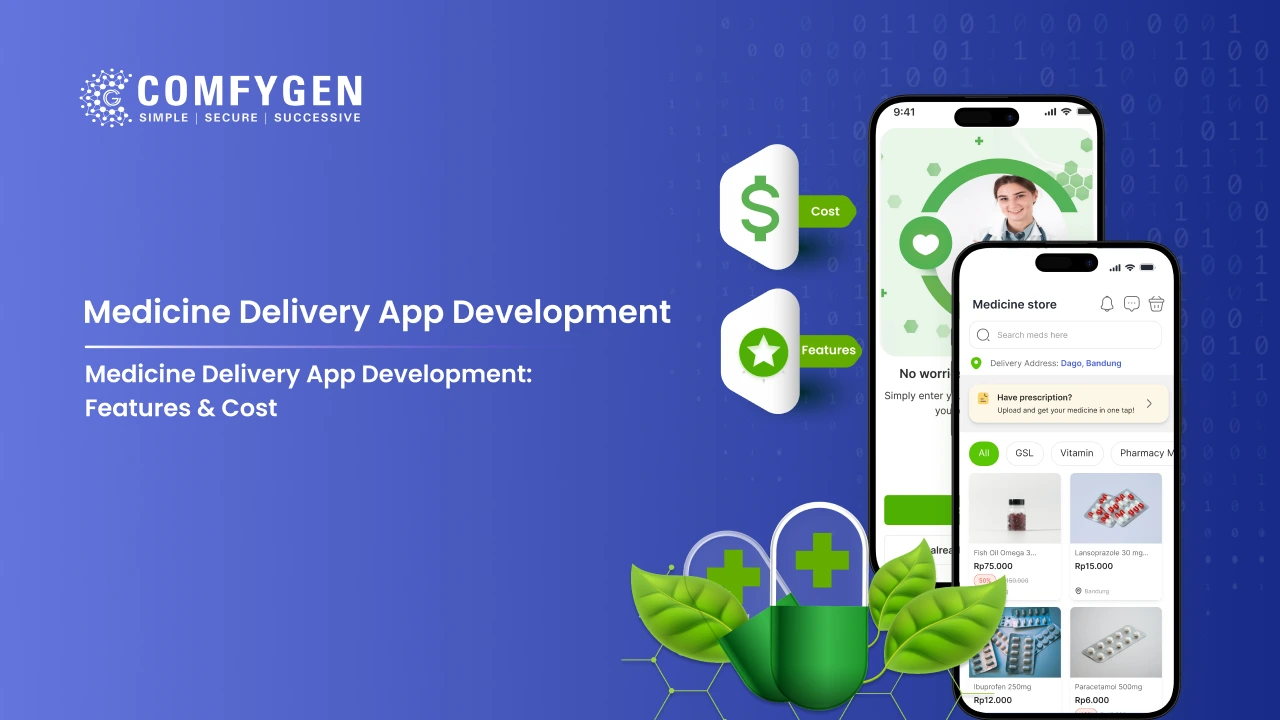





Medicine delivery app development cost ranges from $8,000 to $60,000. A simple app for one store costs $8,000 to $15,000. Meanwhile, a startup app with all four panels costs $15,000 to $30,000. At the top end, a large platform with AI and multiple vendors costs $30,000 to $60,000. However, if you want to launch quickly, a white-label medicine delivery app costs just $5,000 to $12,000.
That is the short answer. Below, this guide explains what moves the number, what each feature adds, and how to plan a budget that does not double halfway through the build.
Why The Market Matters to Your Budget
The online medicine market is growing from $123.91 billion in 2026 to $436.29 billion by 2033, at 19.7% CAGR. Mobile apps already make up 66.2% of that spending.
So why does this matter for your budget? Because it changes what your app must do on day one. Five years ago, a medicine delivery app only needed a catalog and a cart. Today, however, buyers expect live tracking, refill reminders, and prescription upload that works in seconds. As a result, those expectations are now the baseline, and the baseline sets your minimum cost.
Medicine Delivery App Development Cost at a Glance
Before going deeper, here is the full cost range by app type.
|
App type |
Cost |
Timeline |
Best for |
|
Basic medicine delivery app |
$8,000 – $15,000 |
8–12 weeks |
One store, first launch |
|
Standard medicine delivery app |
$15,000 – $30,000 |
12–20 weeks |
Startups, regional chains |
|
Advanced platform (AI + multi-vendor) |
$30,000 – $60,000 |
20–32 weeks |
Enterprise, national rollout |
|
White-label medicine delivery app |
$5,000 – $12,000 |
4–8 weeks |
Fast launch with your branding |
|
1mg or PharmEasy style app |
$12,000 – $25,000 |
10–18 weeks |
Clone-based launch |
7 Factors That Change the Cost to Build a Medicine Delivery App
Several factors push the final number up or down. Here are the seven that matter most.
1. Number of Panels in Your Medicine Delivery App
Every working medicine delivery app needs four parts: the customer app, the store panel, the delivery agent app, and the admin panel. Many first-time buyers budget only for the customer app. Later, they discover that the store cannot process orders without a panel of its own. Therefore, build all four, or decide clearly which ones come in phase two.
2. Platform Choice: Android, iOS, or Both
One platform always costs less. Building for both at once adds roughly 30% to 40% if you use native code. On the other hand, Flutter and React Native share one codebase across both platforms, which keeps that increase closer to 15%.
Flutter and React Native are cross-platform tools. In short, one team writes the code once, and it runs on both Android and iOS.
3. Custom Build or White-Label Medicine Delivery App
A white-label app is already built and tested. You simply change the branding, the catalog, and the delivery rules. That is why it starts at $5,000. A custom build, by contrast, starts from nothing. As a result, it costs more and takes longer, although you own every decision.
4. Prescription Handling and Verification
Manual prescription review is cheap to build. A pharmacist opens the image and approves it. Automatic reading using OCR costs more, however, because the app must pull drug names off a handwritten note and match them to your catalog.
OCR means optical character recognition. Put simply, it is software that reads text from a photo.
5. Number of Stores the App Must Support
One store is simple. Ten stores, meanwhile, means the app must check stock in each one, send each order to the nearest branch that has the item, and keep inventory in sync. Consequently, that logic adds real cost.
6. Third-Party Integrations
Payment gateways, GPS and maps, SMS and email, cloud storage, billing software, and ERP systems all take time to connect and test. Each one is small on its own. Six of them together, however, are not.
7. Development Team Location and Hourly Rates
A developer in the US or Western Europe costs $80 to $200 an hour. In India, a skilled team costs $25 to $50 an hour for the same work. For this reason, medicine delivery app development cost in India stays far lower than in Western markets. In fact, this single factor changes the total more than any feature on the list.
Medicine Delivery App Cost Breakdown, Feature by Feature
Use this table to build your own estimate. Simply add the features you need, and you will land close to one of the packages above.
|
Feature or module |
Cost |
|
Customer app core (signup, search, cart, checkout) |
$2,500 – $5,000 |
|
Prescription upload with OCR reading |
$1,500 – $4,000 |
|
Live order tracking with maps |
$1,200 – $3,000 |
|
Payment gateway integration |
$800 – $2,000 |
|
Store panel |
$2,000 – $4,500 |
|
Admin panel |
$2,500 – $5,000 |
|
Delivery agent app |
$1,800 – $4,000 |
|
Push notifications |
$400 – $900 |
|
Refill subscriptions |
$900 – $2,000 |
|
UI/UX design |
$1,500 – $5,000 |
|
HIPAA and GDPR compliance work |
$1,500 – $4,000 |
|
AI medicine recommendations |
$3,000 – $7,000 |
|
Telemedicine and doctor consultation |
$4,000 – $9,000 |
|
Multi-vendor marketplace setup |
$5,000 – $12,000 |
|
Multi-language support |
$600 – $1,500 |
|
Testing and quality checks |
10% – 15% of build cost |
A basic app includes the first five rows plus design and testing. Accordingly, that lands at $8,000 to $15,000, which matches the table above.
Planning to Launch an Online Medicine Delivery App?
Let our experienced team help you build a feature-rich medicine delivery app that grows your business.
Let’s Connect
Must-Have Features in a Medicine Delivery App
A medicine delivery app needs fast ordering, clear tracking, and a reliable handoff between the four panels. Below is what belongs in each one.
Customer App Features
These features decide whether someone orders a second time.
- Medicine search: Customers should find items by drug name, brand, salt composition, and category. Good search, therefore, is the difference between a completed order and an abandoned cart.
- Prescription upload: Customers upload from camera or gallery. This keeps prescription-only sales legal. Just as importantly, it gives the store something to verify against.
- Dose reminders: Alerts tell customers when to take each medicine. Although it is a small feature, it has a strong effect on how often people open the app.
- Order history and reorder: One tap repeats a past order. As a result, long-term medication becomes effortless to manage.
- Payment choices: Offer UPI, credit and debit cards, net banking, wallets, and cash on delivery.
- Live order tracking: Customers follow the order from confirmation through to the delivery agent’s location on a map.
- Offers and loyalty: Promo codes, points, and deals bring people back.
Store Panel Features
The store panel is where orders actually get processed.
- Inventory management: Stock levels, quantity updates, and expiry alerts stop orders from being cancelled for out-of-stock items.
- Order verification: A pharmacist reviews each order against the uploaded prescription, then approves, rejects, or queries it.
- Prescription records: Verified prescriptions sit in digital storage with a clear audit trail.
- Sales dashboard: Daily orders, earnings, and performance appear in one view.
- Offer management: Store owners run product-level discounts and promotions.
Some businesses need the full back office rather than the delivery side alone, including billing, supplier orders, expiry tracking, and branch-level reporting. In that case, pharmacy management software handles those jobs better than a delivery app does.
Delivery Agent App Features
- Pickup and drop list: Today’s assigned orders appear in order of priority.
- Route guidance: Navigation runs to each stop.
- Proof of delivery: Agents capture an OTP, photo, or signature on handover.
- Earnings view: Payout history and current balance stay visible.
- Cash reconciliation: The app records cash collected on COD orders.
Admin Panel Features
- User and vendor management: Admins add, remove, or update stores, delivery agents, and customers.
- Analytics and reports: Sales, user activity, and store performance all feed into one dashboard.
- Payment and commission tracking: Payouts, transactions, and revenue flow stay in one place.
- Delivery management: Admins assign tasks, track agents, and monitor delivery times.
- Notifications: Order updates, offers, and refill reminders go out automatically.
Advanced Features That Raise Your Medicine Delivery App Cost
Only add these when they remove real manual work. Otherwise, a feature that looks good in a demo but saves nobody any time is money spent badly.
AI Medicine Suggestions ($3,000 – $7,000)
The app reviews what a customer ordered before, then suggests refills, substitutes, and related health products. Consequently, repeat orders rise, and repeat orders are where medicine delivery apps make most of their money.
OCR Prescription Reading ($1,500 – $4,000)
The app reads the uploaded prescription and pulls out drug names on its own. A pharmacist still checks anything unclear. Even so, this cuts order approval from minutes to seconds.
Telemedicine Integration ($4,000 – $9,000)
Customers talk to a doctor inside your app and get a valid prescription without leaving it. Adding telemedicine means handling doctor availability, video calls, and prescription generation. For that reason, it sits at the higher end of the feature list.
Demand Forecasting ($2,000 – $5,000)
The app predicts which medicines will sell next month based on past orders and season. Therefore, it cuts both stockouts and expired stock.
Cold Chain Tracking ($1,500 – $3,500)
For insulin, vaccines, and similar items, the delivery app logs temperature during transit. In some markets, regulators require this by law.
Start Your Medicine Delivery App Today
Let’s ConnectHow to Develop an On-Demand Medicine Delivery App in 8 Steps
Building an on-demand medicine delivery app takes eight steps and 8 to 32 weeks depending on scope. First, fix your business model and delivery area. Next, build the four panels. Finally, test and launch in one city before expanding.
Step 1: Fix the Business Model
Decide whether you are one store selling online, a marketplace listing many stores, or a chain connecting your own branches. This single choice affects almost every screen after it.
Step 2: Set the Delivery Area and Stock Rules
How far will you deliver? What happens when an item runs out? Who approves a prescription? Answer these questions before design starts, because changing them later gets expensive.
Step 3: Design the Screens
Start with wireframes, then move to full design. Test the checkout flow with real users, especially older ones, since a large share of medicine buyers are over 55.
Step 4: Build the Customer App
This covers search, cart, prescription upload, payment, and tracking. Ultimately, this is what people see and judge you on.
Step 5: Build the Store and Admin Panels
These handle the order queue, prescription checks, stock, and reports. In practice, this is what decides whether the operation actually runs.
Step 6: Build the Delivery Agent App
This covers the pickup list, navigation, proof of delivery, and earnings.
Step 7: Test Everything
Run functional testing, load testing, security testing, and compliance checks. Budget 10% to 15% of the build for this, because skipping it costs far more later.
Step 8: Launch in One City
Start small, fix what breaks, then expand. Every app that launched in five cities at once spent the first month firefighting. A medicine delivery app development company that has launched these before will push you toward one area first, precisely because it has seen what happens otherwise.
Budget Planning for On-Demand Medicine Delivery App Development for Startups
If you are a startup, plan for $15,000 to $30,000 and 12 to 20 weeks for a launch-ready app with all four panels. In addition, add 15% to 20% of that per year for maintenance.
Here is how most startups get the budget wrong.
They budget only for the build: However, app store fees, server hosting, payment gateway charges, and SMS costs all recur monthly. Hosting alone runs $200 to $2,000 a month depending on order volume.
They skip the store panel: Consequently, orders get processed on WhatsApp for three months while a second phase waits for funding.
They pay for AI too early: AI recommendations need order history to work. With 50 orders a month, there is nothing to learn from. Instead, add it in year two.
They forget marketing: An app with no users earns nothing. Therefore, set aside at least as much for getting the first 1,000 users as you spent building the app.
A sensible startup split looks like this.
|
Item |
Share of first-year budget |
|
App build |
45% |
|
Marketing and user acquisition |
30% |
|
Hosting and running costs |
10% |
|
Maintenance and fixes |
15% |
Business Models for a Medicine Delivery App
Your business model changes which panels you need, and therefore what you pay.
Single Store Model
One store sells online to its own customers. You control stock, pricing, and delivery. As a result, this is the cheapest model to build, and it suits a local business going digital for the first time.
Revenue: direct sales margin.
Marketplace Model
Many stores list on your platform. Customers compare price and delivery time, while you never hold stock. This is how 1mg and PharmEasy work.
Revenue: commission per order, listing fees, promoted placement.
Chain Model
You own several branches. The app routes each order to the nearest branch that has the item. Meanwhile, head office sees everything, and each branch sees only its own queue.
Revenue: direct sales, with lower delivery cost per order.
Subscription Model
Customers with long-term prescriptions pay monthly and receive medicines automatically. This suits diabetes, blood pressure, and thyroid patients especially well.
Revenue: predictable monthly income and higher customer lifetime value.
Technology Stack and How it Affects Cost
|
Layer |
Common choices |
Cost effect |
|
Mobile app |
Flutter, React Native |
One codebase for both platforms, cheaper |
|
Mobile app (native) |
Kotlin, Swift |
Better performance, 30% to 40% more |
|
Backend |
Node.js, Django, Python |
Similar cost, pick by team skill |
|
Database |
PostgreSQL, MongoDB, Redis |
Little cost difference |
|
Maps |
Google Maps, Mapbox |
Ongoing API charges by usage |
|
Payments |
Razorpay, Stripe, PayU, UPI |
Setup plus per-transaction fee |
|
Cloud |
AWS, Google Cloud |
$200 to $2,000 a month by volume |
|
AI |
TensorFlow, OpenAI APIs |
Adds $3,000 to $7,000 to build |
Medicine Delivery App Maintenance Cost After Launch
The build is not the last payment. Instead, plan for these costs every year.
|
Item |
Yearly cost |
|
Maintenance and bug fixes |
15% to 20% of build cost |
|
Cloud hosting |
$2,400 to $24,000 |
|
Payment gateway fees |
1.5% to 3% of order value |
|
SMS and push notifications |
$300 to $3,000 |
|
App store fees |
$99 a year (Apple) plus $25 one-time (Google) |
|
Compliance reviews |
$1,000 to $4,000 |
On a $20,000 build, expect $6,000 to $12,000 a year to keep it running properly.
5 ways to cut cost without cutting quality
Launch on One Platform First
Check whether your customers sit mostly on Android or iOS, then build that first. In India and most of Asia, for instance, Android covers over 90%.
Start With a White-Label Medicine Delivery App
Launch in 4 to 8 weeks for $5,000 to $12,000 and prove demand. Afterwards, invest in a custom build once you know which features customers actually use.
Cut Features, Never Testing
Removing a feature saves money once. Skipping testing, on the other hand, costs money every month afterwards.
Use Cross-Platform Development Tools
Flutter or React Native covers Android and iOS from a single codebase.
Hire a Team With Healthcare App Experience
A team learning healthcare compliance on your project bills you for that learning. For this reason, hiring a medicine delivery app developer with healthcare experience costs less overall than a cheaper generalist.
Final Thoughts
Building a medicine delivery app is a budget decision before it is a technology decision. Fix the model, fix the delivery area, decide which of the four panels you need on day one, and the cost stops being a mystery.
Comfygen has built medicine delivery apps since 2019, including MyMelemo on Google Play, with 550+ projects delivered for 400+ clients across 30+ countries. Every medicine delivery app development quote is fixed against a written scope before work starts, so the number you agree on is the number you pay.
Frequently Asked Questions
How much does a medicine delivery app cost?
A medicine delivery app costs $8,000 to $60,000. A basic single-store app costs $8,000 to $15,000. A startup app with four panels costs $15,000 to $30,000. An AI-enabled multi-vendor platform costs $30,000 to $60,000, while a white-label version starts at $5,000.
How long does it take to build a medicine delivery app?
A basic app takes 8 to 12 weeks. A standard app takes 12 to 20 weeks. An advanced platform with AI and multiple vendors takes 20 to 32 weeks, whereas a white-label launch takes just 4 to 8 weeks.
What is the cheapest way to launch a medicine delivery app?
White-label is the cheapest route at $5,000 to $12,000, live in 4 to 8 weeks. Because the core app is already built and tested, you only add your branding, catalog, and delivery rules.
What are the must-have features in a medicine delivery app?
Medicine search with substitutes, prescription upload with pharmacist checking, live delivery tracking, several payment options, refill subscriptions, stock management with expiry alerts, and an admin panel with a compliance log.
How much does an app like 1mg cost?
A 1mg or PharmEasy style app costs $12,000 to $25,000 and takes 10 to 18 weeks. The core feature set for building an app like 1mg is medicine ordering, prescription upload, lab test booking, and live tracking.
What is the yearly medicine delivery app maintenance cost?
Yearly maintenance runs 15% to 20% of the build cost. On a $20,000 app, therefore, that comes to $3,000 to $4,000, plus hosting at $2,400 to $24,000 depending on order volume.
Can I add telemedicine to a medicine delivery app later?
Yes, provided the app is built for it. Adding doctor consultation costs $4,000 to $9,000. Tell your development team at the start, so the database is designed to allow it without a rewrite.

Mr. Saddam Husen, (CTO)
Mr. Saddam Husen, CTO at Comfygen, is a renowned Blockchain expert and IT consultant with extensive experience in blockchain development, crypto wallets, DeFi, ICOs, and smart contracts. Passionate about digital transformation, he helps businesses harness blockchain technology’s potential, driving innovation and enhancing IT infrastructure for global success.