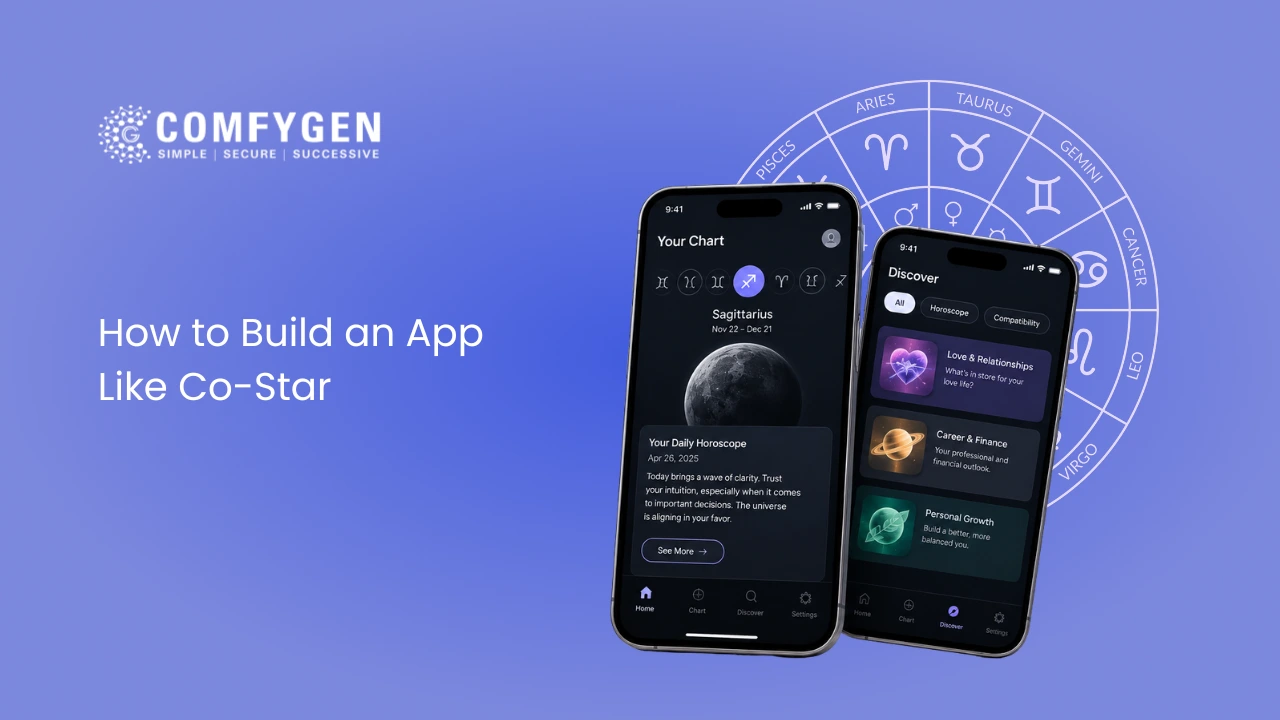





To build an app like Co-Star, start by choosing who your app is for and how it should sound. Next, build a system that creates a birth chart from a person’s birth date, time, and place. Then add daily readings, short daily alerts, and a way to compare charts with friends. Keep the design clean and simple. Launch a basic version on iPhone and Android first, and earn money through paid plans and paid questions. A basic version costs about $25,000 to $40,000 and takes 3 to 4 months. A full app like Co-Star costs $60,000 to $150,000 or more and takes 6 to 9 months.
Co-Star turned astrology into a daily habit for millions of people around the world. It did that with three things: real planet position data, short and blunt daily messages, and a social layer that lets you compare charts with friends. If you want to build an app like Co-Star, you need the same three pieces, plus a clear reason for people to pick your app over the original.
This guide walks you through every part of that plan. You will see how Co-Star actually works, which features matter most, what tech to use, how much it costs in different regions, and where most new astrology apps fail. The advice comes from the Comfygen team, which has built mobile apps since 2019 and delivered 550+ projects for 400+ clients in 30+ countries.
What Is Co-Star and Why Did It Work?
Co-Star is a social astrology app from New York. It was founded in 2017 by Banu Guler, Anna Kopp, and Ben Weitzman, and the iOS app launched in October 2017. It gives each user a personal horoscope based on their full birth chart, not only their Sun sign.
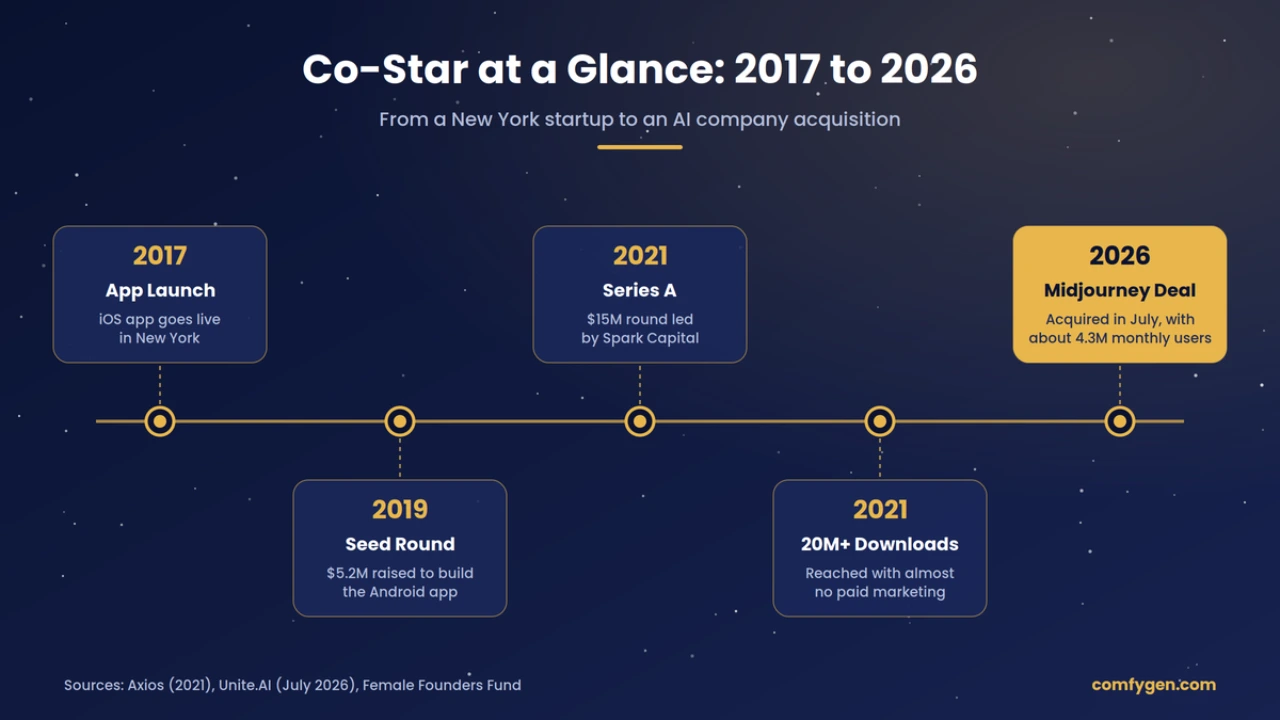
Here is what the company has done so far, in numbers:
| Milestone | Detail |
| Founded | 2017, New York |
| Seed round | $5.2 million in 2019 (used to build the Android app) |
| Series A | $15 million in April 2021, led by Spark Capital |
| Downloads | 20 million+ by 2021, with almost no paid marketing |
| Reach | Downloaded by about 1 in 4 US women aged 18 to 25 (2021) |
| Acquisition | Bought by Midjourney in July 2026, with a team of about 24 people |
| Active users | About 4.3 million monthly active users (2026) |
Sources: Axios, 2021, Unite.AI, July 2026, Female Founders Fund.
The Midjourney deal matters for anyone planning a similar app. It shows that a well-built astrology app is a real asset that an AI company was willing to buy. It also means Co-Star’s future roadmap is now uncertain, which can open space for new apps.
How Co-Star Actually Works
When you sign up, Co-Star asks for your birth date, exact birth time, and birth city. It uses planet position data from NASA’s Jet Propulsion Laboratory (JPL) to find where every planet was at that moment. From that, it builds your natal chart. A natal chart is a map of the sky at the exact minute you were born.
Every day, the app compares today’s planet positions (called transits) with your natal chart. Then a mix of software and human writers turns those comparisons into short readings. Co-Star has said its writers try to sound like a friend talking to you, not like a fortune teller.
The Four Things That Made Co-Star Popular
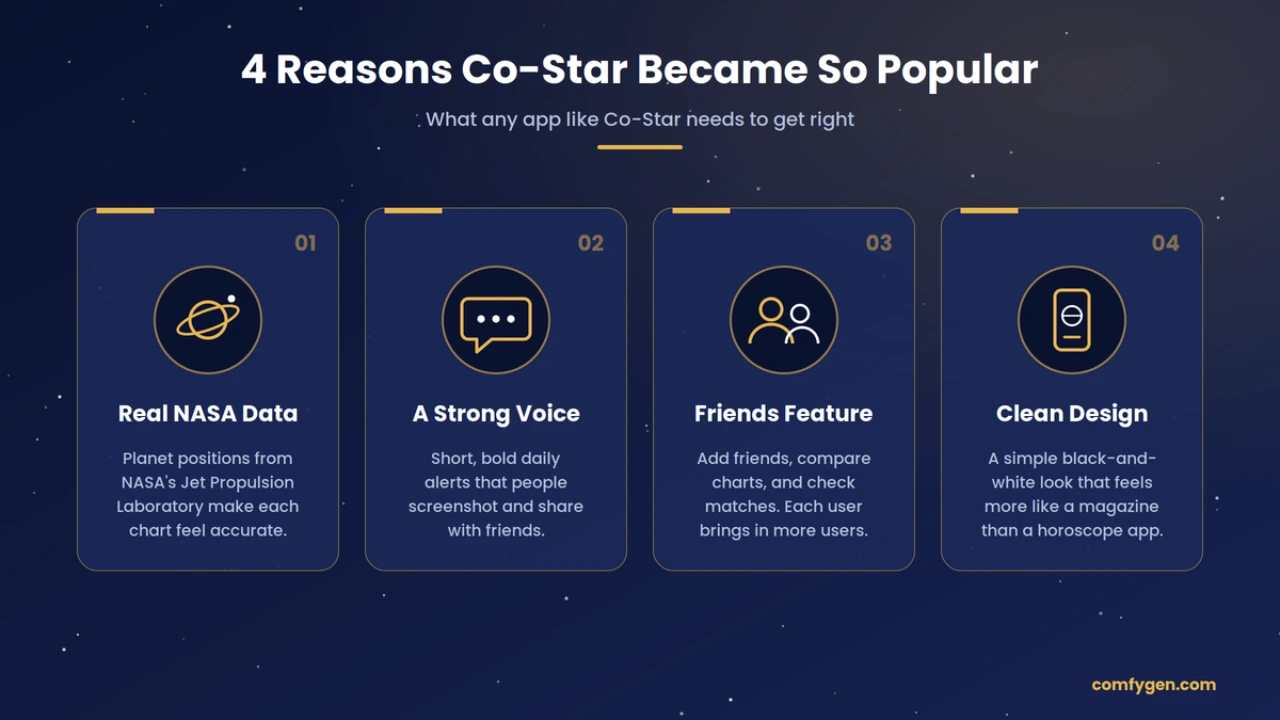
1. Real data you can name: “NASA data” is easy to remember and makes the app feel more serious than a generic horoscope site.
2. A strong voice: The push notifications are short, odd, and sometimes harsh. People screenshot them and share them, which acts as free marketing.
3. A social layer: You can add friends, see their charts, and check how you match. Each new user brings in more users.
4. A clean, black-and-white design: The app looks more like a design magazine than a typical astrology app. That helped it stand out with younger users.
If your app copies only the features and skips the voice and the social layer, it will feel like a clone. The rest of this guide shows how to build all four parts.
Is It Worth Building an App Like Co-Star in 2026?
Yes, if you go in with a clear niche. The demand is proven: Co-Star alone reached 20 million downloads with very little advertising. But a general “daily horoscope app” is a crowded space, so the win comes from picking a group of users that Co-Star does not serve well.
A few things make 2026 a good time to start:
- AI writing costs have dropped a lot: In 2017, Co-Star needed a team of writers to produce readings at scale. Today, a large language model (LLM) can write a first draft of millions of personal readings for a small monthly bill. Human editors still matter, but the team can be much smaller.
- Co-Star’s direction is uncertain. After the Midjourney purchase, nobody outside the company knows if the app will stay the same. Some users will look for alternatives.
- Big audiences are still underserved: Co-Star is built for Western astrology and English-speaking users. People who follow Vedic astrology, users in the Middle East, Latin America, Europe, and South Asia who want readings in their own language, and users who want astrology mixed with mental wellness or career planning have fewer good options.
- Users now expect AI chat:People are used to asking AI tools questions. An astrology app that lets you ask “Why do I feel restless this week?” and get an answer based on your chart feels natural now.
One honest warning: astrology apps live or die on retention. Many get a spike of downloads and then lose most users within 30 days. Your plan has to answer one question clearly: why would someone open this app tomorrow? Co-Star answered it with daily notifications and friends. You need your own answer.
If you are still deciding between a Co-Star style app and a consultation app with live astrologers, our breakdown of AI astrology app types and features compares both models side by side.
Features You Need in an App Like Co-Star
An app like Co-Star needs about 8 features to launch and another 8 to 10 to compete over time. Don’t build everything at once. The table below shows what each feature does and when it should ship.
| Feature | What it does for the user | When to build |
| Birth data onboarding | Collects date, time, and place of birth, with an “I don’t know my birth time” option | MVP |
| Natal chart | Shows planets, signs, houses, and aspects in a chart wheel plus a simple list | MVP |
| Daily personal reading | Short reading based on today’s transits against the user’s chart | MVP |
| Push notifications | One short, on-brand line each day, timed to the user’s time zone | MVP |
| Friend compatibility | Add friends by contact, link, or code and see how your charts match | MVP |
| Do and don’t list | Quick daily tips (for example, “Do: rest. Don’t: argue about money”) | MVP |
| Account and privacy settings | Edit birth data, export data, delete account | MVP |
| Subscription paywall | Unlocks deeper readings and extra features | MVP |
| AI “ask a question” chat | User asks a question and gets an answer based on their own chart | Phase 2 |
| Detailed transit calendar | Shows upcoming planet events and how they affect the user | Phase 2 |
| Group compatibility | Compare charts for a friend group, team, or family | Phase 2 |
| Shareable cards | Turns a reading or match into an image for Instagram, TikTok, or WhatsApp | Phase 2 |
| Mood journal | Lets users log moods and see links to planet events over time | Phase 2 |
| Multiple astrology systems | Adds Vedic (sidereal) charts next to Western (tropical) ones | Phase 3 |
| Multi-language support | Readings in Spanish, Arabic, Hindi, Portuguese, French, and more | Phase 3 |
| Live astrologer sessions | Paid chat or call with a verified astrologer | Phase 3 |
Admin Panel Features
The app your users see is only half the product. Your team also needs a web dashboard to run it. At minimum, plan for these:
- Content manager to write and edit the interpretation library (the text for each planet, sign, house, and aspect).
- Notification scheduler to plan, test, and send push messages by time zone.
- AI review queue to spot-check AI-written readings before or after they go out.
- User and subscription management to handle refunds, support tickets, and account issues.
- Analytics dashboard to track sign-ups, daily active users, retention, and paid conversion.
- Moderation tools to handle reports and blocks if your app has any social features.
The One Feature Most Guides Miss: The Birth Time Problem
Many people do not know their exact birth time. Without it, the app cannot work out houses or the rising sign. Good apps handle this in three ways. They let users skip the time and still get a partial chart. They explain clearly what is missing. And they let users add the time later, then rebuild the chart. If your onboarding forces a birth time, many users will guess, get a wrong chart, and stop trusting the app.
The Astrology Engine and Tech Stack
The heart of an app like Co-Star is a calculation engine that turns birth data into exact planet positions. Everything else (readings, notifications, compatibility) sits on top of it. Get this layer wrong and no amount of good design will save the app.
How The Engine Works, in Four Steps
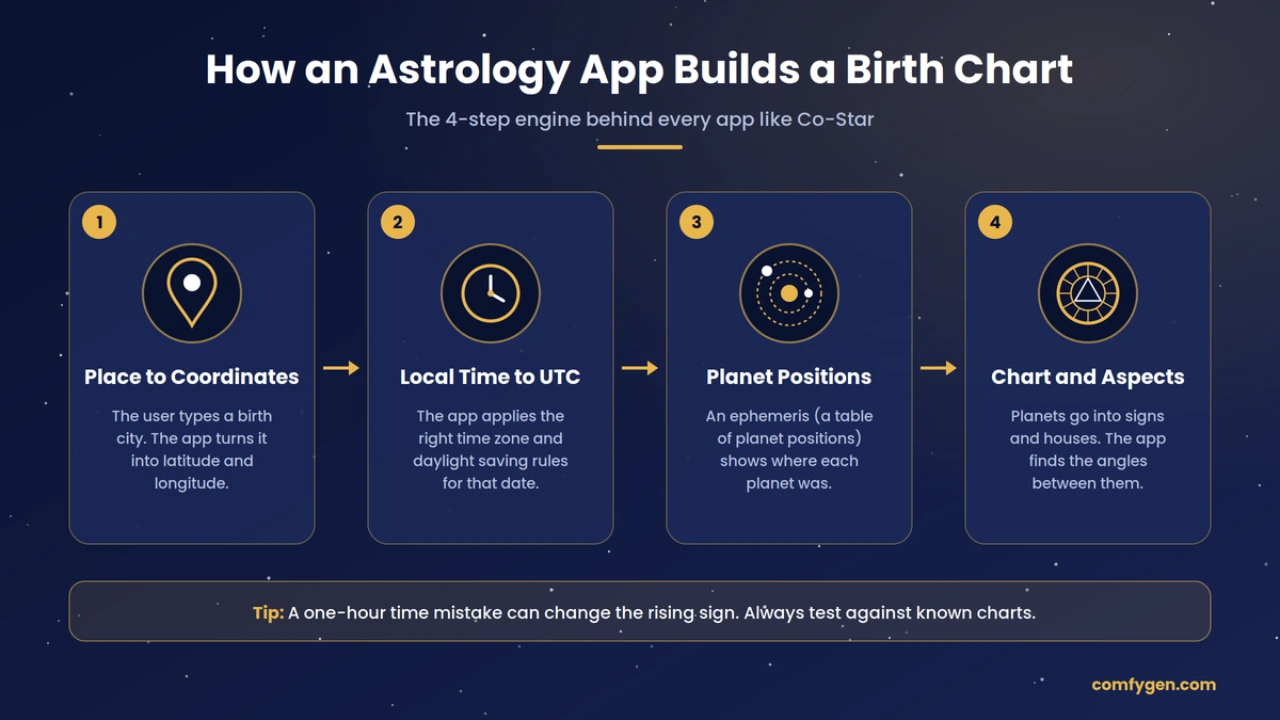
1. Location to coordinates: The user types a city. A geocoding service turns it into latitude and longitude.
2. Local time to UTC: The app works out the time zone and daylight saving rules that applied on that date, in that place. This step causes more bugs than any other. A one-hour mistake can change the rising sign.
3. Planet positions: An ephemeris library calculates where each planet was. An ephemeris is a table of planet positions over time. Co-Star uses NASA JPL data. Most apps use the Swiss Ephemeris, which is built on JPL data and is accurate to a tiny fraction of a degree.
4. Chart and aspects: The engine places the planets in signs and houses, then finds the angles between them (called aspects), such as a square or a trine.
Where AI Fits (And Where It Should Not)
AI should never calculate the chart. LLMs are bad at exact math and can make up planet positions. The safe setup is a hybrid model:
- The engine produces a fixed “facts” object, for example: Moon in Scorpio, transiting Saturn square natal Sun.
- The LLM gets those facts plus text from your own interpretation library and writes the reading in your brand voice.
- A filter checks the output for medical, legal, or money advice and for anything harmful before it reaches the user.
This method is often called retrieval-augmented generation (RAG). It means the AI writes from your approved content instead of from its own guesses.
Recommended Tech Stack
| Layer | Recommended tools | Why |
| Mobile app | Flutter or React Native | One codebase for iOS and Android cuts build cost by 30 to 40% |
| Native option | Swift (iOS), Kotlin (Android) | Use if you need heavy chart animations |
| Backend API | Node.js or Python (FastAPI) | Python has strong astronomy and AI libraries |
| Astrology calculations | Swiss Ephemeris, or NASA JPL Horizons data | Proven accuracy; check licensing (see below) |
| Geocoding and time zones | GeoNames, Google Maps Time Zone API | Correct historical time zone and daylight saving data |
| Database | PostgreSQL, Redis for caching | Stores profiles and charts; caching keeps daily readings fast |
| AI layer | OpenAI, Anthropic, or Google models via API, plus a vector database | Writes readings and powers chat from your own content |
| Push notifications | Firebase Cloud Messaging, Apple Push Notification service | Sends daily messages by time zone |
| Payments | RevenueCat with App Store and Google Play billing | Handles subscriptions and local prices in every country |
| Cloud hosting | AWS or Google Cloud, with regions near your users | Scales during big events such as eclipses and helps with data location rules |
| Analytics | Mixpanel or Amplitude, plus Firebase Crashlytics | Tracks retention and crashes |
A licensing point most guides skip: the Swiss Ephemeris is free only under the AGPL open-source license. The AGPL can require you to share your own source code. Most commercial apps buy the paid professional license from its maker, Astrodienst. Settle this before you write a line of code.
A performance tip: do not calculate daily readings when a user opens the app. Pre-calculate them overnight in each time zone and cache them. This keeps the app fast and server costs low, even with millions of users across many countries.
Build Your Own Co–Star-Like App
Plan, develop, and launch a compelling astrology app with the features users expect and the technology your product needs.
Start Development
How to Build an App Like Co-Star: Step by Step
Building an app like Co-Star takes 8 steps, from picking a niche to growing after launch. A focused MVP covers steps 1 to 7 in about 3 to 4 months.
1. Pick your Niche and Your Voice (1 to 2 Weeks)
Decide who the app is for: Gen Z in the US and UK, Vedic astrology users worldwide, Spanish-speaking users in Latin America, wellness-minded professionals, or couples. Then write a one-page voice guide. Co-Star’s voice is blunt and a bit strange. Yours could be warm, funny, or calm. Write 20 sample notifications before any design starts. If they don’t feel different from Co-Star, keep going.
2. Study the Competition (1 Week)
Read the 1-star and 3-star reviews of Co-Star, The Pattern, Sanctuary, and Nebula in both app stores. Complaints such as “too negative”, “paywall everywhere”, or “wrong rising sign” are your feature list.
3. Define the MVP Scope (1 Week)
Choose 6 to 8 features from the MVP rows in the features table above. Write down what you will not build yet. This list protects your budget.
4. Design the UX and UI (3 to 4 Weeks)
Map the user journey from install to the first daily reading. Aim for a chart in under 60 seconds. Build clickable prototypes and test them with 5 to 10 real people from your target group.
5. Build the Astrology Engine First
Set up the ephemeris, geocoding, and time zone logic. Test it against 50 to 100 known charts from trusted sources, including births in different countries and hemispheres. Do not move on until the results match.
6. Build the App, Backend, and AI Layer (8 to 12 Weeks)
Develop the mobile app, APIs, admin panel, interpretation library, notification system, and paywall. Write the core interpretation text with a real astrologer, then let AI adapt it to each user.
7. Test and Launch (2 to 4 Weeks)
Run functional, performance, and security tests. Test edge cases like births during a daylight saving change. Run a closed beta with 200 to 500 users, fix issues, then submit to the App Store and Google Play.
8. Grow and Improve (Ongoing)
Track day-1, day-7, and day-30 retention. Test different notification styles and times. Add Phase 2 features based on what users actually use, not on guesses.
At Comfygen, step 5 is where most of the early effort goes on astrology app projects. A calculation engine that has been checked against known charts saves weeks of bug fixes after launch and protects your app store rating.
How Much Does It Cost to Build an App Like Co-Star?
An app like Co-Star costs about $25,000 to $40,000 for an MVP, $40,000 to $70,000 for a mid-level app, and $60,000 to $150,000+ for a full Co-Star-level product. These ranges assume an experienced offshore team at blended rates of $25 to $45 per hour.
| App level | What you get | Cost (USD) | Timeline |
| MVP | Onboarding, natal chart, daily readings, push notifications, basic friend match, subscriptions, admin panel | $25,000 to $40,000 | 3 to 4 months |
| Mid-level | MVP plus AI chat, transit calendar, shareable cards, deeper compatibility, analytics | $40,000 to $70,000 | 4 to 6 months |
| Full Co-Star level | Everything above plus group charts, journal, multiple astrology systems, multi-language, live astrologers | $60,000 to $150,000+ | 6 to 9 months |
How Location Changes The Price
The same app can cost very different amounts depending on where your development team is based. Typical hourly rates in 2026:
| Team location | Typical hourly rate (USD) | MVP estimate |
| USA and Canada | $100 to $200 | $80,000 to $150,000 |
| UK and Western Europe | $80 to $150 | $65,000 to $120,000 |
| Eastern Europe | $40 to $80 | $40,000 to $70,000 |
| India | $25 to $45 | $25,000 to $40,000 |
Many founders in the US, UK, UAE, Canada, and Singapore work with an offshore team that has local offices or overlapping hours. That way they get lower cost without losing daily contact.
Where the Money Goes
| Part of the project | Share of budget |
| UI/UX design and prototypes | 10 to 15% |
| Astrology engine and interpretation library | 15 to 20% |
| Mobile app (iOS and Android) | 30 to 35% |
| Backend, admin panel, and AI layer | 20 to 25% |
| Testing, beta, and launch | 10 to 15% |
Costs People Forget
- Interpretation content: Hundreds of short texts for every planet, sign, house, and aspect. An astrologer or content writer may charge $3,000 to $10,000 for a solid base library. Each extra language adds to this.
- Ephemeris license: A commercial Swiss Ephemeris license is a one-time fee, but you need it before launch.
- AI usage: Daily readings and chat run on paid APIs. With caching, this is often a few cents per active user per month, but heavy chat users cost more.
- Maintenance: Plan for 15 to 20% of the build cost each year for updates, OS changes, and bug fixes.
- App store fees: Apple and Google take 15 to 30% of subscription revenue.
The biggest cost drivers are AI chat, live astrologer features, and the number of languages. Each of these can move the final astrology app development cost by $10,000 or more, so decide on them before you ask for quotes.
How an App Like Co-Star Makes Money
Co-Star is free to download. It started by selling individual premium readings and later added a paid premium tier. That freemium model (free core, paid depth) is still the best fit for this kind of app.
The main revenue options, from most to least reliable:
Subscriptions
Monthly or yearly plans that unlock deeper readings, unlimited compatibility checks, AI chat, and transit alerts. Yearly plans with a free trial usually convert best. This should be your main income.
One-Time Reports
Paid PDFs or in-app reports, such as a yearly forecast, a full relationship report, or a career chart. Good for users who won’t subscribe.
Pay-per-Question AI
Users buy credits to ask the AI specific questions about their chart. Low effort for you, and it works well for impulse buys.
Live Astrologer Sessions
Paid chat or call with real astrologers, with the app taking a 20 to 40% commission. This works very well in India, the Middle East, and Southeast Asia, where users already pay for consultations.
Brand Partnerships
Wellness, beauty, or lifestyle brands sponsor content. Keep it subtle or you will hurt the brand.
Ads
Possible in the free tier, but they clash with the calm, premium feel that makes Co-Star style apps work. Use them last, if at all.
A practical tip: show the paywall after the user has seen something personal and surprising about themselves, not on the first screen. Users pay for insight they already trust. Use local pricing too. A plan that feels cheap in New York can feel expensive in Manila or São Paulo. You can see how each of these models performs in real apps in our guide on how astrology apps make money.
Common Challenges and How to Solve Them
Most astrology apps fail for the same six reasons. Each one has a known fix.
| Challenge | What goes wrong | How to fix it |
| Wrong charts | Time zone or daylight saving errors give users the wrong rising sign, and they leave bad reviews | Store all times in UTC, use a historical time zone database, and test against 50 to 100 known charts |
| App Store rejection | Apple’s App Review Guideline 4.3 lists fortune telling as a saturated category and may reject copycat apps | Show clear unique value (your niche, voice, or features) in the app and in your review notes |
| AI mistakes | The AI invents planet positions or gives medical, legal, or money advice | Keep AI away from calculations, feed it fixed facts, and filter outputs for risky topics |
| Harsh notifications | Blunt messages go viral but can upset people who are already struggling | Let users choose a tone (gentle, direct, playful) and never send messages about health, death, or self-harm |
| Low retention | Downloads spike, then most users drop off within a month | Build a daily reason to return: a fresh reading, a friend update, or a streak |
| Privacy risks | Birth date, birth place, and friend lists are personal data | Collect only what you need, encrypt it, and offer easy data export and account deletion |
Privacy and Legal Rules to Plan For
Birth date, time, and place can identify a person, so treat them as personal data. If your app is available worldwide, these are the main laws to plan for:
- GDPR (EU) and UK GDPR: clear consent, the right to delete data, and a lawful reason for each data use.
- CCPA/CPRA (California, USA): the right to know and delete data, and an opt-out from data sale or sharing.
- PIPEDA (Canada): consent and clear limits on how personal data is used.
- UAE Personal Data Protection Law (PDPL): consent and rules on processing and transferring personal data.
- Singapore PDPA: consent, purpose limits, and data protection duties.
- India’s Digital Personal Data Protection Act, 2023: consent notices and limits on how data is used.
- COPPA (USA) if users under 13 could sign up, so add an age gate.
Friend features need extra care. When a user adds a friend’s birth data, that friend has not agreed to anything. Show friend charts only when both people have connected, and never expose exact birth details to others.
Add a short note in the app that readings are for reflection and entertainment, not professional advice. It protects users and it protects you.
Bring Your Astrology App Idea to Life
Create a personalized astrology app with engaging features, reliable technology, and a development plan built around your goals.
Discuss Your Idea
How to Make Your App Different from Co-Star
A straight copy of Co-Star will struggle with users and with Apple’s review team. Pick one or two of these angles and build the whole product around them.
Vedic Plus Western in One App
Co-Star uses Western (tropical) astrology. Millions of users across India, the UK, the US, Canada, the UAE, and Singapore follow Vedic (sidereal) astrology, with kundli matching and dasha periods. An app that shows both, and explains the difference simply, has a clear audience. If live consultations are part of your plan, the model behind apps like AstroTalk shows how that side can work.
A Kinder Voice
A common complaint in Co-Star reviews is that the messages feel cold or negative. A warmer, supportive tone is a real selling point, especially for users who use astrology for self-care.
Astrology for Relationships
Go deep on couples and friendships: weekly match updates, “talk about this today” prompts, and shared journals.
Astrology for Work and Money Timing
Users ask “Is this a good week to ask for a raise?” A careful, non-advice career angle stands out from mood-only apps.
Local Language First
Readings written natively in Spanish, Arabic, Portuguese, Hindi, or French, not machine-translated English. Co-Star is English-first, which leaves big markets open.
Transparent “Why This Reading” Screens
Show the exact transit behind each reading. Curious users love learning, and it builds trust that the app is not just making things up.
Whichever angle you choose, test it early. Write the first 20 notifications and 5 sample readings in your voice and show them to target users before you build anything.
Build Your Co-Star Style App with Comfygen
Comfygen is an app development company that has built mobile, AI, and on-demand products since 2019. The team of 100+ people has delivered 550+ projects for 400+ clients in 30+ countries, with a 97% client retention rate. Comfygen is ISO 9001:2015, ISO/IEC 20000-1:2018, and ISO 27001 certified, which matters when your app stores personal birth data.
For an astrology app, that experience covers the parts that are hardest to get right:
- A calculation engine checked against known charts before any UI work starts
- A hybrid AI setup that writes in your brand voice without making up planet data
- Subscription, one-time purchase, and live consultation flows on both app stores
- Privacy design aligned with GDPR, CCPA, and other global data laws
- Offices in Jaipur (India), Toronto (Canada), and Euskirchen (Germany), giving time zone overlap with clients in the US, Canada, UK, Europe, and the UAE
If you have an idea for an app like Co-Star, share your target users and the angle you want to own. The Comfygen team will send back a feature plan, a timeline, and a clear cost estimate for your MVP through its astrology app development services.
Frequently Asked Questions
How much does it cost to build an app like Co-Star?
How long does it take to develop an astrology app like Co-Star?
What data does Co-Star use for its horoscopes?
Which astrology system does Co-Star use?
Who owns Co-Star now?
How does Co-Star make money?
Is the Swiss Ephemeris free for commercial apps?
Should I use Flutter or native development for an astrology app?
Can an app like Co-Star work in different countries?
What are the main alternatives to Co-Star?

Mr. Saddam Husen, (CTO)
Mr. Saddam Husen, CTO at Comfygen, is a renowned Blockchain expert and IT consultant with extensive experience in blockchain development, crypto wallets, DeFi, ICOs, and smart contracts. Passionate about digital transformation, he helps businesses harness blockchain technology’s potential, driving innovation and enhancing IT infrastructure for global success.