




Healthcare apps do not get uninstalled because they look dated. They get uninstalled because a patient tried to do one thing, could not do it, and went back to phoning the clinic.
Grand View Research puts the global mHealth apps market at $49.9 billion in 2026, heading for $86.4 billion by 2030. That growth is not spread evenly. It goes to the apps that get a short list of features right and keeps skipping the ones that ship a long list of features badly.
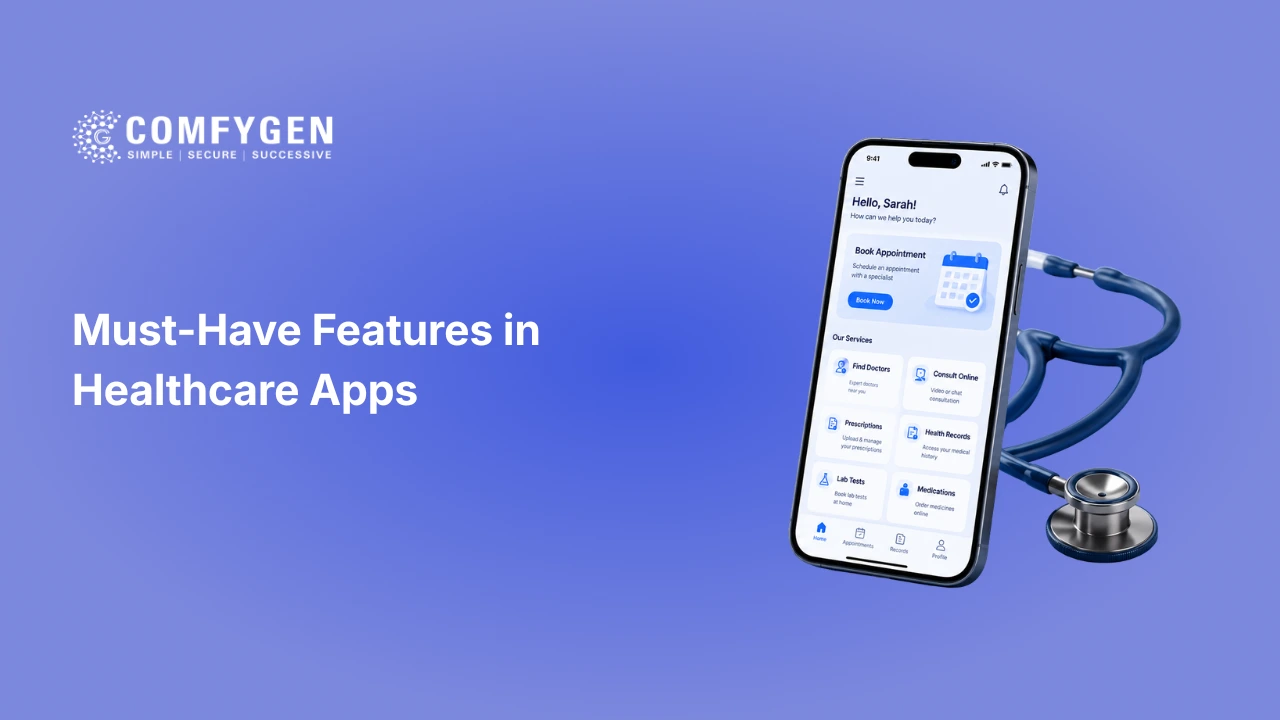
This guide covers the 13 features that separate a healthcare app patients keep from one that gets a single download. It also covers the doctor and admin features most feature lists ignore, which compliance rules apply to each one, and the order to build them in.
Why Healthcare App Features Decide Adoption, Not Just Design
The healthcare app user base crossed 311 million people globally in 2023 and has kept climbing since. With hundreds of thousands of health apps competing for the same downloads, a generic feature list will not hold attention past the first session.
Feature selection matters more than visual polish here, and it matters more than it does in most other categories. The reason is that healthcare app users are not browsing. They open the app with one job in mind: book this appointment, check this result, reorder this prescription. If the app does that job in three taps, they come back. If it does not, no amount of design saves it.
An app that nails appointment booking, EHR access, and secure messaging will retain users. An app that adds ten impressive features but skips compliance and core usability will lose them within days.
Turn Your Healthcare App Idea Into Reality
Build a scalable healthcare app with future-ready features, transparent pricing, and expert development guidance from day one.
Get a Free Consultation
13 Must-Have Features in Healthcare Apps for 2026
These are the features that consistently show up in successful healthcare apps across telemedicine platforms, hospital apps, and digital health startups. Not every app needs all 13 on day one, but each one should be on your roadmap.
1. AI-Powered Symptom Checker
Most patients research their symptoms before they book anything. An AI-based symptom checker uses guided questions and predictive algorithms to assess risk level and recommend next steps, whether that is self-care, an appointment, or urgent attention.
This feature works best when it is built to support a doctor’s judgment rather than replace it. The output should always push the patient toward proper consultation when risk indicators are present, and it should say so in plain words on the screen.
2. Appointment Booking and Scheduling
The single most-used feature in any healthcare app. Patients should be able to see real provider availability, book a slot, reschedule, or cancel without calling the clinic. Automated reminders through push notifications or SMS cut no-show rates, which protects provider revenue directly.
3. Telemedicine and Video Consultation
Video consultation is no longer optional. Post-pandemic behaviour has made virtual visits a default expectation, especially for elderly patients, people in remote locations, and anyone managing a chronic condition. A solid telemedicine module needs encrypted HD video, in-app chat for follow-up notes, and document or image sharing during the call.
4. Electronic Health Record (EHR) Integration
EHR integration is the backbone that connects every other feature. Without it, prescriptions, lab results, and visit history sit in disconnected silos. With it, a patient walking into a specialist consultation already has their full history available, and the doctor does not spend the first five minutes re-collecting information that already exists elsewhere in the system.
This is also where most regulatory scrutiny lands, since HIPAA and GDPR both focus on how patient records are stored, transmitted, and accessed.
5. Secure Doctor-Patient Messaging
Not every question needs a full appointment. Encrypted messaging lets patients ask follow-up questions, request prescription renewals, or clarify aftercare instructions without booking another slot. It reduces unnecessary visits and keeps the care relationship active between appointments.
6. ePrescription and Medication Management
Medication adherence is one of the biggest gaps in patient outcomes. A built-in medication manager with refill requests, dosage reminders, and pharmacy integration helps close that gap. Barcode scanning for drug identification and missed-dose alerts for caregivers are becoming standard additions rather than premium ones.
7. Wearable Device Integration
Syncing with smartwatches, blood pressure cuffs, glucose monitors, and SpO2 trackers turns a healthcare app into a continuous monitoring tool instead of a once-a-week check-in. For chronic disease management in particular, this is what moves an app from useful to necessary.
Worth knowing before you commit: wearable integration carries ongoing maintenance cost. Device APIs change, and each supported device is a compatibility surface you own permanently.
8. Multi-Factor Authentication and Biometric Login
Healthcare apps hold some of the most sensitive data that exists about a person. Fingerprint login, face recognition, and one-time verification codes protect that data without adding friction. This is also a hard requirement under most healthcare compliance frameworks, HIPAA and GDPR included, so it is not a feature you can defer.
9. Billing, Payments, and Insurance Management
Patients want to pay for a consultation the way they pay for everything else on their phone. A healthcare app should let users view invoices, pay online, track payment history, and submit insurance claims without leaving the app. Multiple payment options and automated invoice generation cut administrative load on the provider side too.
10. Push Notifications and Health Reminders
Timely reminders for appointments, medication, and vaccination schedules keep patients engaged in their own care. This is one of the cheapest features on the list to build and one of the highest-impact for retention and no-show reduction.
The failure mode is over-notifying. An app that pings a patient four times a day gets its notifications switched off, and once they are off, every other reminder stops working too.
11. Multi-Language and Accessibility Support
A healthcare app serving a diverse population needs multi-language support, voice navigation, screen reader compatibility, and adjustable text sizing. These are baseline requirements, not premium add-ons, for any app trying to serve elderly users, people with disabilities, or non-native speakers.
The specifications matter here. 44-point touch targets and 4.5:1 text contrast are the WCAG 2.1 minimums, and healthcare skews older than almost any other app category, so this is the median user rather than an edge case.
12. Healthcare Provider Search
Patients need an easy way to find the right doctor by specialty, location, language, and availability. A strong provider search, wired directly into the booking flow, removes one of the biggest friction points in digital healthcare. Search that returns results the patient cannot then book is worse than no search at all.
13. Health Analytics Dashboard
A personalised dashboard showing medication adherence, vital trends, lab results, and progress toward health goals gives patients a reason to open the app on days when they have no appointment. For providers, an aggregated version supports population health tracking and better clinical decisions.
Every feature on this list adds to your budget, and the total moves fast once you get past the core set. A basic app with booking and notifications starts around $25,000, an enterprise platform with the full compliance stack runs past $350,000, and each advanced feature adds roughly 40 to 120 development hours on the way between the two.
Future-Proof Your Healthcare Business
Develop an innovative healthcare application with cutting-edge features, strong security, and flexible scalability to stay ahead in 2026.
Build Your App
Provider and Admin Features Most Feature Lists Skip
The 13 features above are what patients see. A healthcare app that only serves patients will get adopted by patients and quietly ignored by the staff who have to keep it running, and staff are the ones who decide whether your contract gets renewed.
These are the features on the other side of the screen.
Doctor panel
Availability and calendar management: Doctors set their own working hours, block time, and manage multi-location schedules without going through admin every time something changes.
Patient history at a glance:Full record, previous visits, active medications, and allergies on one screen, not four taps deep.
ePrescription creation: Digital prescriptions issued during or after consultation, sent straight to the patient and to a connected pharmacy.
Consultation notes and templates: Structured note capture with reusable templates. Free-text notes are where clinician time disappears, and a good template saves several minutes per patient across a full clinic day.
Referral and handoff: Passing a patient to a specialist inside the system rather than by phone call and fax.
Admin panel
Role-based access control: Who sees what, enforced at the data layer. This is a compliance requirement, not a convenience feature.
Audit log and access reporting: Every record access logged and reportable. Required under HIPAA, and useful the first time somebody asks who opened a particular file.
Staff and account management: Onboarding, offboarding, and permission changes without needing a developer.
Billing and claims oversight: Invoice generation, payment reconciliation, and insurance claim status in one view.
Operational analytics: No-show rates, consultation volumes, average wait times, and revenue by service line. This is what turns the app into a management tool rather than a booking form.
A patient feature gets you downloads. A provider feature gets you renewal.
Which Features to Build First
Thirteen features is a roadmap, not a first release. Build in this order.
Phase one, the non-negotiables: Appointment booking, secure authentication, and patient profiles. Nothing else works without these, and this alone is a usable product for a single clinic.
Phase two, the retention drivers: Secure messaging, push notifications, and ePrescription. These are what make a patient open the app between appointments instead of only when they need to book something.
Phase three, the integration layer: EHR integration and payments. Both are technically heavy, both depend on external parties, and both are worth doing properly rather than quickly.
Phase four, the differentiators: AI symptom checking, wearable sync, and analytics dashboards. These get press coverage, and none of them matter if phase one is unreliable.
The test for whether a feature belongs in your first release: if you removed it, could a patient still complete the single job your app exists to do? If yes, it waits.
Compliance Requirements Every Healthcare App Feature Must Meet
Every feature on this list touches sensitive patient data, which means compliance cannot be bolted on before launch. It shapes the architecture from day one, and getting it wrong structurally costs three to five times what building it correctly would have.
- HIPAA (US market): governs how protected health information is stored, transmitted, and accessed. Requires a signed Business Associate Agreement with every vendor that touches PHI, including your cloud provider.
- GDPR and UK GDPR (Europe and UK): treats health data as a special category requiring explicit consent, data minimisation, portability, and right to erasure.
- DPDP Act and ABDM (India): consent management architecture to DPDP standards, plus ABHA ID linking and FHIR-based record exchange if you need to connect to the public health system.
- HL7 and FHIR standards: the protocols that let your app exchange data with hospital EHR systems without building a custom integration per vendor.
- Data encryption and audit logging: required for any feature involving messaging, payments, or record access.
- Role-based access control: patients, doctors, and administrative staff see only the data relevant to their role.
Compliance also shapes what the features look like on screen. Session timeouts, re-authentication prompts, and granular consent screens all sit inside the patient experience, and designing them so they protect data without obstructing care is a separate discipline from building them.
Real Healthcare Apps That Get These Features Right
Production apps with millions of users show which features actually drive long-term engagement rather than just downloads.
NHS App
The NHS App combines GP appointment booking, repeat prescription requests, medical record access, and secure messaging into one platform used by tens of millions of patients. The lesson: bundling the features patients use most often into a single flow beats scattering them across several apps.
MyChart
MyChart’s biggest strength is EHR integration done properly. Patients view lab results, message their care team, request refills, and pay bills, all pulling from the same connected record. For anyone building a healthcare app, this is the clearest argument for prioritising EHR integration over more impressive-sounding features.
Ada Health
Ada Health built its entire product around the AI symptom checker, which shows that a single feature, executed well and positioned clearly as guidance rather than diagnosis, can be the reason someone installs the app at all.
Common Mistakes That Sink Healthcare App Adoption
- Treating compliance as a launch-day checklist instead of an architecture decision.
- Building every feature on this list at once instead of shipping a focused MVP and expanding on real usage data.
- Ignoring accessibility until after launch, which locks out elderly and disabled users from day one and means rebuilding the design system to fix it.
- Skipping EHR integration to save time, which forces patients and doctors back into disconnected manual workflows.
- Building only the patient side, then discovering that staff will not use the provider tools and the app dies inside the clinic.
- Underestimating maintenance. Healthcare apps need 15 to 20 percent of the initial build cost every year for updates, security patches, and compliance changes.
How Comfygen Builds Compliant Healthcare Apps
Comfygen has been building healthcare software since 2019, with 550+ projects delivered to 400+ clients across 30+ countries.
Our healthcare app development team builds custom mHealth applications with EHR integration, telemedicine modules, AI-based symptom assessment, and wearable connectivity, structured around HIPAA, GDPR, and HL7/FHIR compliance from the first sprint. For Indian-market apps we handle ABDM integration and DPDP compliance in house.
Whether you are building a telemedicine platform, a doctor appointment app, or a full hospital ecosystem, the approach stays the same: compliance and core usability first, advanced features layered in based on what your users actually need. If you want the full path from discovery to launch rather than just the feature list, the healthcare app development process covers each stage and what it takes.
Conclusion
A healthcare app succeeds when it solves a real friction point in how patients access care, not when it has the longest feature list. Start with the features people use daily, which means appointment booking, secure messaging, EHR access, and telemedicine. Layer in AI and wearable features as your user base and budget grow. Build the provider side alongside the patient side rather than after it. Get the compliance architecture right at the start, and every feature you add afterward becomes easier to ship safely.
If you want to know which features are missing from your current healthcare app, or you are planning a new build, Comfygen’s team can audit your existing app or scope a new project around the features covered here.
FAQs
What are the most important features of a healthcare app?
Appointment booking, telemedicine, EHR integration, secure messaging, and ePrescription management are the features patients use most consistently. AI symptom checkers and wearable integration add long-term engagement on top of that core set.
What features do doctors need in a healthcare app?
Doctors need calendar and availability control, full patient history on one screen, ePrescription creation, structured consultation notes, and referral handoff. Provider-side features drive contract renewal, while patient-side features drive downloads. Most feature lists cover only the patient side.
How much does it cost to build a healthcare app with these features?
A basic app with core features runs $25,000 to $80,000. A mid-range app with telemedicine and EHR integration runs $80,000 to $200,000. Advanced apps with AI and multi-system integration run $200,000 to $350,000.
Is HIPAA compliance mandatory for all healthcare apps?
HIPAA applies to any US-based app handling protected health information, including apps used by providers, insurers, or business associates that touch patient data. A wellness app logging steps and sleep is usually outside scope until it connects to a provider.
Can a healthcare app work without EHR integration?
It can launch without it, but EHR integration is what keeps records, prescriptions, and lab results connected across providers. Most healthcare apps add it in their second or third phase if not at launch.
How long does it take to build a healthcare app with these features?
A basic app takes 3 to 6 months. A mid-range app with telemedicine and EHR integration takes 6 to 9 months. An enterprise platform with AI and multiple integrations takes 9 to 18 months.
Do healthcare apps need wearable device integration from day one?
Not usually. Many successful healthcare apps launch with core features and add wearable integration once they have a stable user base, since each supported device is a compatibility surface that needs ongoing maintenance.
What makes an AI symptom checker safe to use in a healthcare app?
A safe implementation positions the symptom checker as guidance rather than diagnosis, and includes clear prompts directing users toward professional consultation whenever risk indicators appear.

Mr. Saddam Husen, (CTO)
Mr. Saddam Husen, CTO at Comfygen, is a renowned Blockchain expert and IT consultant with extensive experience in blockchain development, crypto wallets, DeFi, ICOs, and smart contracts. Passionate about digital transformation, he helps businesses harness blockchain technology’s potential, driving innovation and enhancing IT infrastructure for global success.