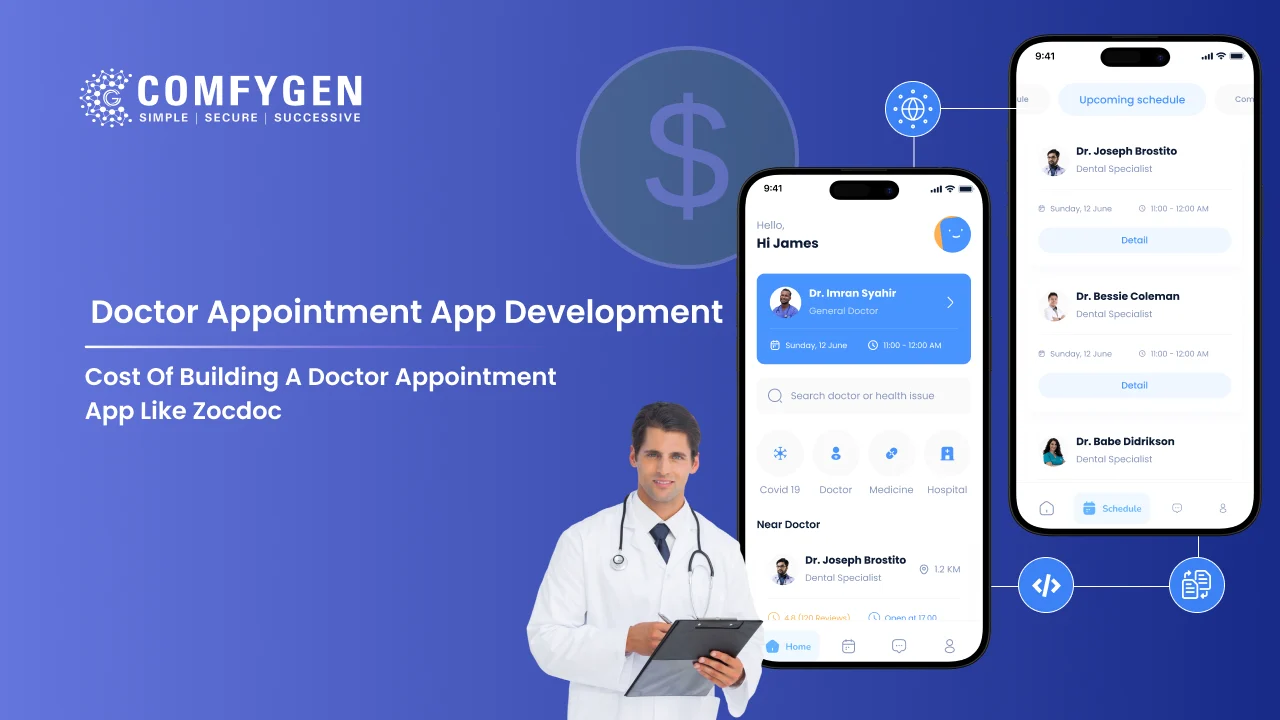





The cost of building a platform inspired by Zocdoc depends on the business model, features, healthcare integrations, compliance requirements, and scalability needs. A focused appointment-booking platform requires a different scope from a large healthcare marketplace with multiple providers and advanced integrations.
In this guide, we’ll break down the complete cost of building a doctor appointment app, covering feature-based pricing, development stages, technology stack, and the major factors that determine your final investment.
Zocdoc-like app cost at a glance (2026)
A Zocdoc-inspired platform can range from a focused appointment-booking product to a large healthcare marketplace. The final cost depends on the number of user roles, integrations, compliance requirements, and scalability needs.
|
App Type |
What It Includes | Estimated Cost |
Timeline |
|---|---|---|---|
| Basic MVP | Single platform, booking, doctor profiles, in-app chat, notifications | $10,000 – $18,000 | 8 – 12 weeks |
| Standard Clinic | Both platforms, payments, video consultation, and staff scheduling | $18,000 – $30,000 | 12 – 20 weeks |
| Hospital Platform | EHR/EMR integration, multi-department scheduling, analytics, admin controls | $30,000 – $55,000 | 20 – 32 weeks |
| Marketplace / Enterprise | AI symptom checker, generative AI notes, billing/RCM, wearables, multi-location | $55,000 – $100,000+ | 32 – 48 weeks |
A Zocdoc-style marketplace may require additional planning around provider onboarding, search, availability management, and healthcare integrations. The final estimate should therefore be based on the specific business model rather than copying another platform feature for a feature.
What is a doctor appointment app like Zocdoc?
A Zocdoc-like app is a two-sided marketplace that connects patients with verified doctors and lets them book in a few taps. Patients search by specialty, location, insurance, and real availability, read reviews, then confirm a slot. Doctors get a profile, a calendar they control, and far fewer no-shows.
Zocdoc handles millions of bookings a month across the US, and that scale pulled a wave of founders into healthcare. Most of them don’t want a copy. They want the booking backbone plus their own angle: a single specialty, a regional focus, a telehealth-first flow, or a cash-pay model that skips insurance altogether.
The demand behind this isn’t slowing down. The global telemedicine market is on track to cross $35 billion by 2027, growing at roughly a 10% annual clip, according to industry research from sources like Grand View Research. Patients want to skip the phone tag. Clinics want organized scheduling. Doctors want to stop losing revenue to empty slots. An app like this solves all three at once.
If you want the wider business case before the numbers, our full guide to medical booking platform development covers strategy in more depth.
Cost breakdown by app complexity
The cleanest way to budget is by complexity tier, because feature count drives cost more than anything else except team location. Here’s what each tier buys you.
1. MVP: $15,000 – $30,000
Your first working version. Enough to get real doctors listed and real patients booking, which is the only way to prove the model.
- Patient registration and profiles
- Doctor search with filters
- Real-time availability and booking
- Appointment reminders
- Doctor profiles and calendar
- Basic admin panel
2. Standard: $30,000 – $60,000
The version most founders actually launch to the public once the MVP proves demand.
- Everything in the MVP
- Telemedicine video consultations
- In-app payments
- Reviews and ratings
- Secure patient-doctor messaging
- Push, SMS, and email notifications
3. Advanced marketplace: $60,000 – $120,000+
A full Zocdoc competitor with the integrations that make scaling possible.
- Everything in Standard
- Insurance verification
- AI doctor-patient matching
- EHR / EMR integration
- Analytics dashboard
- Multi-language and multi-region support
Feature-by-feature cost breakdown
Features are where budgets quietly balloon, so here’s what each block roughly adds. Use this to decide what ships in version one and what waits.
Patient-side features
| Feature | Cost estimate |
| Registration and profile | $1,500 – $3,000 |
| Doctor search and filters | $2,500 – $5,000 |
| Real-time availability and booking | $4,000 – $8,000 |
| Reviews and ratings | $2,000 – $4,000 |
| Reminders (push, SMS, email) | $1,500 – $3,000 |
| In-app payments | $3,000 – $6,000 |
| Telemedicine video consultation | $6,000 – $12,000 |
Doctor-side features
| Feature | Cost estimate |
| Doctor profile and availability settings | $2,000 – $4,000 |
| Calendar and appointment dashboard | $4,000 – $9,000 |
| Secure patient messaging | $3,000 – $6,000 |
| Prescriptions and notes | $2,500 – $5,000 |
Admin and back-office
| Feature | Cost estimate |
| Admin panel (users, doctors, revenue) | $4,000 – $8,000 |
| Reporting and analytics | $3,000 – $7,000 |
Booking is the heartbeat of the whole app, and it’s rarely as simple as it looks. A plain “pick a slot” flow is cheap. Smart scheduling that blocks double-booking, syncs with a doctor’s other calendars, and optimizes open slots costs more, and it pays for itself in doctors who actually stay on the platform.
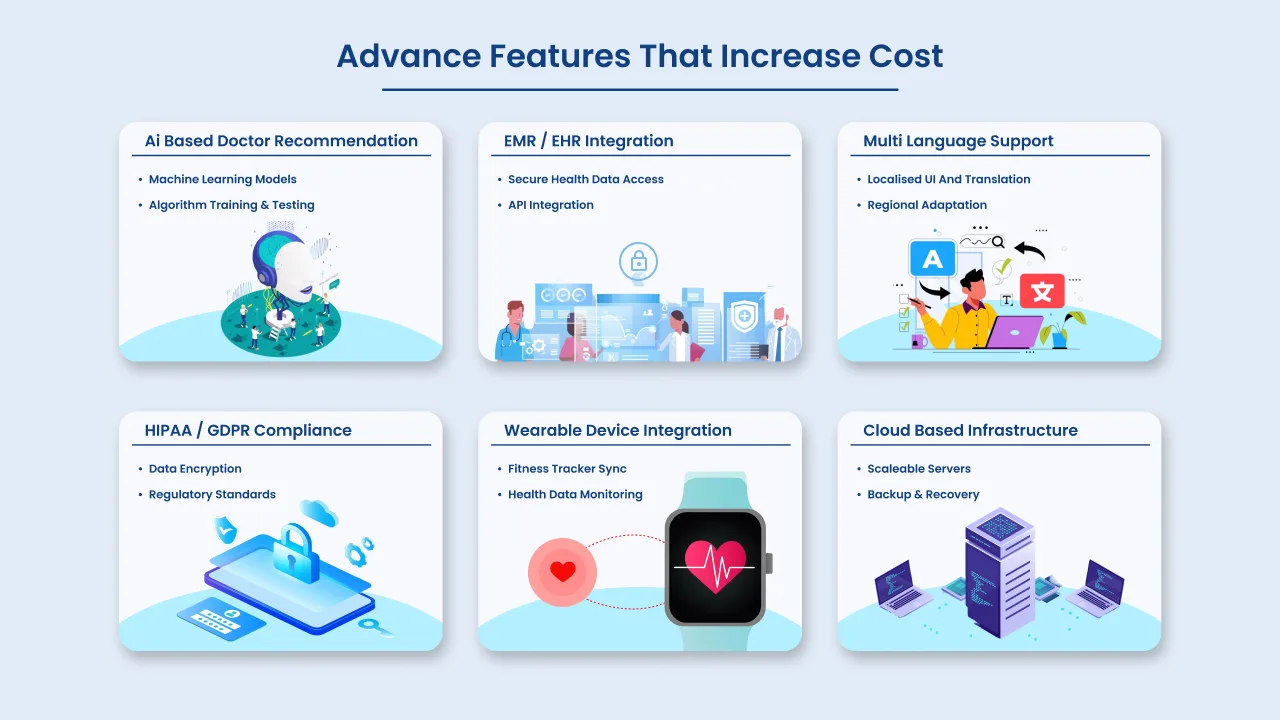
Advanced features that move your budget
These are the features that separate a $30,000 app from a $120,000 one. Add them when your model needs them, not before.
| Advanced feature | Added cost | Why it costs more |
| Telemedicine video | $6,000 – $12,000 | Compliance-ready video SDK plus extra security work |
| AI doctor-patient matching | $6,000 – $14,000 | Recommendation logic trained on specialty, location, and history |
| Insurance verification | $5,000 – $10,000 | Integration with insurance APIs and eligibility checks |
| EHR / EMR integration | $8,000 – $18,000 | HL7 / FHIR data exchange with hospital systems |
| Symptom checker | $4,000 – $9,000 | AI triage that routes patients to the right specialist |
| Wearable device sync | $4,000 – $8,000 | Health data pulled from Apple Health, Fitbit, and similar |
| In-app cost calculator | $2,000 – $4,000 | Transparent pricing before a patient books |
Telemedicine is the most common upgrade, and it’s the one to plan for early if video consults are core to your model. A HIPAA-eligible video setup shapes your architecture, so retrofitting it later costs more than building it in. Our telemedicine and healthcare app development team handles that integration end-to-end.
Advanced Features That Increase the Cost of Developing a Doctor’s Appointment App
Cost by region: India vs US vs Europe vs UAE
Where your team sits changes your bill more than any single feature. The same standard-tier app can cost $35,000 or $180,000 depending on the region. Here’s the 2026 picture.
| Region | Hourly rate (avg) | Standard-tier app cost |
| India | $25 – $50 | $30,000 – $60,000 |
| Eastern Europe | $40 – $70 | $45,000 – $90,000 |
| Western Europe | $70 – $120 | $70,000 – $150,000 |
| USA / Canada | $100 – $180 | $90,000 – $250,000+ |
| UAE / Middle East | $60 – $100 | $60,000 – $130,000 |
This is why so many US and UK healthcare startups build in India and keep product ownership at home. You get the same tech stack and compliance standards at 40 to 60 percent lower cost. The trick is picking a team with real healthcare experience, since HIPAA and data-security mistakes are far more expensive than the rate you saved.
Cost breakdown by development phase
Your budget doesn’t go entirely into coding. It’s split across five phases, and knowing the split helps you spot where an estimate is padded. Here’s a typical distribution for a doctor appointment app.
| Phase | Share of budget | What happens |
| Discovery and planning | 10% | Requirements, user flows, compliance scoping |
| UI/UX design | 15% | Wireframes, prototypes, design system |
| Development | 50% | Frontend, backend, integrations |
| QA and testing | 15% | Functional, security, and compliance testing |
| Deployment and launch | 10% | App store submission, server setup, go-live |
Two phases founders love to skip are discovery and QA, and both come back to bite. Weak discovery means rework halfway through. Thin QA in healthcare means security holes that leak patient data. Neither is where you want to save.
Budget another 15 to 20 percent of your build cost per year for maintenance, updates, and security patches after launch.
Tech stack for a Zocdoc clone
Your stack decides performance, security, and how much you’ll pay to run the app for years. Here’s a practical, cost-aware setup.
| Layer | Recommended tech | Cost note |
| Mobile frontend | Flutter or React Native | One codebase cuts 30 – 40% off native builds |
| Web dashboard | React.js or Next.js | Fast, responsive doctor and admin panels |
| Backend | Node.js or Laravel | Deep talent pool, easy to scale and hire for |
| Database | PostgreSQL (+ MongoDB) | Structured medical data plus flexible content |
| Video | HIPAA-eligible video SDK | Compliance built in from day one |
| Payments | Stripe or Razorpay | Tuned to the regions you serve |
| Security | Encryption, 2FA, role-based access | Baseline for any healthcare app |
Choosing cross-platform over native is usually the smartest early cost decision. You trade a little raw performance for a much shorter, cheaper path to launch, and for most doctor booking apps that trade makes sense.
Security isn’t a line item you negotiate down. For US patients, HIPAA shapes your architecture. For EU patients, GDPR does the same. Building it in from the start costs less than a breach or a retrofit.
How long does it take to build?
A Zocdoc-like app takes 3 to 12 months, depending on scope. Here’s the realistic clock.
| Build tier | Timeline |
| MVP | 3 – 4 months |
| Standard (with telemedicine) | 5 – 7 months |
| Advanced marketplace | 8 – 12 months |
Complex integrations like EHR sync or insurance verification can push a full build past a year. The fastest path to a live product is shipping the MVP, getting real doctors and patients on it, then funding each next phase from what you learn. Founders who try to launch the full marketplace on day one almost always slip their timeline and their budget.
7 factors that decide your final price
Two apps with the same feature list can cost wildly different amounts. Here’s why.
- Team location. The biggest variable by far. An India-based team delivers the same scope at a fraction of US rates.
- Feature depth. A basic booking flow versus AI matching plus EHR sync can triple your budget on its own.
- Platform coverage. iOS only is the cheapest. Android and iOS together cost more. Add a web app, and it climbs again.
- Design complexity. Template-driven UI is fast and affordable. Fully custom design and animation add real hours.
- Compliance load. HIPAA, GDPR, and standards like HL7 and FHIR add engineering and audit time, and they’re non-negotiable with real patient data.
- Third-party integrations. Every external system, whether an insurance API, an EHR, or a pharmacy network, adds build and maintenance costs.
- Post-launch support. Plan for 15 to 20 percent of the build cost per year. Skipping it is how good apps quietly rot.
How to cut your build cost without gutting the app
You don’t need the full Zocdoc feature set to launch. A few moves that save real money:
- Ship an MVP first. Prove doctors will list and patients will book before you spend on AI matching or insurance APIs.
- Go cross-platform. One Flutter codebase instead of two native builds.
- Use proven APIs. An off-the-shelf scheduling or video API beats building one from scratch on both cost and time.
- Phase your compliance. Launching cash-pay in one region means you may not need full insurance integration yet.
- Pick a team that’s built this before. A team that already knows the healthcare compliance traps won’t burn your budget learning them.
How do doctor appointment apps make money
Before you spend on the build, it helps to know how you’ll earn it back. Zocdoc-style apps run on a few proven models, and most successful ones stack two or three.
- Booking commission. A percentage on each appointment booked through the app. The default for most marketplaces.
- Doctor subscriptions. Monthly or annual plans for doctors who want a profile, calendar tools, and patient reach.
- Featured listings. Doctors pay to appear higher in search results, similar to how Zocdoc surfaces sponsored providers.
- Telemedicine fees. A cut of each paid video consultation.
- Premium patient features. Priority booking, reminders, or family accounts on a small subscription.
Step-by-step: how to build an app like Zocdoc
Here’s the path from idea to launch.
- Validate the model. Pick your niche, specialty, or region, and confirm doctors will list on it.
- Line up your doctor’s supplies. A booking app with no doctors is empty. Start building your provider database early.
- Scope the MVP. Choose the smallest feature set that lets a patient find a doctor and book.
- Design the three panels. Patient app, doctor app, and admin, with a booking flow that takes a few taps.
- Build and integrate. Frontend, backend, payments, and a compliance-ready video API if telehealth is in scope.
- Test hard. Functional, security, and compliance testing before a single real patient touches it.
- Launch and learn. Ship to a small market, watch the data, then fund the next phase.
Why Comfygen for your Zocdoc-like build
Comfygen has built healthcare and on-demand apps since 2019, with 7+ years of shipping products across 30+ countries. That work covers 400+ clients and a 97% repeat rate, which counts for a lot when you’re handing over patient data and a business model in the same project.
On a doctor appointment build, that looks like:
- A full-stack team of 100+, so the patient app, doctor app, admin panel, and backend move in parallel.
- Real healthcare compliance experience, with HIPAA, GDPR, HL7, and FHIR handled from day one.
- Cross-platform delivery that keeps your mobile budget lean.
- Clone-inspired builds that borrow Zocdoc’s booking backbone and layer on your own model, whether that’s one specialty, a telehealth-first flow, or a regional marketplace.
For a similar-but-different reference, our breakdown of building a Doctolib-style booking app shows how the same backbone adapts to another market.
Conclusion
The cost of building a doctor appointment app depends on your feature scope, compliance requirements, and scalability goals.
The right investment depends on your business model and long-term growth strategy.
If you’re planning to launch a scalable and secure healthcare platform, Comfygen is the best doctor appointment app development company to help you design and develop a customized app tailored to your goals. From MVP development to enterprise-level healthcare marketplaces, our team ensures performance, compliance, and future-ready architecture.
FAQs
How much does it cost to build a doctor appointment app like Zocdoc?
How long does it take to build a Zocdoc clone app?
Is it cheaper to build a doctor appointment app in India?
Do I need to be HIPAA compliant?
How can I reduce the cost of a doctor appointment app?
What's the best tech stack for a Zocdoc-like app?
How do doctor appointment apps make money?

Mr. Saddam Husen, (CTO)
Mr. Saddam Husen, CTO at Comfygen, is a renowned Blockchain expert and IT consultant with extensive experience in blockchain development, crypto wallets, DeFi, ICOs, and smart contracts. Passionate about digital transformation, he helps businesses harness blockchain technology’s potential, driving innovation and enhancing IT infrastructure for global success.