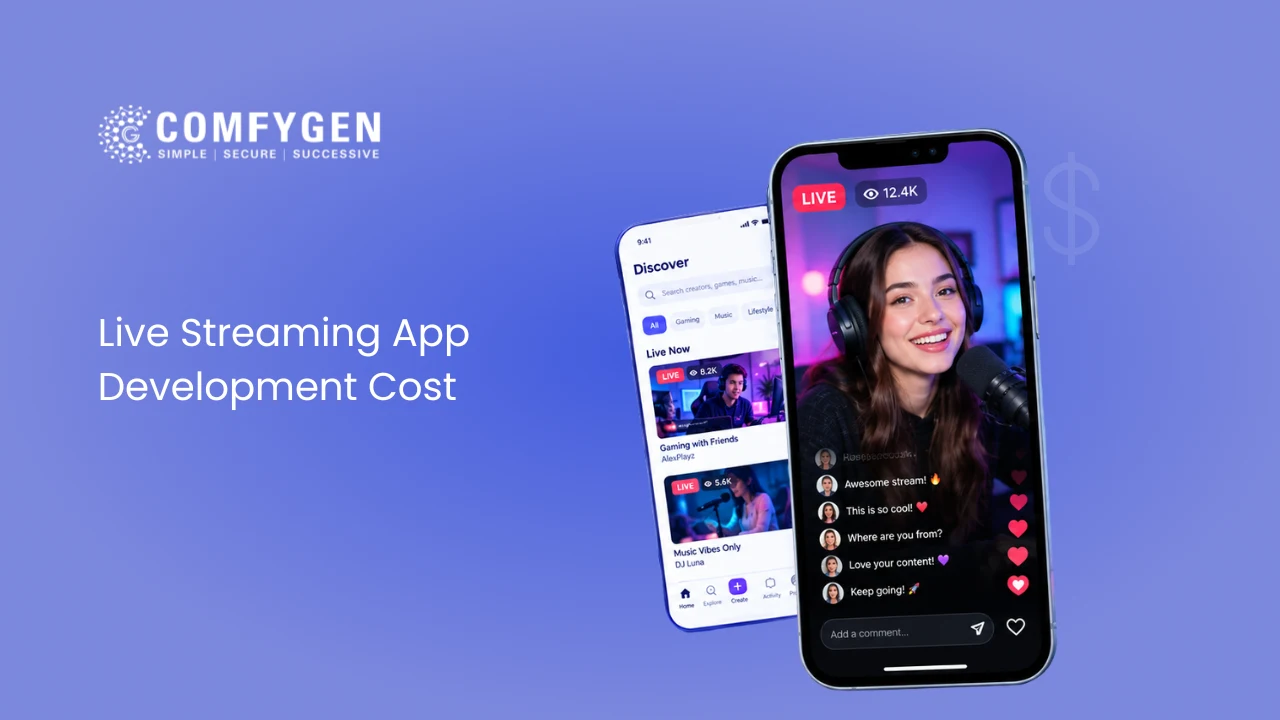





Live streaming app development cost depends on three things: how many platforms you launch on, how much real-time interaction you need, and whether you use a streaming SDK or run your own media servers. A basic live streaming MVP, built on one platform with a streaming SDK and core go-live and chat features, starts at $15,000. A social live streaming app with virtual gifts, PK battles and creator payouts runs $28,000 to $50,000. A full live plus OTT platform with smart TV apps, multi-DRM and admin analytics runs $55,000 and up. Running costs matter just as much, because streaming SDKs and CDNs bill per minute or per gigabyte.
If you’re planning a live streaming app, the first few quotes will probably confuse you. One agency says $15,000, and another says $250,000. Both can be honest numbers, because “live streaming app” covers everything from a simple webinar tool to a Twitch-sized gaming platform, and because hourly rates differ a lot from one country to another.
This guide splits the cost into parts you can actually plan around: features, app type, tech choices, team location, and the monthly bills that start after launch. It also includes a worked bandwidth example, since that’s the cost first-time founders underestimate most often.
The ranges below are based on current global market rates and on how app projects are scoped at Comfygen, a mobile app development company that has delivered 550+ projects for 400+ clients in 30+ countries since 2019. Use them as planning numbers. Your final quote will depend on your exact scope.
What Is a Live Streaming App and How Does It Work?
A live streaming app lets people broadcast video in real time while others watch, chat and react as it happens. Unlike on-demand apps such as Netflix, nothing is pre-recorded. The video travels from the streamer to viewers within seconds.
Every live stream follows the same four steps:
- Capture: the streamer’s phone or camera records video and audio.
- Ingest: the app compresses the video and sends it to your server.
- Transcode: the server turns that one stream into several quality levels, such as 360p, 720p and 1080p, so viewers on slow and fast connections can both watch.
- Deliver: a CDN (a network of servers spread across many countries) sends the video to each viewer from the location nearest to them.
Each step needs its own technology and its own budget. That’s why a live streaming app costs more than a regular social or on-demand video app.
How Much Does It Cost to Build a Live Streaming App in 2026?
The cost to build a live streaming app depends mostly on how interactive it is and how many people will watch at the same time. Here’s how the three common levels compare:
| App level | What you get | Estimated cost | Timeline |
| Basic live streaming MVP | One platform, streaming SDK, go-live, live chat, profiles, followers, basic admin panel | From $15,000 | About 8 weeks |
| Mid-level | Virtual gifts, PK battles, creator payouts, co-hosting, stream recording, push alerts | $28,000 to $50,000 | 10 to 14 weeks |
| Full live plus OTT platform | Sub-second latency, multi-guest rooms, AI moderation, recommendations, DRM, multi-region delivery, web and TV apps | $55,000 and up | 14 to 20 weeks |
These ranges assume one cross-platform app for Android and iOS, built by an experienced team. Building two separate native apps usually adds 30% to 60% to the budget.
Live Streaming App Development Cost by Feature
Features drive most of the budget. So it helps to price them one by one before you decide what goes into version one. The ranges below assume a build on a streaming SDK.
| Feature | Estimated cost | Why it costs this much |
| Sign-up, profiles, follow system | $1,500 to $3,000 | Social login, OTP checks, profile editing |
| Go-live broadcasting | $3,000 to $8,000 | Camera capture, stream keys, reconnect on weak networks |
| Video player with adaptive bitrate | $1,500 to $3,500 | Adaptive bitrate means the player switches video quality to match each viewer’s internet speed |
| Real-time chat and reactions | $2,000 to $5,000 | Chat servers, spam limits, emoji and heart animations |
| Co-hosting and multi-guest rooms | $4,000 to $10,000 | Mixing several live camera feeds with very little delay |
| Virtual gifts, coins and wallet | $4,000 to $9,000 | In-app purchases, a coin ledger, creator payouts |
| Subscriptions and pay-per-view | $2,500 to $6,000 | Recurring billing and access control |
| Recording and replays | $2,000 to $4,000 | Cloud storage and converting live streams into on-demand videos |
| Content moderation | $3,000 to $8,000 | AI checks for nudity or abuse, plus a report queue for human reviewers |
| Recommendations and discovery | $3,000 to $10,000 | Simple rules at first, then machine learning as data grows |
| Admin panel and analytics | $3,000 to $8,000 | User control, payout approvals, revenue and viewer reports |
| Screen sharing and multistreaming | $2,500 to $6,000 | Sending one stream to your app, YouTube and Twitch at once |
Keep in mind that you can’t simply add these numbers together. Many features share the same backend work, so the total is usually lower than the sum of the rows.
Features Each Panel Needs
A complete live streaming platform has three sides, and each one adds to the build.
Viewer side: profile and watch history, search and categories, follow and live alerts, chat, reactions, gifts, subscriptions, replays, sharing to social media, and report or block buttons.
Streamer side: go-live screen with a camera and sound check, beauty filters, co-host invites, polls, pinned messages, scheduled streams, earnings dashboard and payout requests.
Admin side: user and creator management, content moderation queue, gift and coin pricing, payout approvals, ad settings, revenue reports and platform-wide analytics.
Cost to Develop a Live Streaming App by App Type
Two live apps can look alike on the surface and still cost very different amounts. The difference comes from the extras each business model needs.
| App type | Similar to | Must-have extras | Typical cost |
| Social live streaming with gifting | Bigo Live, Tango | Gifts, PK battles, host rankings, coin wallet, creator payouts | $28,000 to $50,000 |
| Game streaming | Twitch, Kick | Screen capture, fast chat, subscriptions, clips | $35,000 to $70,000 |
| Live plus video library | Rumble, YouTube Live | Live streams that turn into an on-demand library, ads, memberships | $55,000 and up |
| Live shopping | Whatnot, TikTok Shop Live | Product tags, in-stream cart, live auctions | $25,000 to $50,000 |
| Fitness and live classes | Studio class apps | Class schedules, passes, small-group two-way video | $20,000 to $40,000 |
| Events and pay-per-view | Concerts, sports | Ticketing, DRM, very high viewer spikes | $40,000 to $80,000 |
| Webinars and town halls | Corporate tools | Single sign-on, Q&A, polls, recordings | $15,000 to $35,000 |
A PK battle is a timed contest between two hosts where viewers send gifts to help their favorite win. DRM (digital rights management) is the technology that blocks screen recording and piracy of paid content.
Wondering How Much Your Live Streaming App Will Cost
Explore realistic development costs, feature pricing, technology requirements, and timelines to make informed project decisions.
Request Cost Estimate
Key Factors That Affect Live Streaming App Development Cost
1. Latency Target and Streaming Protocol
Latency is the delay between what the streamer does and what the viewer sees. It’s the biggest technical decision in live streaming app development, since it shapes both build and server costs.
- RTMP is the common way to send video from the streamer’s phone to your server. It’s mature and cheap.
- HLS delivers video to viewers in small chunks through normal web servers. It scales cheaply, but the delay is usually 6 to 30 seconds. Low-Latency HLS brings that down to a few seconds.
- WebRTC is real-time technology with under half a second of delay. You need it for co-hosting, live auctions or anything where viewers respond on camera. However, it costs more to run at scale.
In short, if viewers only watch and chat, HLS is enough. If they bid, play or talk back in real time, budget for WebRTC.
2. Platform Choice: Android, iOS, Web or Smart TV
Cross-platform frameworks like Flutter and React Native let one team write a single codebase for both phones. As a result, they usually cut 30% to 40% of the cost compared with two native apps. That said, native code (Swift for iOS, Kotlin for Android) still wins for heavy camera filters or AR effects. A web app usually adds $5,000 to $12,000, and each smart TV platform adds a similar amount.
3. Expected Scale and Concurrent Viewers
Concurrent viewers are people watching at the same moment. An app built for 500 concurrent viewers is very different from one built for 50,000. Bigger audiences need auto-scaling servers, load testing and sometimes more than one CDN, so a global launch costs more than a single-country launch.
4. Security and Compliance
Live apps handle video, payments and personal data, so security isn’t optional. Common layers include:
- Token-based stream access: each stream needs a short-lived key, so strangers can’t hijack or copy it.
- Encryption: TLS for data moving between app and server, and AES-256 for stored recordings and user data.
- DRM and watermarking for paid content, so leaks can be blocked or traced.
- Privacy laws: GDPR in Europe, CCPA and COPPA in the US, and similar laws in other markets you target.
- App store safety rules: apps with user-generated content need filtering, reporting and blocking tools to get approved.
Expect $3,000 to $10,000 for this layer, and more if you sell premium events that need multi-DRM.
5. UI/UX Design Depth
A clean, template-based design costs $2,500 to $5,000. On the other hand, custom animations for gifts, badges and live overlays can push design to $8,000 or more.
6. Tech Stack
Your technology choices affect both the build and the running cost. A typical stack looks like this:
| Layer | Common choices |
| Mobile apps | Flutter, React Native, Swift, Kotlin |
| Web app | React, Next.js |
| Backend | Node.js, Go, Python |
| Real-time video | WebRTC, Agora, Amazon IVS, LiveKit, Mux |
| Chat | WebSockets, Socket.IO, Firebase |
| Database | PostgreSQL, MongoDB, Redis |
| Cloud and CDN | AWS, Google Cloud, Azure, Cloudflare |
| Payments | Apple and Google in-app purchase, Stripe, PayPal |
Build vs Buy: Streaming SDK, Custom Server or White Label?
This choice changes both your upfront live streaming platform development cost and your monthly bills. The three options compare side by side:
| Approach | Upfront cost | Monthly cost | Time to launch | Best for |
| Streaming SDK or API (Agora, ZEGOCLOUD, Amazon IVS, Mux) | $15,000 to $50,000 | Usage-based, grows with minutes streamed | 8 to 14 weeks | Most startups and MVPs |
| Custom media server (self-hosted LiveKit or mediasoup) | $55,000 and up | Lower per minute at high volume, plus DevOps costs | 14 to 20 weeks or more | Large audiences, strict data control |
| White-label app or clone script | $8,000 to $30,000 | License and hosting fees | 4 to 8 weeks | Testing a market quickly |
An SDK is a ready-made toolkit that handles the hard video parts for you. For most new products, an SDK-based build is where a live streaming app should start. Many teams start with one and then move their heaviest traffic to their own servers once the monthly bill grows large enough to justify it. White-label apps are fast to launch. However, check code ownership and ease of change before you buy, because rebuilding later often costs more than building right the first time.
Monthly Running Costs After Launch
Your build cost is paid once, but these costs come back every month. They’re also where most live streaming budgets go wrong.
Bandwidth: A Worked Example
A 720p live stream uses about 2.5 Mbps. One viewer watching for one hour therefore uses about 1.1 GB of data.
Now say 1,000 people watch a one-hour stream. That’s roughly 1,100 GB. At about $0.085 per GB, which is the first-tier North America rate on Amazon CloudFront’s pricing page at the time of writing, that single hour costs around $95 in delivery alone. Run three such streams a day for a month and you’re near $8,500 a month. Rates drop at higher volumes and vary by region and CDN, so check current pricing before you build your forecast.
Other Recurring Costs
- Streaming SDK usage: often billed per 1,000 minutes of video.
- Transcoding: turning one incoming stream into several quality levels.
- Cloud storage: for recordings and replays.
- AI moderation: usually billed per minute of video or per image checked.
- App store fees: Apple and Google take 15% to 30% of digital purchases such as coins and subscriptions. Apple’s App Store Small Business Program explains when the lower 15% rate applies.
- Maintenance: 15% to 20% of the build cost each year for OS updates, bug fixes and security patches.
Live Streaming App Development Process, Timeline and Cost by Phase
Next, it helps to see how the build moves forward and where the money goes.
| Phase | What happens | Duration | Share of budget |
| Scoping and latency target | Audience size, peak viewers, latency target, revenue model | 1 to 2 weeks | 5% to 8% |
| Architecture and protocol choice | WebRTC, LL-HLS or HLS, SDK or own servers, CDN, monthly cost estimate | 1 week | 3% to 5% |
| UI/UX design | Player, go-live flow, chat and checkout screens | 1 to 3 weeks | 10% to 12% |
| Development sprints | Backend, streaming, Android, iOS and web apps, admin panel, in 2-week sprints | 4 to 12 weeks | 55% to 60% |
| Streaming QA and load testing | Peak-viewer load tests, slow-network playback, 20+ real devices | 1 to 2 weeks | 10% to 12% |
| Store submission and launch | App Store, Google Play and TV stores, monitoring switched on | About 1 week | 3% to 5% |
Some phases run side by side. That’s why a focused MVP takes about 8 weeks, a social live app 10 to 14 weeks and a full platform 14 to 20 weeks.
Live Streaming App Development Cost by Region
Team location changes the price more than almost any feature. The table below shows what the same social live streaming app, about 900 to 1,100 development hours, costs with teams in different regions.
| Region | Hourly rate | Social live streaming app cost |
| USA and Canada | $100 to $200 | $90,000 to $220,000 |
| UK and Western Europe | $80 to $150 | $72,000 to $165,000 |
| Australia | $80 to $150 | $72,000 to $165,000 |
| UAE | $50 to $90 | $45,000 to $99,000 |
| Eastern Europe | $40 to $90 | $36,000 to $99,000 |
| Latin America | $40 to $80 | $36,000 to $88,000 |
| India and South Asia | $20 to $50 | $18,000 to $55,000 |
That’s why the ranges in this guide, such as $28,000 to $50,000 for a social live app, are lower than many US agency quotes. Many businesses in the USA, UK, Canada and the Middle East pair local product ownership with an offshore development team to get the best value. Still, the lowest hourly rate isn’t always the lowest final cost. A team without streaming experience can burn weeks fixing lag and dropped connections, so ask to see live or video apps they’ve already shipped.
Freelancers, In-House Team or Development Agency?
- Freelancers cost the least per hour. However, a live streaming app needs mobile, backend, video and QA skills at once, which is hard to coordinate across separate people.
- An in-house team gives full control, but hiring five or six specialists means high salaries plus months of recruiting before work even starts.
- A development agency brings a ready team with design, development, testing and support under one fixed scope. For most founders, it’s the fastest and most predictable route to launch.
7 Practical Ways to Reduce Live Streaming App Development Cost
- Start with one use case: Launch gifting or classes or shopping first, and add the rest later.
- Use a streaming SDK for version one: You’ll skip months of media server work.
- Go cross-platform: One codebase for Android and iOS saves money now and on every future update.
- Choose HLS unless you truly need real-time interaction: It’s far cheaper to deliver at scale.
- Set a recording retention rule: For example, delete raw recordings after 30 days and keep only highlights.
- Add moderation in layers: Begin with keyword filters and user reports, then add AI video checks as traffic grows.
- Load test before launch: A crash during your first big stream costs more than the testing ever would.
How Live Streaming Apps Earn Back the Investment
Most successful apps combine two or three revenue streams:
- Virtual gifts: viewers buy coins and send gifts, and the platform keeps a share.
- Subscriptions: monthly plans for ad-free viewing, badges or creator perks.
- Advertising: ads before, during or beside streams.
- Pay-per-view: one-time tickets for concerts, classes or sports.
- Live shopping commission: a cut of each product sold during a stream.
- Sponsorships: brand deals with top creators, with a revenue share for the platform.
Pick your model before development starts, because each one changes the feature list and therefore the final cost.
Build Your Live Streaming App with Comfygen
Getting the budget right starts with the right technical choices, and that’s where an experienced partner saves you money. Comfygen’s social media app development team handles live streaming app development from start to finish: latency planning and SDK selection, gifting and subscriptions, moderation, load testing and app store launch.
Since 2019, Comfygen has delivered 550+ projects for 400+ clients across 30+ countries, with a 97% client retention rate. The company works with businesses in the USA, UK, Canada, UAE and India, and holds ISO 9001, ISO/IEC 20000-1 and ISO 27001 certifications, so security and process quality are part of every project. Share your idea, and you’ll get a feature-wise estimate before a single line of code is written.
Conclusion
Live streaming app development cost isn’t one fixed number. It’s the sum of your features, your latency target, your platforms and the audience size you plan for. A focused MVP starts at $15,000, a social live app runs $28,000 to $50,000, and a full live plus OTT platform starts at $55,000. The smartest budgets also plan for bandwidth, SDK usage and maintenance from day one. So start small, choose the right streaming technology, and scale as your viewers grow.
Frequently Asked Questions
How much does it cost to develop a live streaming app?
How much does it cost to build a live streaming app like Twitch or Kick?
How much does it cost to build a live streaming app like Rumble or YouTube Live?
Does team location change live streaming app development cost?
How long does it take to build a live streaming app?
How much does it cost to maintain a live streaming app?
Is it cheaper to use a streaming SDK or build my own media server?
How much does an AI-powered live streaming app cost?
What is the difference between video streaming and live streaming app cost?

Mr. Saddam Husen, (CTO)
Mr. Saddam Husen, CTO at Comfygen, is a renowned Blockchain expert and IT consultant with extensive experience in blockchain development, crypto wallets, DeFi, ICOs, and smart contracts. Passionate about digital transformation, he helps businesses harness blockchain technology’s potential, driving innovation and enhancing IT infrastructure for global success.