




A focused MVP built on a streaming SDK usually takes about 8 weeks.
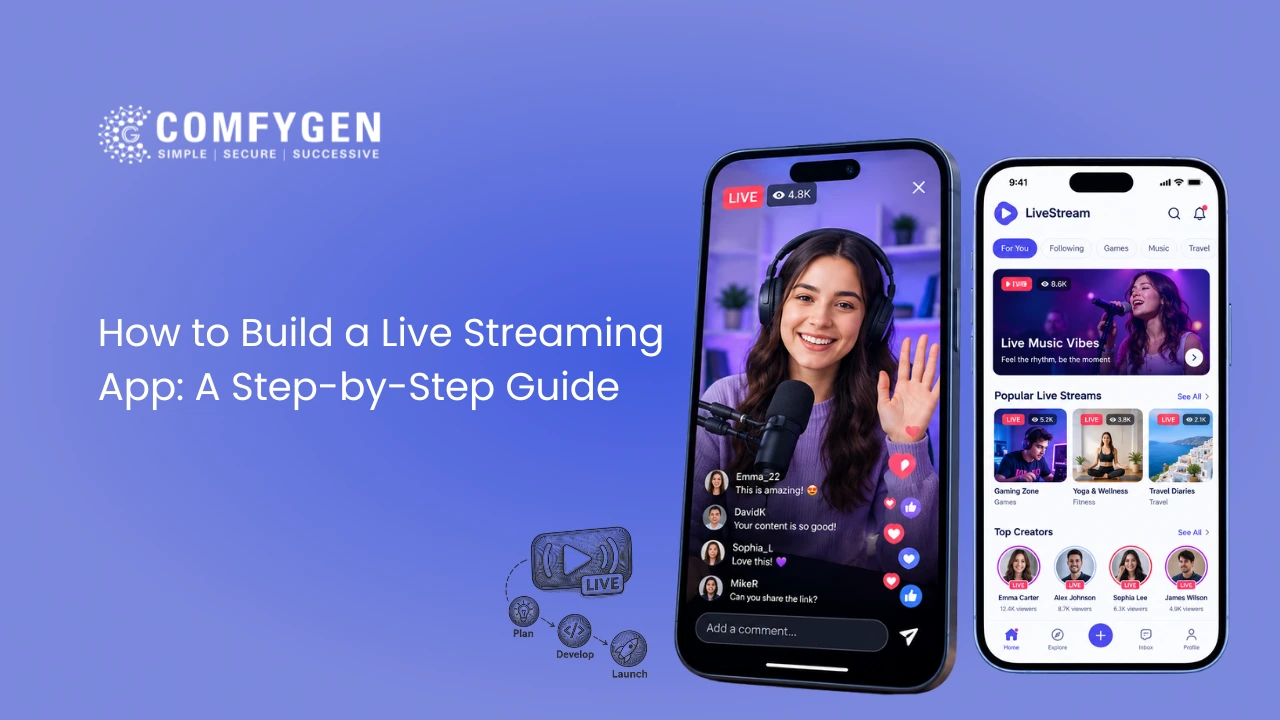
Anyone can go live on YouTube or Instagram. Owning the app is different. When you build your own live streaming app, you keep your audience data, set your own fees and decide how the product grows. However, live video is one of the hardest things to get right in mobile development. A small mistake in protocol choice or server setup can mean lag, buffering or a crash during your biggest event.
This guide explains how to build a live streaming app from start to finish, in plain language. It covers the business decisions and the technical ones, so founders and product teams can plan with confidence. The steps reflect how Comfygen plans real-time video projects, drawing on 550+ app projects delivered for clients in 30+ countries since 2019.
What You Need Before You Build a Live Streaming App
Every live streaming app, whether it’s a Twitch-style gaming platform or a small fitness class app, runs on the same five building blocks:
- Broadcaster app: captures camera and microphone, compresses the video and sends it out.
- Ingest and media server: receives the stream from the broadcaster.
- Transcoder: turns one incoming stream into several quality levels, such as 360p, 720p and 1080p, so viewers on slow and fast internet can both watch.
- CDN and video player: a CDN is a network of servers in many countries that delivers video from the location closest to each viewer. The player shows it on the screen.
- App backend: handles sign-up, chat, gifts, payments, notifications and the admin panel.
You don’t have to build all five yourself. In fact, your first big decision is which of these you buy and which you build.
Choose Your Path to Build a Live Streaming App
There are three ways to make a live streaming app. Each one trades speed against control.
| Build path | How it works | Best for | Main limit |
| No-code app builder | Embed a stream into a template app with a drag-and-drop tool | Fan clubs, event companion apps, quick tests | Little control over latency, features and branding |
| Custom app on a streaming SDK | Your own apps and backend, with the video layer from Agora, Amazon IVS, Mux, ZEGOCLOUD or LiveKit | Most startups and growing businesses | You pay the SDK provider per minute of video |
| Fully custom media servers | Your own apps plus self-hosted servers such as LiveKit or mediasoup | Very large audiences or strict data rules | Longer build and a DevOps team to run it |
For most businesses, the middle path is the right starting point. You get a branded app with your own features, and the SDK handles the difficult video work. Later, if viewing minutes grow large, you can move heavy traffic to your own servers.
How to Build a Live Streaming App in 10 Steps
Step 1: Define Your Use Case, Audience and Latency Target
Start with three questions. Who will watch? How many people will watch at the same time at peak? And how fast must the video arrive?
Latency is the delay between what the streamer does and what the viewer sees. It shapes almost every later decision. For example, a live auction needs under one second, because bids must match what’s on screen. A football match can live with a few seconds. A recorded class can wait much longer.
Also, decide how the app will earn money now, not after launch. Gifting, subscriptions, pay-per-view and live shopping each need different features and different screens.
Step 2: Pick the Right Live Streaming Protocol
A protocol is the set of rules for moving video over the internet. Your latency target from Step 1 points to the right one.
| Protocol | Typical delay | Best for |
| WebRTC | Under 1 second | Co-hosting, video calls, auctions, live selling, PK battles |
| LL-HLS (Low-Latency HLS) | 2 to 5 seconds | Sports, concerts, large live audiences |
| HLS or DASH | 6 to 30 seconds | Very large audiences and replays at the lowest cost |
| RTMP or SRT | Ingest only | Sending video from the broadcaster to your server |
Many large events mix two protocols. The host and on-stage guests use WebRTC, while the watching crowd gets LL-HLS. As a result, the stage feels instant and the audience stays cheap to serve.
Step 3: Choose a Live Streaming SDK or Media Server
An SDK (software development kit) is a ready-made toolkit that handles capture, delivery and playback for you. Compare providers on four points:
- Latency options: does it support WebRTC, LL-HLS or both?
- Platform support: iOS, Android, web, Flutter and React Native.
- Pricing model: most charge per minute streamed or per minute watched, so estimate your monthly viewing minutes first.
- Extras: cloud recording, moderation hooks, analytics and co-hosting.
If you already have an app, you don’t need to start over. Live video can usually be added to an existing app with an SDK while your current login, wallet and payments stay as they are.
Step 4: Plan the Core Features for Version One
A live streaming platform has three connected sides. Keep version one small, then grow.
Viewer app: sign-up, a home feed of who’s live now, an adaptive video player, live chat, reactions, follows with go-live alerts, and payments.
Creator or broadcaster app: go live in a few taps, camera and mic check, filters, screen share, co-host invites, polls, pinned messages and an earnings dashboard.
Admin panel: user and creator management, live stream monitoring and takedown, gift and coin pricing, payouts and revenue reports.
A good rule is simple: if a feature doesn’t support your main use case from Step 1, move it to version two.
Step 5: Design the Go-Live and Viewing Experience
Live apps win or lose on a few screens. So design and test these before any code is written:
- The go-live flow, which should take three taps or fewer.
- The player, with chat and reactions that don’t block the video.
- The gift or checkout screen, which should work without leaving the stream.
- Low-network states, such as “reconnecting” messages instead of a frozen screen.
Test the prototypes with a few real users. Watching someone struggle to find the “Go Live” button costs nothing now and a lot after launch.
Step 6: Build the Live Streaming Backend
The backend is where live streaming app development gets technical. It usually covers five jobs:
- Create streams and stream keys. Each creator gets a private stream key, which works like a password for their broadcast. Store it safely and never show it in the app’s code.
- Listen for stream events. Most SDKs send webhooks, which are automatic messages to your server when a stream starts, stops or disconnects. Your app uses them to show “Live now” and to hide ended streams.
- Handle dropped connections. Mobile networks drop often. Set a reconnect window, so a creator who loses signal for a few seconds can rejoin without ending the stream.
- Run real-time chat. Chat usually runs on WebSockets, a connection that stays open so messages appear instantly. Add rate limits so bots can’t flood it.
- Turn streams into replays. Record each broadcast to cloud storage, then publish it as an on-demand video with thumbnails.
Step 7: Develop the Live Streaming App for iOS and Android
Next, build the mobile apps. You have two main choices:
- Native apps in Swift for iOS and Kotlin for Android give the best camera control and performance. They’re the right fit for heavy filters or AR effects.
- Cross-platform apps in Flutter or React Native use one codebase for both platforms. They cut build time and cost, and most streaming SDKs now support them well.
Whichever you choose, handle the mobile details early. These include camera and microphone permissions, what happens when a call interrupts a stream, picture-in-picture viewing, and battery use during long broadcasts. If you’re new to app projects, the wider mobile app development process of sprints, reviews and demos applies here too.
Step 8: Add Monetization, Security and Moderation
Now connect the revenue model you picked in Step 1. Common options include virtual gifts, subscriptions, pay-per-view tickets, ads and in-stream shopping. Keep in mind that Apple and Google take a share of digital purchases like coins and subscriptions, so price them with that fee included.
Security matters just as much. Use signed, expiring stream URLs so links can’t be shared freely. Encrypt data in transit and at rest. For paid events, add DRM (digital rights management), which blocks screen recording and piracy.
Finally, plan moderation from day one. Live content can’t be edited before viewers see it. So combine AI checks for nudity and abuse with a report button and a human review queue. App stores expect this too. Apple’s App Store Review Guidelines require apps with user-generated content to offer filtering, reporting and blocking tools.
Step 9: Test With Real Streams and Load Testing
Testing a live app is different from testing a normal one. First, push real streams into the app. Free tools like OBS Studio or FFmpeg can send a test broadcast over RTMP, so you can watch the full path from camera to viewer.
Then test the hard cases:
- Playback on slow 3G and patchy Wi-Fi.
- A creator losing signal mid-stream.
- Thousands of simulated viewers joining at once.
- Chat and gifts during peak traffic.
- A spread of real devices, including older, low-memory phones.
Load testing at your expected peak is the step teams skip most often. It’s also the one that prevents a crash during your launch event.
Step 10: Launch, Monitor and Improve Your Live Streaming App
Submit the app to the App Store and Google Play, and allow extra review time for apps with live content and in-app purchases. Before go-live, switch on monitoring for:
- Start time: how long a stream takes to begin playing.
- Rebuffering: how often the video pauses to load.
- Playback errors and dropped streams.
- Engagement: watch time, chat activity and gift revenue per stream.
After launch, use this data to decide what to build next. Often, the best improvements are small ones, such as faster start times or better go-live alerts.
Have a Live Streaming App Idea? Let’s Turn It Into Reality
From planning and design to development and launch, discover how to build a powerful streaming application.
Build Your App
Recommended Tech Stack to Build a Live Video Streaming App
| Layer | Common choices |
| Mobile apps | Swift, Kotlin, Flutter, React Native |
| Web app | React, Next.js |
| Streaming SDK or server | Agora, Amazon IVS, Mux, ZEGOCLOUD, LiveKit, mediasoup |
| Protocols | WebRTC, LL-HLS, HLS, DASH, RTMP, SRT |
| Backend | Node.js, Go |
| Chat | WebSockets, Socket.IO |
| Database and cache | PostgreSQL, Redis |
| Cloud and CDN | AWS, Google Cloud, Azure, CloudFront, Cloudflare |
| Video players | ExoPlayer (Android), AVPlayer (iOS), Shaka Player, video.js |
How Long Does It Take to Build a Live Streaming App, and What Does It Cost?
Timelines depend on scope. A focused live streaming MVP takes about 8 weeks. A social live app with gifting and PK battles takes 10 to 14 weeks, while a full platform with creator tools, payments and an admin panel takes 14 to 20 weeks.
Cost follows the same pattern. A basic MVP on one platform with an SDK starts around $15,000. A social live streaming app with gifts and creator payouts typically runs $28,000 to $50,000, and a full live plus OTT platform with smart TV apps starts at $55,000. Running costs for streaming minutes and CDN bandwidth come on top. For a full breakdown by feature, region and monthly bills, read this guide to live streaming app development cost.
Common Mistakes to Avoid When You Make a Live Streaming App
- Picking the protocol last: Switching from HLS to WebRTC after launch often means rebuilding large parts of the app.
- Building every feature at once: A long feature list delays launch and burns budget before you learn what users want.
- Ignoring running costs: Streaming bills grow with every minute watched, so model them before you build.
- Skipping moderation: One harmful live stream can get your app pulled from the store.
- No load testing: Apps that work for 50 test users can fail at 5,000 real ones.
Build Your Live Streaming App With Comfygen
Comfygen plans every streaming project around three questions: how many people will watch, how fast the video must arrive and how the app will earn. From protocol choice and SDK integration to gifting, moderation and store launch, the team handles complete live streaming app development for Android, iOS, web and smart TVs.
Since 2019, Comfygen has delivered 550+ projects for 400+ clients in 30+ countries, with a 97% client retention rate. The company is ISO 9001, ISO/IEC 20000-1 and ISO 27001 certified, with offices in Jaipur, Toronto and Euskirchen. Share your idea and audience size, and you’ll get a scoped plan with the right protocol, a timeline and a running-cost estimate.
Frequently Asked Questions
How do I build a live streaming app from scratch?
How long does it take to build a live streaming app?
Can I build a live streaming app without coding?
Which protocol is best for a live streaming app?
How do I build a live streaming app for iOS and Android at the same time?
How do I build a live streaming app like Twitch?
Can I add live streaming to my existing app?
What features does a live streaming app need?

Mr. Saddam Husen, (CTO)
Mr. Saddam Husen, CTO at Comfygen, is a renowned Blockchain expert and IT consultant with extensive experience in blockchain development, crypto wallets, DeFi, ICOs, and smart contracts. Passionate about digital transformation, he helps businesses harness blockchain technology’s potential, driving innovation and enhancing IT infrastructure for global success.